
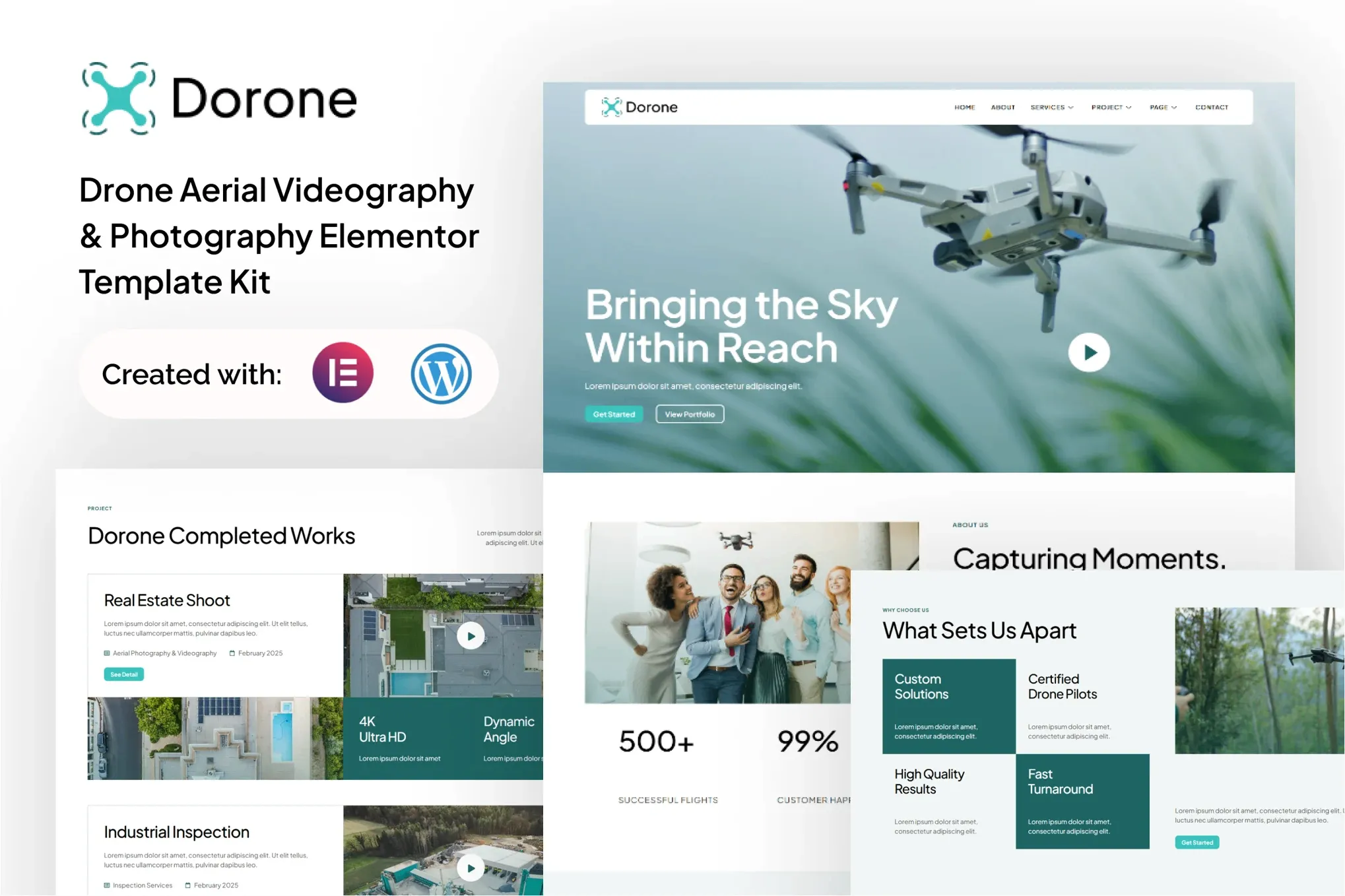
Dorone – Drone Aerial Videography and Photography Elementor Template Kit
- Updated on May 4, 2026
- 100% Original Product & Well Documented
- Unlimited Domain Usage
*Important Note:
The image should not be Part of the template kit. You need to use your own reliable Source.


- Coupon "b2g1" has expired.
- Coupon "b2g1" has expired.
Original price was: ₹999.00.₹299.00Current price is: ₹299.00.
Your drone footage deserves a website that looks as good as your shots. Dorone gives you a complete Elementor template kit for aerial photography businesses—no design skills needed, no monthly fees, just a professional site you can launch today.
- Secured & Scanned by Virus total & McAfee.
- Access to Free updates for Lifetime
- All products are Under GPL License (Unlimited Domain Usage)
- We Not Provide any Support For this Product

Lifetime Membership
Access 6700+ Premium WordPress Themes & Plugins, Elementor Templates, Mobile Apps, PHP scripts with Lifetime Updates.
Join Premium MembershipRecently Viewed
Dorone Elementor Template Kit for Drone Photography and Videography
Let’s be real: you didn’t get into drone photography to spend your evenings wrestling with WordPress themes. You want a site that looks professional, shows off your best work, and actually gets clients to reach out—without sinking a full work week into building it.
Dorone handles the design so you don’t have to. It’s a complete Elementor template kit built specifically for aerial photographers and videographers. Whether you’re a solo pilot or you run a team, you’ll get a foundation that looks like you hired a designer—and you won’t need to touch a single line of code.
What You Get
No filler here. Every template serves a purpose:
- Homepage built for drone service businesses—not a generic corporate layout
- Portfolio and gallery pages that let your aerial shots do the talking
- Service pages for videography, photography, and editing packages
- About and team sections (great for building trust before clients book)
- Contact forms and CTAs that actually drive inquiries
- Testimonial blocks for social proof
- Blog layout for behind-the-scenes content and SEO
Why This Kit Works
Here’s what you’re actually paying for:
- Design that matches the cinematic quality of drone work—finally, a template that doesn’t look generic
- Fully responsive layouts that look sharp on phones, tablets, and desktops
- Elementor’s drag-and-drop editor—no coding, no tutorials needed
- Commercial license included—use it for your own site or reskin it for client projects
- Pay once, own it forever. No subscriptions eating into your earnings
Perfect For
This kit works if you’re:
- A drone photographer chasing commercial clients
- An aerial videographer focusing on real estate, events, or tourism
- A freelance pilot who wants a professional site without the developer bill
- An agency building sites for multiple drone service clients
- Anyone who wants a polished online presence without learning web design
Getting Started
Install the free Elementor plugin, import the kit, drop in your logo and photos, and publish. If you can drag elements around, you can build this site. Every section is organized so you can swap pieces, adjust colors, and add your content without accidentally breaking things.
The heavy lifting is done. You just make it yours.
The Alternative
You could start from scratch. Pick a theme, test color palettes, figure out which sections convert, and rebuild when it doesn’t work. Or you could start with a foundation that’s already been designed to perform—and spend that time actually flying.
Lifetime updates come included. Commercial licensing means you can even reuse this for client work. And if you hit a snag, support is available.
One payment. Lifetime access. Your site launches this week.
Only logged in customers who have purchased this product may leave a review.
How to use Kit:
Install and activate the “Template Kit – Import” plugin from Plugins > Add New in WordPress.
Do not unzip.
Go to Template Kit – Import > Upload Template Kit Zip File button.
Before importing a template, ensure the Install Requirements button is clicked to activate required plugins.
For best results, do not import more than one template at a time.
RELATED PRODUCTS

DIVI – Original License | One Time Payment – Exclusive Deal

Elementor Pro 4.2.1 + Elementorism Landing Pages WordPress Plugin

907 5.3.6 – Responsive Multi-Purpose WordPress Theme

Element Pack Pro 9.1.0 – Addon For Elementor






 Mobile Apps
 php script
 How to
Reviews
There are no reviews yet