
Rebuilder – Architecture & Interior Design Elementor Pro Template Kit
- Updated on May 3, 2026
- 100% Original Product & Well Documented
- Unlimited Domain Usage
*Important Note:
The image should not be Part of the template kit. You need to use your own reliable Source.


Original price was: ₹999.00.₹299.00Current price is: ₹299.00.
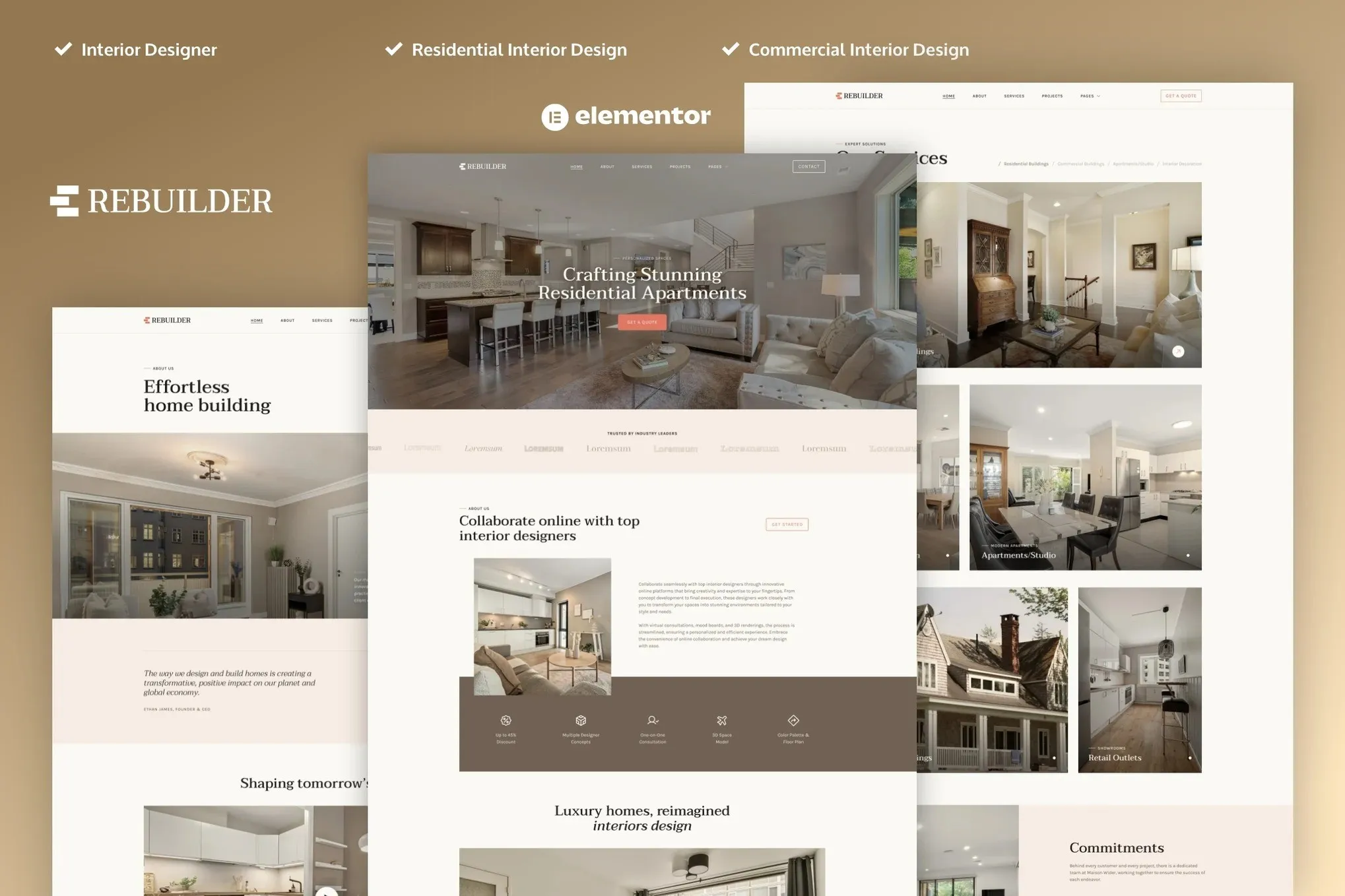
Rebuilder is a minimal Elementor Pro template kit for architects, interior designers, and construction firms. Fifteen pre-built pages, one-click import, commercial license included. Your portfolio site goes live today.
- Secured & Scanned by Virus total & McAfee.
- Access to Free updates for Lifetime
- All products are Under GPL License (Unlimited Domain Usage)
- We Not Provide any Support For this Product

Lifetime Membership
Access 6700+ Premium WordPress Themes & Plugins, Elementor Templates, Mobile Apps, PHP scripts with Lifetime Updates.
Join Premium MembershipRecently Viewed
Rebuilder — Architecture and Interior Design Template Kit for Elementor Pro
Your work is good. Your website should be, too. Rebuilder gives architecture and interior design professionals a clean, modern template kit that transforms a fresh WordPress install into a polished, client-ready site before lunch. No code. No developer. Just drag, drop, publish.
Purpose-built for firms and freelancers who want a professional online presence without the price tag of custom web development. Every layout, every section, every style decision was made with design businesses — not generic bloggers — in mind.
What Is Rebuilder?
A pre-designed Elementor Pro template kit for architecture firms, interior design studios, and construction companies. It comes with complete page layouts and global styles that work the moment you import them. No theme dependencies. No hunting for premium plugins. No late-night debugging sessions.
Portfolio showcases. Service listings. Project galleries. Team pages. Contact forms. About sections. Testimonials. Pricing tables. It’s all here — designed with the restraint and precision that architecture clients actually notice.
Key Features of Rebuilder
- 15+ professionally designed pages and sections — your entire website in one kit
- Minimal aesthetic: clean typography, intentional whitespace, zero clutter
- Fully responsive — looks sharp on phones, tablets, and desktop monitors alike
- Global styles for consistent colors, fonts, and spacing across every page
- Ready-to-use header and footer templates
- Project gallery and portfolio grid layouts built for visual-heavy work
- Service pages with pricing sections and feature highlights
- About, team, and testimonial blocks that build credibility fast
- Contact forms and call-to-action sections designed to convert
- Lightweight, fast-loading code that won’t slow your site down
The design stays in the background. Your projects, your photography, your case studies — those do the talking.
Who Is Rebuilder For?
This kit works best if you:
- Run an architecture firm and need a portfolio site yesterday
- Design interiors and want your projects to shine online
- Own a construction company with a portfolio-driven business
- Freelance and can’t justify the cost of a custom site (but want one)
- Build client sites and need a solid starting point that doesn’t look templated
No technical skills required. If you can use WordPress and move elements around, you can build your whole site with this kit.
How to Use Rebuilder
Five steps. Seriously.
Install the free Elementor plugin on your WordPress site. Import the Rebuilder template kit. Swap in your images and text. Hit publish. Done.
The global styles let you change colors and fonts sitewide from one spot — tweak once, every page updates. Resize sections, swap columns, add new pages. Elementor’s visual editor handles it all. Your final site loads fast because the template is lightweight, not stuffed with features you’ll never use.
What You Get
- Commercial license — build client sites or use it for your own business. Zero restrictions
- Instant download — access the files immediately after purchase
- Lifetime free updates — new layouts and improvements added over time, free
- One-time payment — no subscriptions, no recurring charges, pay once
- Lifetime support — real help from people who know the product
Custom architecture websites run $5,000 to $20,000+ and take months. Rebuilder delivers the same polished result for under $50 — and you own it outright, forever.
Get Started
Download Rebuilder now. Fifteen pages, commercial license, instant access, lifetime updates, and support included. One payment. Yours to keep.
Only logged in customers who have purchased this product may leave a review.
How to use Kit:
Install and activate the “Template Kit – Import” plugin from Plugins > Add New in WordPress.
Do not unzip.
Go to Template Kit – Import > Upload Template Kit Zip File button.
Before importing a template, ensure the Install Requirements button is clicked to activate required plugins.
For best results, do not import more than one template at a time.
RELATED PRODUCTS

DIVI – Original License | One Time Payment – Exclusive Deal

Elementor Pro 4.1.3 + Elementorism Landing Pages WordPress Plugin

907 5.3.6 – Responsive Multi-Purpose WordPress Theme

Element Pack Pro 9.1.0 – Addon For Elementor

Lifetime Mini Membership





 Mobile Apps
 php script
 How to
Reviews
There are no reviews yet