
Gardenie – Landscape & Gardening Elementor Template Kit
- Updated on May 3, 2026
- 100% Original Product & Well Documented
- Unlimited Domain Usage
*Important Note:
The image should not be Part of the template kit. You need to use your own reliable Source.


- Coupon "b2g1" has expired.
- Coupon "b2g1" has expired.
- Coupon "b2g1" has expired.
- Coupon "b2g1" has expired.
- Coupon "b2g1" has expired.
- Coupon "b2g1" has expired.
- Coupon "b2g1" has expired.
- Coupon "b2g1" has expired.
Original price was: ₹999.00.₹299.00Current price is: ₹299.00.
Build a stunning website for your landscaping business in minutes — no coding required. Gardenie gives you 8 professionally designed pages, ready-to-edit Elementor templates, and everything you need to look credible online. Get instant access today.
- Secured & Scanned by Virus total & McAfee.
- Access to Free updates for Lifetime
- All products are Under GPL License (Unlimited Domain Usage)
- We Not Provide any Support For this Product

Lifetime Membership
Access 6700+ Premium WordPress Themes & Plugins, Elementor Templates, Mobile Apps, PHP scripts with Lifetime Updates.
Join Premium MembershipRecently Viewed
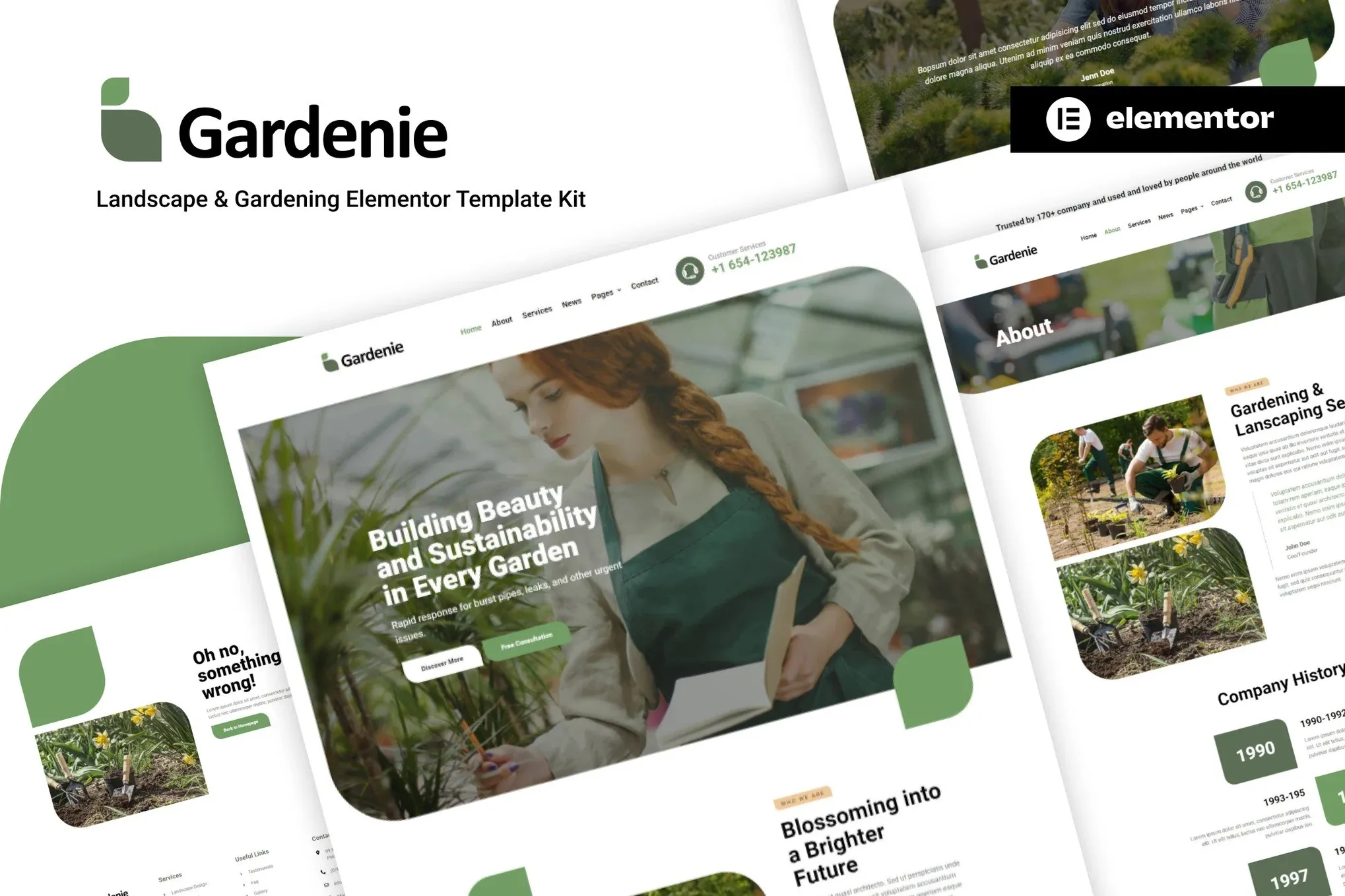
Garden Elementor Template for Landscaping & Gardening Professionals
Your landscaping business deserves a website that works as hard as you do. One that shows off your best projects, explains your services clearly, and makes it easy for new clients to reach out. Gardenie is a professionally designed Elementor Template Kit built specifically for lawn care, garden design, and outdoor services businesses. No more struggling with generic templates or spending thousands on custom web design. Just download, customize, and launch — all on your own schedule.
What Gardenie Includes
This landscaping Elementor Template Kit comes packed with everything you need for a complete, professional website. Eight pre-built pages cover every section a gardening business needs: Home, About Us, Services, Service Details, Gallery, Testimonials, Contact, and a bonus Coming Soon page.
Each page is thoughtfully laid out for the landscaping industry. Service pages let you break down offerings like lawn maintenance, garden design, tree trimming, and irrigation installation. The Gallery section uses masonry layouts perfect for before-and-after project photos — the kind of visual proof that builds trust with potential clients. A dedicated testimonials page displays customer reviews prominently, while the contact section includes a pre-styled form that captures the right information from day one.
- 8 complete page templates designed for gardening and landscaping businesses
- Service detail pages for lawn care, garden design, tree services, and more
- Masonry gallery layouts perfect for project showcases
- Testimonials section to display customer reviews and build trust
- Fully responsive design that looks great on mobile devices
- Professional typography with Google Fonts: Playfair Display for headings, Nunito for body text
- Color palette of forest greens, warm browns, and natural tones
- One-click demo import to get started in minutes
Who It’s Built For
Gardenie works best for landscaping contractors, garden designers, landscape architects, and property managers who want a professional website without the typical development headaches. If you’re tired of templates that look “off” or require extensive customization just to feel relevant to your industry, this kit solves that problem.
It handles the heavy lifting on design so you can focus on running your business. Swap in your own photos, update your service list, add your contact details — and you’re live. The layout speaks directly to homeowners and commercial property managers looking for reliable outdoor services. It builds credibility from the first scroll.
How to Use Gardenie
Getting started takes less than 20 minutes. Install the free Elementor plugin on your WordPress site, upload the Gardenie template kit, and watch your new website take shape. Every section is drag-and-drop ready — move elements around, change colors to match your branding, swap in your own project photos. No coding. No developer fees. No waiting.
The template kit uses only the free version of Elementor, so you don’t need to purchase any premium plugins or extensions. Everything works out of the box. Customize as much or as little as you like — the default design is polished enough to launch immediately, or serve as a foundation you tailor over time.
Why Gardenie Is Different
Most website templates are either too generic or require significant technical work to feel professional. Gardenie solves both problems. It’s designed specifically for the landscaping and gardening industry — the layouts, the color schemes, the typography, all of it speaks the language your potential clients understand.
Compare that to buying a generic business template and spending hours trying to make it fit your niche. Or paying a developer thousands to build something custom. Gardenie delivers professional results at a fraction of the cost, with none of the complexity.
You also get a commercial license included with your purchase. Use it for your own business website, or use it to build client sites — no additional licensing fees. One simple payment covers unlimited projects.
When you buy Gardenie, you’re not just getting a template. You get lifetime updates as the design evolves, plus ongoing support when you need help. If something doesn’t work as expected, someone is there to help you fix it — no extra charges.
This landscaping template kit is the practical solution to establish your online presence, attract new clients, and grow your gardening business. Download now and start building your website today.
Ready to Get Started?
Stop letting an outdated or missing website cost you leads. Gardenie gives you a professional, industry-specific web presence in hours, not weeks. Instant download included. One-time payment. Lifetime access. Grab the Gardenie Elementor Template Kit and put your landscaping business where it belongs — front and center online.
Only logged in customers who have purchased this product may leave a review.
How to use Kit:
Install and activate the “Template Kit – Import” plugin from Plugins > Add New in WordPress.
Do not unzip.
Go to Template Kit – Import > Upload Template Kit Zip File button.
Before importing a template, ensure the Install Requirements button is clicked to activate required plugins.
For best results, do not import more than one template at a time.
RELATED PRODUCTS

DIVI – Original License | One Time Payment – Exclusive Deal

Elementor Pro 4.1.3 + Elementorism Landing Pages WordPress Plugin

907 5.3.6 – Responsive Multi-Purpose WordPress Theme

Element Pack Pro 9.1.0 – Addon For Elementor

Lifetime Mini Membership





 Mobile Apps
 php script
 How to
Reviews
There are no reviews yet