
Fragrea – Fragrance Store Elementor Tempate Kit
- Updated on May 3, 2026
- 100% Original Product & Well Documented
- Unlimited Domain Usage
*Important Note:
The image should not be Part of the template kit. You need to use your own reliable Source.


Original price was: ₹999.00.₹299.00Current price is: ₹299.00.
Launch your perfume shop online today. Fragrea is a complete Elementor template kit with 8+ pages, WooCommerce setup, and a commercial license included — no coding required.
- Secured & Scanned by Virus total & McAfee.
- Access to Free updates for Lifetime
- All products are Under GPL License (Unlimited Domain Usage)
- We Not Provide any Support For this Product

Lifetime Membership
Access 6700+ Premium WordPress Themes & Plugins, Elementor Templates, Mobile Apps, PHP scripts with Lifetime Updates.
Join Premium MembershipRecently Viewed
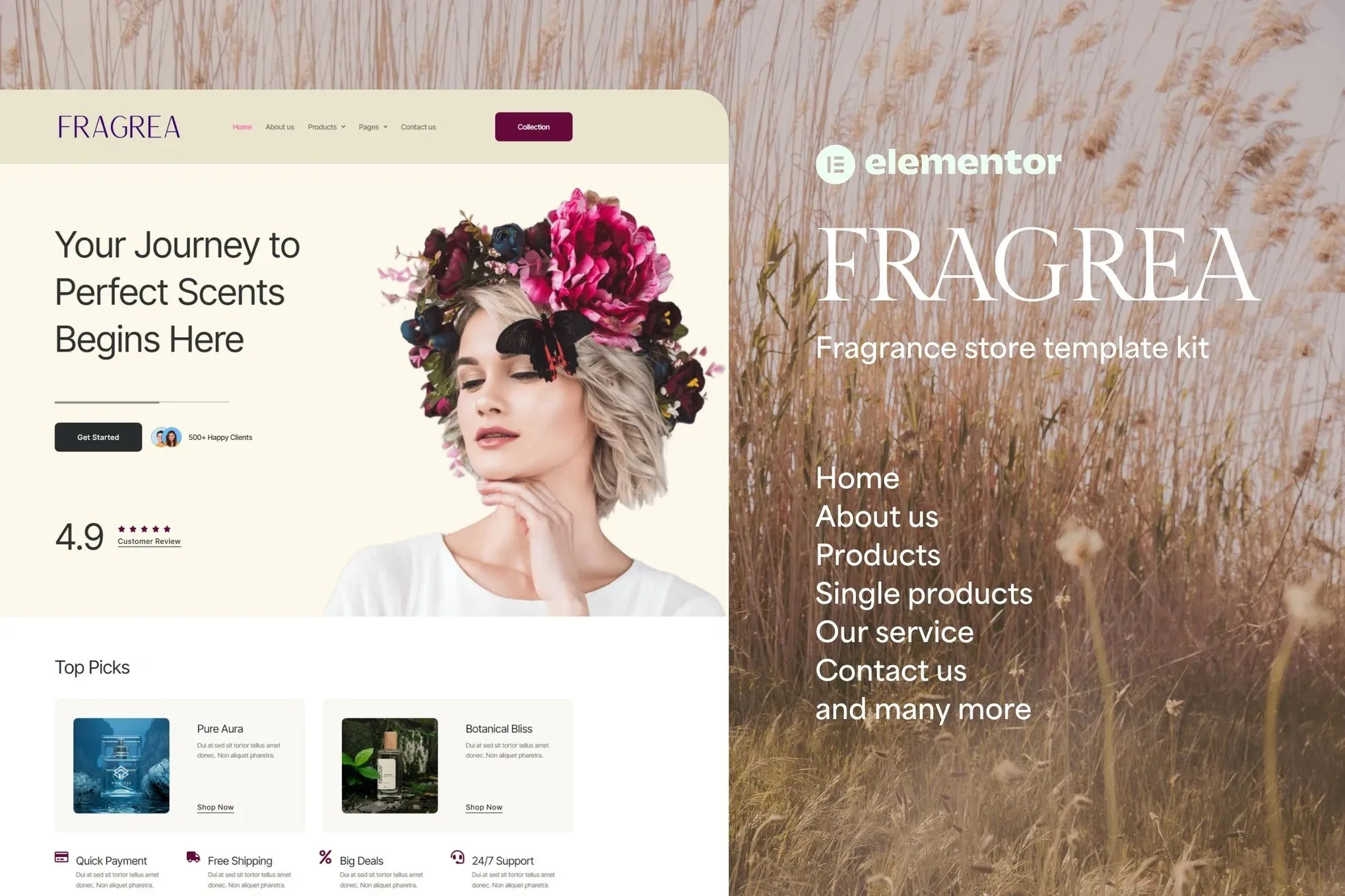
Fragrea Fragrance Store Elementor Template Kit
Fragrea is an Elementor template kit built for one thing: helping you launch a professional fragrance store without hiring a developer or learning code.
Eight pages, ready to go. Homepage, product pages, blog, contact — everything your shop needs, pre-built and waiting for your branding. The template works with the free version of Elementor and connects to WooCommerce in minutes. No Pro subscription needed. No technical knowledge required.
What You Get
The kit includes 8 pre-built pages covering every section a fragrance shop needs:
- Homepage with hero section, featured collections, bestseller grid, and newsletter signup
- Product archive page with category filters and grid/list view toggle
- Single product template designed for scent profiles, size options, and customer reviews
- Cart and checkout pages set up for conversions
- Blog template for fragrance guides, gift guides, and brand content
- Contact and about pages with elegant typography and image placeholders
Key Features
Fragrea isn’t a generic template with your logo dropped in. It was designed for the fragrance industry specifically.
- Fully responsive — looks sharp on phones, tablets, and desktops
- WooCommerce-ready with quick-view product popups
- Mega menu navigation for browsing fragrance categories easily
- Custom color palette so you can match any brand
- Google Fonts integration for premium typography choices
- RTL and translation-ready for international markets
Who It’s For
Independent perfume brands launching their first website. Boutique fragrance shops moving online. Web designers building stores for beauty clients who need a polished starting point they can customize and white-label.
If you sell colognes, perfumes, scented candles, or aromatherapy products, Fragrea gives you a professional foundation. The kind that would cost $2,000+ to build from scratch.
How It Works
Download. Open Elementor. Import the pages. Swap in your logo, colors, and products. Publish.
That’s the whole process. Most people have their store live the same day they download the kit. No waiting on developers. No back-and-forth emails. Just a working fragrance store, your way.
Why Fragrea
Building from scratch takes weeks. Hiring a developer takes money. Fragrea gets you a conversion-focused template kit in seconds.
One payment. Lifetime access to updates. Commercial license included — use it for client projects, not just your own store.
Ready to Get Started?
Instant download. Commercial license. Lifetime support. Grab Fragrea and have your fragrance store ready by tonight.
Only logged in customers who have purchased this product may leave a review.
How to use Kit:
Install and activate the “Template Kit – Import” plugin from Plugins > Add New in WordPress.
Do not unzip.
Go to Template Kit – Import > Upload Template Kit Zip File button.
Before importing a template, ensure the Install Requirements button is clicked to activate required plugins.
For best results, do not import more than one template at a time.
RELATED PRODUCTS

DIVI – Original License | One Time Payment – Exclusive Deal

Elementor Pro 4.1.3 + Elementorism Landing Pages WordPress Plugin

907 5.3.6 – Responsive Multi-Purpose WordPress Theme

Element Pack Pro 9.1.0 – Addon For Elementor

Lifetime Mini Membership





 Mobile Apps
 php script
 How to
Reviews
There are no reviews yet