
Shipzen – Logistics & Transportation Elementor Template Kit
- Updated on May 3, 2026
- 100% Original Product & Well Documented
- Unlimited Domain Usage
*Important Note:
The image should not be Part of the template kit. You need to use your own reliable Source.


Original price was: ₹999.00.₹299.00Current price is: ₹299.00.
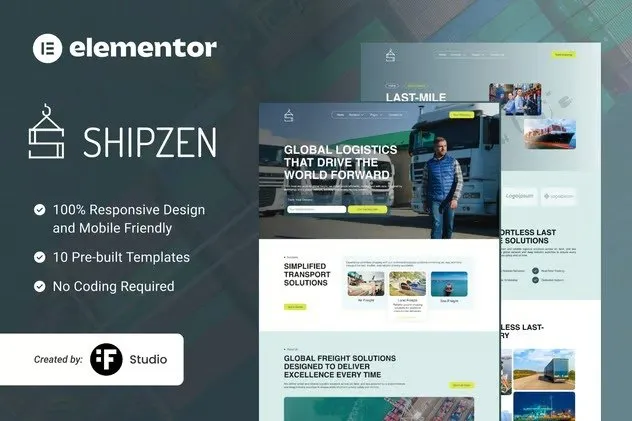
Launch a logistics website that actually looks like you hired a pro. Shipzen gives shipping companies, freight services, and transport businesses a ready-made design — customize it in Elementor and go live today. No coding needed.
- Secured & Scanned by Virus total & McAfee.
- Access to Free updates for Lifetime
- All products are Under GPL License (Unlimited Domain Usage)
- We Not Provide any Support For this Product

Lifetime Membership
Access 6700+ Premium WordPress Themes & Plugins, Elementor Templates, Mobile Apps, PHP scripts with Lifetime Updates.
Join Premium MembershipRecently Viewed
Shipzen – Logistics & Transportation Elementor Template Kit
Five seconds. That’s how long a new visitor stays on a mediocre logistics site before clicking away. Shipzen flips that script with a design built specifically for shipping, freight, and transport companies — no developer required, no starting from a blank page.
This kit covers your entire website: a homepage that actually converts, service pages for your fleet or offerings, a tracking section, contact forms that work, and more. It looks clean on phones too — because your clients are checking shipments from their phones, and your site should hold up.
What’s Inside the Kit
Open any layout in Elementor, swap your logo and brand colors, and publish. That’s it. Here’s the full rundown:
- Homepage with hero section, service highlights, and a call-to-action that means business
- Dedicated pages for freight, shipping, warehousing, and courier services
- Tracking and quote request forms ready to connect
- About, team, and testimonial sections that build credibility fast
- Contact page with map placeholder and working form setup
- Responsive layouts that look sharp on any device
Who This Is For
Shipzen fits logistics companies and transport businesses at various stages:
- New logistics companies building their first real website
- Freight brokers and transport agencies refreshing their online presence
- Courier and delivery services stepping up from basic social pages
- Warehousing and supply chain businesses that need clear service presentations
Starting fresh or replacing something outdated? Either way, Shipzen gives you a clean foundation. The hard visual work is done — you just make it yours.
How to Get It Live
Install the kit in your WordPress site (Elementor free is all you need). Import the pages you want, update the text and images, connect your forms, and publish. If you’ve touched Elementor before, you’ll navigate this easily. If you haven’t, free tutorials cover everything — the kit is beginner-friendly.
After launch, keeping it fresh is straightforward. Swap seasonal imagery, add new services, or update pricing as you grow. The structure stays solid while you make those changes.
Why Pay for a Template?
Compared to hiring a designer or stretching a generic theme to fit logistics, Shipzen saves serious time and money. You get an industry-specific design that actually looks like it belongs in transportation — not a generic layout with your logo squeezed in.
One payment, commercial license included. Lifetime updates. Ongoing support. No subscriptions, no recurring costs. Buy once, use it as long as your business runs.
Ready to Launch?
Download Shipzen today and have a professional logistics site live this week. Replace that outdated website or build the online presence your transport business actually deserves — no developer required.
Only logged in customers who have purchased this product may leave a review.
How to use Kit:
Install and activate the “Template Kit – Import” plugin from Plugins > Add New in WordPress.
Do not unzip.
Go to Template Kit – Import > Upload Template Kit Zip File button.
Before importing a template, ensure the Install Requirements button is clicked to activate required plugins.
For best results, do not import more than one template at a time.
RELATED PRODUCTS

DIVI – Original License | One Time Payment – Exclusive Deal

Elementor Pro 4.1.3 + Elementorism Landing Pages WordPress Plugin

907 5.3.6 – Responsive Multi-Purpose WordPress Theme

Element Pack Pro 9.1.0 – Addon For Elementor

Lifetime Mini Membership





 Mobile Apps
 php script
 How to
Reviews
There are no reviews yet