
Roventa – Event & Conference Elementor Template Kit
- Updated on May 3, 2026
- 100% Original Product & Well Documented
- Unlimited Domain Usage
*Important Note:
The image should not be Part of the template kit. You need to use your own reliable Source.


Original price was: ₹999.00.₹299.00Current price is: ₹299.00.
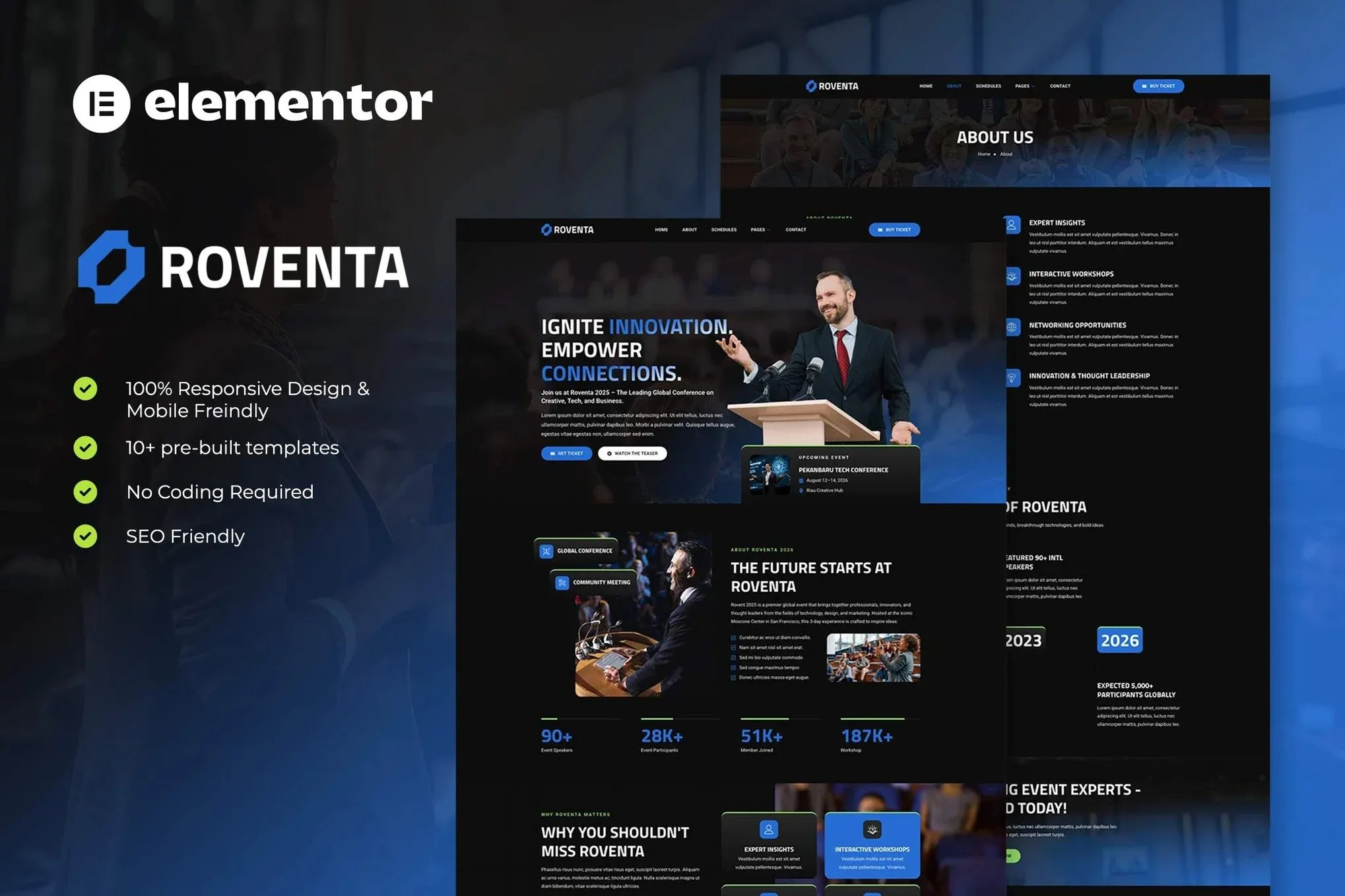
Launch your event website in hours, not weeks. Roventa gives you 8 professionally designed pages — speaker profiles, schedules, ticketing, and FAQs — ready to customize in Elementor. Get instant download with lifetime updates and support included.
- Secured & Scanned by Virus total & McAfee.
- Access to Free updates for Lifetime
- All products are Under GPL License (Unlimited Domain Usage)
- We Not Provide any Support For this Product

Lifetime Membership
Access 6700+ Premium WordPress Themes & Plugins, Elementor Templates, Mobile Apps, PHP scripts with Lifetime Updates.
Join Premium MembershipRecently Viewed
Event Conference Template Built for Speed and Professionalism
Building an event website from scratch drains time you should spend on speaker coordination, attendee outreach, and logistics. Roventa solves this. It’s a complete Event Conference Elementor Template Kit that lets you launch a professional event website in hours, not months. No coding required. No expensive developers. Just drag, drop, and publish.
What Is Roventa?
Roventa is a ready-to-use Elementor Template Kit designed specifically for conferences, meetups, workshops, and seminars. It includes 8 pre-built pages covering every section an event site needs: homepage, about, speakers, schedule, sponsors, FAQ, contact, and a coming soon page. Each layout is conversion-focused, guiding visitors toward registration from the moment they land.
- 8 complete page templates
- 15+ custom widgets built for event sites
- Fully responsive design for mobile, tablet, and desktop
- Compatible with free Elementor and free Elementor Header & Footer Builder
- No subscriptions — one-time purchase, lifetime access
Key Features That Get You Live Faster
Every section in Roventa is designed for immediate use. The speaker profile template displays headshots, bios, and social links. The schedule grid handles multi-track sessions without breaking. Ticketing and pricing tables convert browsers into buyers. FAQ sections answer common questions before attendees even ask.
The template kit includes 15+ custom widgets that go beyond standard Elementor offerings. Countdown timers create urgency. Speaker cards showcase presenters elegantly. Schedule grids handle complex multi-day agendas. Pricing tables make ticket tiers clear. All widgets are fully responsive — your attendees will browse on phones, and Roventa looks sharp on every device.
- Countdown timers that build anticipation
- Speaker cards with photo, name, title, and social links
- Schedule grids supporting multi-track, multi-day events
- Pricing tables for ticket tiers and early bird offers
- Registration and contact forms ready to connect to email services
Who Is Roventa For?
This Event Conference Elementor Template Kit works for anyone who needs a professional event website without design or development skills. Conference organizers launching new events use Roventa to establish credibility fast. Community leaders promoting meetups get a polished site that attracts attendees. Workshop hosts display schedules and speaker credentials that convert interest into registrations.
Freelancers and agencies benefit from the commercial license included. Build event sites for clients without additional licensing fees. The one-time price makes Roventa affordable for solo organizers and scalable for agencies managing multiple event projects.
WordPress beginners find Roventa approachable. If you can use WordPress and install a plugin, you can build this event website. The guided structure walks you through each page without requiring technical knowledge.
How To Use Roventa
Getting started takes minutes. Install WordPress, add the free Elementor plugin, upload the Roventa template kit, and you’re ready to build. Select the pages you need, swap in your event details, adjust colors to match your brand, and publish. No template editing experience required.
Each page in Roventa is structured for logical flow — from landing to registration. Replace placeholder content with your event name, dates, speakers, and schedule. Upload your logo. Adjust the color palette if needed. The template handles the design legwork so you focus on event logistics instead of website building.
Updates are included for life. When new features arrive or WordPress/Elementor releases updates, you download the latest version at no extra cost. Your event website stays current without ongoing fees or subscriptions.
Why Buy Roventa?
Event websites built from scratch cost thousands and take months. Agency templates charge recurring fees. Generic themes require heavy customization. Roventa delivers a professional event site immediately at a fraction of that cost.
The commercial license sets Roventa apart. Use it for your own events or client projects without hidden fees. Unlike subscription-based tools, Roventa charges once. You own the template. You get lifetime updates. You receive lifetime support when questions arise.
This template kit works with free WordPress and free Elementor. No premium page builder subscriptions. No ongoing platform costs. Just download, install, and launch your event website today.
Ready to Get Started?
Roventa gives you everything needed to launch a professional event website immediately. Eight pages. Fifteen-plus widgets. Lifetime updates. Commercial license included. One-time purchase with lifetime support. Download instantly and start building your event website today.
Only logged in customers who have purchased this product may leave a review.
How to use Kit:
Install and activate the “Template Kit – Import” plugin from Plugins > Add New in WordPress.
Do not unzip.
Go to Template Kit – Import > Upload Template Kit Zip File button.
Before importing a template, ensure the Install Requirements button is clicked to activate required plugins.
For best results, do not import more than one template at a time.
RELATED PRODUCTS

DIVI – Original License | One Time Payment – Exclusive Deal

Elementor Pro 4.1.3 + Elementorism Landing Pages WordPress Plugin

907 5.3.6 – Responsive Multi-Purpose WordPress Theme

Element Pack Pro 9.1.0 – Addon For Elementor

Lifetime Mini Membership





 Mobile Apps
 php script
 How to
Reviews
There are no reviews yet