
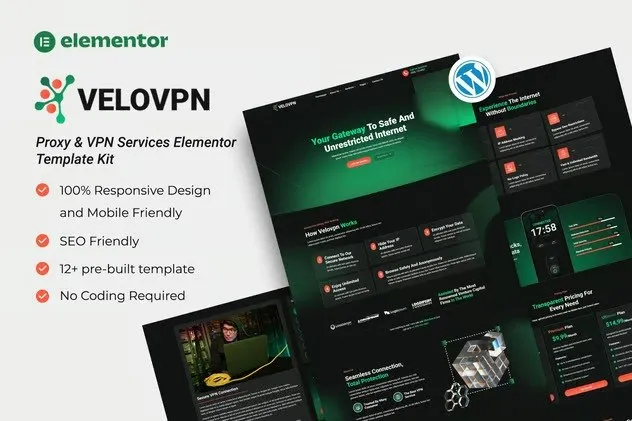
Velovpn – Proxy & VPN Services Elementor Template Kit
- Updated on May 3, 2026
- 100% Original Product & Well Documented
- Unlimited Domain Usage
*Important Note:
The image should not be Part of the template kit. You need to use your own reliable Source.


Original price was: ₹999.00.₹299.00Current price is: ₹299.00.
Got a VPN or proxy service to launch? Velovpn gives you 12+ pre-built pages that slot right into Elementor — no coding, no designer waiting on your emails. Commercial license included. Download and go live today.
- Secured & Scanned by Virus total & McAfee.
- Access to Free updates for Lifetime
- All products are Under GPL License (Unlimited Domain Usage)
- We Not Provide any Support For this Product

Lifetime Membership
Access 6700+ Premium WordPress Themes & Plugins, Elementor Templates, Mobile Apps, PHP scripts with Lifetime Updates.
Join Premium MembershipRecently Viewed
Velovpn Elementor Template Kit — Build Your VPN Website in Minutes
Generic templates don’t cut it for privacy-tech products. Velovpn was built specifically for this niche — no redesigning homepage sections meant for real estate agents. This kit gives you a complete website structure tailored for proxy and VPN businesses. You can have something live tonight.
What the Velovpn Template Kit Is
A pre-designed website kit made for Elementor — the WordPress page builder most designers and freelancers already know. It comes with 12+ page layouts: hero landing page, pricing plans, server location maps, feature comparisons, a blog section, and contact forms. Import it into WordPress, swap in your logo and brand colors, publish. That’s it.
Key Features Included
Everything VPN and proxy services actually need:
- Hero section with a clear call-to-action that hits above the fold
- Pricing tables with feature comparison and monthly/yearly toggle
- Server location map or coverage showcase
- Feature highlights laid out with icons for quick scanning
- Testimonial blocks to build credibility
- FAQ section structured for SEO
- Blog layout ready for VPN guides and privacy content
- Contact and subscription forms that connect to your CRM or email tool
Every section is mobile-responsive and fast-loading. For a privacy product, that’s not optional — users are already skeptical of slow, clunky sites.
Who It’s For
Launching a new VPN or proxy service and need to move fast? This works. Building client sites in this niche and want a professional starting point? This works. A WordPress developer who wants to deliver a polished demo to a VPN startup without billing 40 hours of custom build time? This works. If you fit any of those, you skip the blank-page problem entirely.
How to Use This Template Kit
Install Elementor (the free version handles this), install the Velovpn kit, import the pages you want, add your branding, publish. Most people finish the whole process in an afternoon. No code. If you’ve touched Elementor before, you’ll recognize the interface immediately. If you haven’t, the kit’s structure keeps you from getting stuck.
Why This Template Kit Beats Custom Development
Custom VPN websites often run $3,000-$10,000+ and take months. Velovpn gives you a professional result for one flat payment. Commercial license included. Lifetime updates. You own the site, control the hosting, and there are no subscription fees hiding behind the listed price. Every element is designed to communicate trust, speed, and security — the three things VPN customers evaluate before they read a single feature bullet.
Get Started with Velovpn
Download the kit immediately after purchase, install it on any WordPress site running Elementor, and start customizing. Commercial license covers client projects, your own business, or both. One payment. Updates for life. No fine print.
Only logged in customers who have purchased this product may leave a review.
How to use Kit:
Install and activate the “Template Kit – Import” plugin from Plugins > Add New in WordPress.
Do not unzip.
Go to Template Kit – Import > Upload Template Kit Zip File button.
Before importing a template, ensure the Install Requirements button is clicked to activate required plugins.
For best results, do not import more than one template at a time.
RELATED PRODUCTS

DIVI – Original License | One Time Payment – Exclusive Deal

Elementor Pro 4.1.3 + Elementorism Landing Pages WordPress Plugin

907 5.3.6 – Responsive Multi-Purpose WordPress Theme

Element Pack Pro 9.1.0 – Addon For Elementor

Lifetime Mini Membership





 Mobile Apps
 php script
 How to
Reviews
There are no reviews yet