
Motret – Digital Marketing Elementor Template Kit
- Updated on May 2, 2026
- 100% Original Product & Well Documented
- Unlimited Domain Usage
*Important Note:
The image should not be Part of the template kit. You need to use your own reliable Source.


- Coupon "b2g1" has expired.
- Coupon "b2g1" has expired.
- Coupon "b2g1" has expired.
- Coupon "b2g1" has expired.
- Coupon "b2g1" has expired.
- Coupon "b2g1" has expired.
Original price was: ₹999.00.₹299.00Current price is: ₹299.00.
Tired of waiting months for a developer? Get a complete digital marketing website in under an hour. Pre-built layouts for agencies, freelancers, and marketers — no coding needed.
- Secured & Scanned by Virus total & McAfee.
- Access to Free updates for Lifetime
- All products are Under GPL License (Unlimited Domain Usage)
- We Not Provide any Support For this Product

Lifetime Membership
Access 6700+ Premium WordPress Themes & Plugins, Elementor Templates, Mobile Apps, PHP scripts with Lifetime Updates.
Join Premium MembershipRecently Viewed
Motret – Digital Marketing Elementor Template Kit
Most marketing pros spend weeks — and thousands of dollars — chasing developers for a website that still looks generic. Motret flips that. It’s a complete, polished digital marketing website you can have live today, customized in Elementor without touching a single line of code.
What It Is
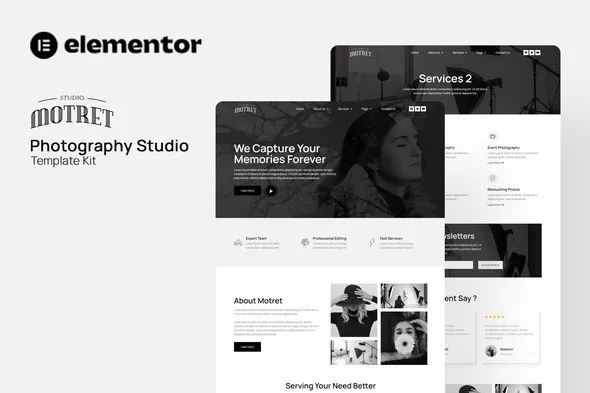
Motret is an Elementor Template Kit built for digital marketing professionals who need to look legitimate online — fast. The kit includes ready-made layouts for service pages, portfolio showcases, client testimonials, pricing tables, and contact forms. Everything’s styled and coordinated, so your site looks cohesive from the moment you import it. Pick the sections you want, drop them in, swap in your own content, publish.
Key Features
This kit covers the pages that actually matter for a marketing website:
- Three homepage variations with hero sections, service showcases, and client logo strips
- Service detail pages with pricing tables and side-by-side feature comparisons
- Portfolio and case study layouts for showing off past campaigns
- Testimonial sections with quote cards and company logos
- Team profiles, blog listing pages, and contact forms
Everything uses Elementor’s built-in widgets — no premium plugins, no add-ons to buy. The responsive controls handle mobile, tablet, and desktop automatically. Your site looks sharp everywhere without you lifting a finger.
Who It’s For
Motret works best for:
- Digital marketing agencies that need to launch client websites quickly
- Freelance marketers and consultants establishing an online presence
- Social media managers showcasing their work to potential clients
- SEO specialists and content creators building credibility
The layouts are conversion-focused. Strategic CTA placements, lead capture sections, and clean typography guide visitors toward taking action — whether that’s booking a call or requesting a proposal.
How To Use It
You’ll need the free Elementor plugin running on WordPress. Import the kit through Elementor’s built-in importer, and all sections appear in your editor. Drag, drop, customize. Swap colors to match your brand, drop in your images, edit the copy. All visual, all intuitive. No developer required. No shortcode gymnastics.
Why Buy This Template Kit
Custom-designed websites cost thousands and take months. Motret gives you a premium-looking site at a fraction of that — and it’s live today. One payment covers lifetime updates, so as marketing trends shift, your site stays current.
Commercial license included means you can use this for client projects without worrying about extra fees. Running an agency? Clone the template, customize it per client, deploy. Each site looks completely different while you only paid once.
Ready to Get Started?
Get instant download access to Motret. Install it today, swap in your content, and have a professional digital marketing website live this week.
Only logged in customers who have purchased this product may leave a review.
How to use Kit:
Install and activate the “Template Kit – Import” plugin from Plugins > Add New in WordPress.
Do not unzip.
Go to Template Kit – Import > Upload Template Kit Zip File button.
Before importing a template, ensure the Install Requirements button is clicked to activate required plugins.
For best results, do not import more than one template at a time.
RELATED PRODUCTS

DIVI – Original License | One Time Payment – Exclusive Deal

Elementor Pro 4.1.3 + Elementorism Landing Pages WordPress Plugin

907 5.3.6 – Responsive Multi-Purpose WordPress Theme

Element Pack Pro 9.1.0 – Addon For Elementor

Lifetime Mini Membership





 Mobile Apps
 php script
 How to
Reviews
There are no reviews yet