
Gutama – Music Composer & Producer Elementor Template Kit
- Updated on May 1, 2026
- 100% Original Product & Well Documented
- Unlimited Domain Usage
*Important Note:
The image should not be Part of the template kit. You need to use your own reliable Source.


Original price was: ₹999.00.₹299.00Current price is: ₹299.00.
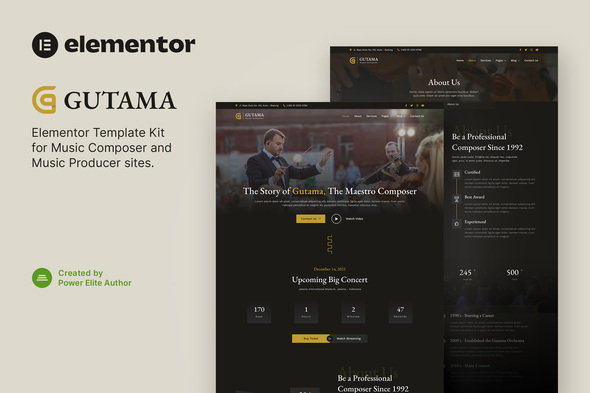
Launch your music career website today — no coding required. Gutama gives composers and producers a complete Elementor template kit with 8+ pages, audio players, pricing layouts, and a portfolio section. Go from purchase to published in an afternoon.
- Secured & Scanned by Virus total & McAfee.
- Access to Free updates for Lifetime
- All products are Under GPL License (Unlimited Domain Usage)
- We Not Provide any Support For this Product

Lifetime Membership
Access 6700+ Premium WordPress Themes & Plugins, Elementor Templates, Mobile Apps, PHP scripts with Lifetime Updates.
Join Premium MembershipRecently Viewed
A Music Composer Website Template Built for Elementor
Most musicians spend more time wrestling with website builders than making music. Gutama fixes that. It’s a pre-made Elementor template kit built for composers, producers, and independent artists who need a professional site without touching code. Every section, layout, and styling decision is already done. Import it into Elementor and you’re live.
What’s Inside the Kit
Gutama includes 8+ pages and sections designed specifically for the music industry. The homepage leads with a bold hero where visitors see your name and latest release immediately. There’s an audio portfolio section with clean waveform-style players — no clunky embeds cluttering the page. A dedicated about page that lets you tell your story without it reading like a LinkedIn bio. A services section for listing production rates. A pricing page that works for session work, beat licenses, or licensing deals. Plus a contact section with a form layout that actually gets filled out.
Who Is This For?
Independent composers building personal brand sites. Producers showing off beat catalogues or session packages. Sound designers creating portfolio pages for game studios and ad agencies. Orchestra groups or festival organizers who need event pages that don’t look like they were made in 2008. If you’re putting music online and want people to actually find you, this kit gives you the structure.
What’s Included
- 8+ pre-built pages and sections — drag, drop, customize
- Fully responsive — looks clean on phones, tablets, and desktops
- Commercial license — use it for clients or your own promotion
- No coding — Elementor’s free builder handles everything visually
- Fast-loading, SEO-friendly structure built for music-related searches
- Instant download after purchase
How It Works
Install Elementor on any WordPress site, upload the kit file, and start editing. Swap in your own photos, drop in SoundCloud or Spotify embeds, update your bio, and hit publish. It uses WordPress’s native structure, so it loads fast and works with most hosting setups. Whether you’re a beginner following a YouTube tutorial or a developer dropping this into a client project, the workflow stays simple.
Why Gutama Over Other Options?
Hiring a designer costs hundreds or thousands and takes weeks of back-and-forth. Building from scratch means agonizing over typography, spacing, and color choices for every single page. Gutama gives you a cohesive visual identity out of the box — fonts, spacing, and colors that actually work together. One-time purchase, no subscriptions. The commercial license covers you whether you’re promoting your own career or building sites for other artists.
Get Started
Download Gutama and have a professional musician website live in under two hours. Instant access, lifetime use, and support included.
Only logged in customers who have purchased this product may leave a review.
How to use Kit:
Install and activate the “Template Kit – Import” plugin from Plugins > Add New in WordPress.
Do not unzip.
Go to Template Kit – Import > Upload Template Kit Zip File button.
Before importing a template, ensure the Install Requirements button is clicked to activate required plugins.
For best results, do not import more than one template at a time.
RELATED PRODUCTS

DIVI – Original License | One Time Payment – Exclusive Deal

Elementor Pro 4.1.3 + Elementorism Landing Pages WordPress Plugin

907 5.3.6 – Responsive Multi-Purpose WordPress Theme

Element Pack Pro 9.1.0 – Addon For Elementor

Lifetime Mini Membership





 Mobile Apps
 php script
 How to
Reviews
There are no reviews yet