
Address Autocomplete For WooCommerce 1.2.0
- Updated on January 9, 2026
- 100% Original Product & Well Documented
- Unlimited Domain Usage


Original price was: ₹4,500.00.₹299.00Current price is: ₹299.00.
Speed up your checkout and stop shipping errors with Address Autocomplete for WooCommerce. Buy this professional tool now to improve customer experience.
- Secured & Scanned by Virus total & McAfee.
- Lifetime Free Updates
- GPL License (Unlimited Domain Usage)
- Pre Activated, You Don’t Need Any license Key
- 100% Satisfaction Guarantee (Refund Policy)

Lifetime Membership
Access 6700+ Premium WordPress Themes & Plugins, Elementor Templates, Mobile Apps, PHP scripts with Lifetime Updates.
Join Premium MembershipRecently Viewed
Address Autocomplete for WooCommerce
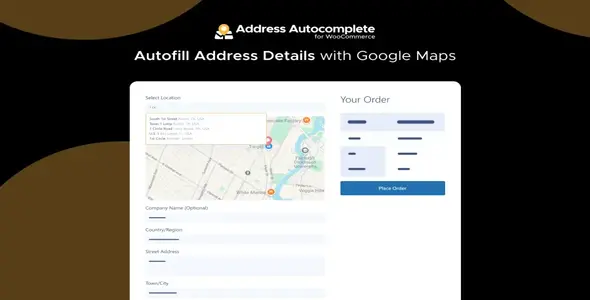
Address Autocomplete for WooCommerce is a professional tool that integrates the Google Places API into your checkout page. This plugin helps customers fill out their address details quickly by providing suggestions as they type. It works by pulling data directly from Google Maps, which ensures that the addresses entered are accurate and exist in the real world. By simplifying the most tedious part of the checkout, you keep customers focused on completing their purchase without unnecessary distractions.
Why Your Store Needs This Premium Plugin
Many customers abandon their carts because the checkout process takes too long. Typing out a full street address, city, state, and zip code is tedious, especially on mobile devices. When you buy this plugin, you remove that friction. A customer only needs to type a few characters of their street name, and the plugin provides a list of matching addresses. Once they select one, the plugin automatically fills the city, state, country, and postal code fields. This reduces the time spent on the checkout page significantly.
This functionality is not just about speed; it is about data integrity. Incorrect shipping addresses lead to failed deliveries, returned packages, and extra shipping costs. These errors are often the result of small typos. By using a premium address verification system, you reduce the risk of human error. The plugin ensures that the data sent to your shipping carrier is formatted correctly, which helps in generating shipping labels without manual corrections.
Key Features for Store Owners
- Google Places API Integration: Uses the most reliable global address database to provide suggestions in real-time.
- Automatic Field Mapping: Automatically populates the street number, route, city, state, and zip code fields upon selection.
- Country Restriction: Limit suggestions to specific countries where you actually ship your products to avoid confusion.
- My Account Page Support: Customers can use autocomplete when updating their billing or shipping addresses in their user profile.
- Mobile Optimized: Simplifies the mobile shopping experience by reducing the amount of typing required on touchscreens.
- Easy Configuration: A simple settings panel allows you to enable or disable the feature with one click.
Who is this plugin for?
This tool is for WooCommerce store owners who ship physical products and want to reduce checkout time. It is ideal for shops with a high volume of international customers where address formats can be confusing. If you are a developer building a site for a client, this download provides a reliable way to improve the user interface without writing custom API code from scratch. It is a standard requirement for any high-converting e-commerce store today.
This plugin is not necessary for stores that only sell digital downloads or services where a physical shipping address is not collected. It requires a Google Maps API key to function, so it is best for businesses that are comfortable setting up a Google Cloud account. Most small to medium stores find the free tier of the Google Maps API sufficient for their daily traffic needs.
Technical Setup and Performance
Setting up the plugin is straightforward. After you download and install the zip file, you enter your Google API key in the settings. You can then choose which fields to enable for autocomplete. The plugin is lightweight and does not slow down your site because it only loads the necessary scripts on the checkout and account pages. It follows standard WooCommerce hooks, making it compatible with most professional themes and page builders like Elementor or Divi.
By implementing this premium solution, you provide a faster path to purchase. Reducing the number of steps or the time spent on each step directly correlates with higher conversion rates. Professionals choose this tool because it solves a specific problem—checkout friction—with a reliable and well-documented API. It eliminates the guesswork for the customer and the shipping department alike.
Real-World Use Cases
Consider a customer shopping on their phone while commuting. They want to buy a product but struggle to type their full address into small form fields. With Address Autocomplete for WooCommerce, they type the first five letters of their street, tap the correct suggestion, and the entire form is finished. This ease of use is what separates successful stores from those with high abandonment rates. For agency owners, including this plugin in every WooCommerce build ensures that your clients have fewer issues with undeliverable mail, which reduces their operational overhead and improves their bottom line.
Only logged in customers who have purchased this product may leave a review.










 Mobile Apps
 php script
 How to

Reviews
There are no reviews yet