
Alleat – Restaurant Elementor Template Kit
- Updated on October 6, 2025
- 100% Original Product & Well Documented
- Unlimited Domain Usage
*Important Note:
The image should not be Part of the template kit. You need to use your own reliable Source.


Original price was: ₹999.00.₹299.00Current price is: ₹299.00.
- Secured & Scanned by Virus total & McAfee.
- Access to Free updates for Lifetime
- All products are Under GPL License (Unlimited Domain Usage)
- We Not Provide any Support For this Product

Lifetime Membership
Access 6700+ Premium WordPress Themes & Plugins, Elementor Templates, Mobile Apps, PHP scripts with Lifetime Updates.
Join Premium MembershipRecently Viewed
Alleat – Restaurant Elementor Template Kit
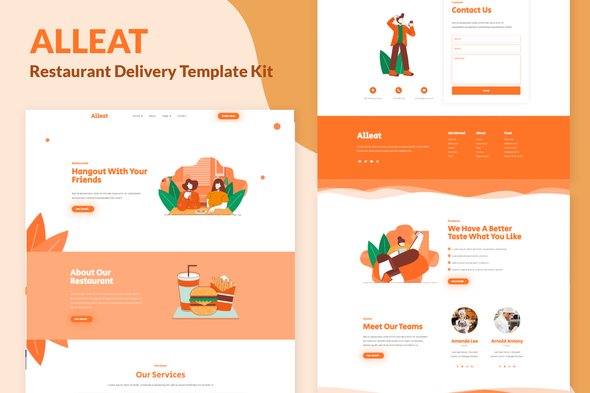
Creating a professional online presence for a restaurant or cafe often requires significant time and design effort. Many business owners and web developers face the challenge of building a website that truly captures the establishment’s atmosphere while also being functional and easy to manage. The Alleat Elementor Template Kit helps address this need by providing a complete, ready-to-use foundation for your food service website. It offers a straightforward approach to design, allowing you to quickly launch a site that looks polished and works well on any device.
Key Features Designed for Efficiency
The Alleat kit comes with a set of features focused on making your website build process more efficient. First, it includes three distinct home page designs, giving you immediate options to match your brand’s specific style without starting from scratch. This variety saves considerable design time, letting you pick a layout and customize it directly. Second, the kit features a well-designed visual style with unique illustrations, which helps your site stand out from generic templates. This thoughtful design provides a professional and inviting look for potential customers. Lastly, all templates are fully responsive, meaning your website will look and function correctly whether visitors are using a desktop computer, a tablet, or a smartphone. This cross-device compatibility is essential for reaching a wider audience and providing a good user experience.
Practical Use Cases and Applications
This template kit is an excellent fit for a range of food service businesses, including independent restaurants, bustling cafes, bakeries, or even pop-up food vendors looking to establish an online presence. Web development agencies can also benefit by using Alleat as a reliable starting point for client projects in the hospitality sector, reducing development time and speeding up delivery. The inclusion of essential pages like a Gallery, FAQ, and Contact section ensures you can quickly provide visitors with crucial information. It also features a Blog template, useful for sharing news, special offers, or recipes. The kit is built specifically for Elementor and requires Elementor Pro, ensuring compatibility with a powerful and widely used page builder.
Streamlined Implementation Benefits
Setting up your website with the Alleat kit is a direct process, designed to get you online faster. Since it’s built for Elementor, you can customize every aspect using its intuitive drag-and-drop interface, without needing to write code. This quick setup allows you to focus more on your business content and less on website construction. The pre-built pages reduce the need for extensive design work, and the responsive nature of the templates means you won’t need to spend extra time optimizing for different screen sizes. This foundation helps ensure your site performs well and remains easy to manage and update as your business grows.
To begin building your restaurant or cafe’s website with a solid foundation, you can download the Alleat Elementor Template Kit from Plugintheme at an affordable price.
 Alleat - Restaurant Elementor Template Kit
How to use Kit:
Install and activate the “Template Kit – Import” plugin from Plugins > Add New in WordPress.
Do not unzip.
Go to Template Kit – Import > Upload Template Kit Zip File button.
Before importing a template, ensure the Install Requirements button is clicked to activate required plugins.
For best results, do not import more than one template at a time.










 Mobile Apps
 php script
 How to
Reviews
There are no reviews yet