
Anova – SaaS & Startup Elementor Template Kit
- Updated on September 22, 2025
- 100% Original Product & Well Documented
- Unlimited Domain Usage

*Important Note:
The image should not be Part of the template kit. You need to use your own reliable Source.


Original price was: ₹999.00.₹299.00Current price is: ₹299.00.
- Secured & Scanned by Virus total & McAfee.
- Access to Free updates for Lifetime
- All products are Under GPL License (Unlimited Domain Usage)
- We Not Provide any Support For this Product

Lifetime Membership
Access 6700+ Premium WordPress Themes & Plugins, Elementor Templates, Mobile Apps, PHP scripts with Lifetime Updates.
Join Premium MembershipRecently Viewed
Anova – SaaS & Software Startup Template Kit
Building a new SaaS product or a tech startup website often means juggling a lot of priorities. You need a professional online presence to attract clients and investors, but you also need to launch quickly and efficiently. This is where a well-structured template kit like Anova can make a real difference. It’s designed specifically for SaaS, software, IT, and technology businesses, providing a solid foundation so you can focus on your core product and business strategy, rather than getting bogged down in website development from scratch. Whether you’re a web agency building a site for a client or a startup founder, Anova offers a practical solution to get your digital presence established quickly and effectively.
Why Anova is a Smart Choice for Your Startup
Anova stands out because it’s built entirely with the free version of Elementor, meaning you don’t need to invest in premium plugins just to get started. This kit streamlines the initial design and development process considerably. Here’s what makes it a practical asset:
Comprehensive Homepage Options
With four distinct homepage variations, you have the flexibility to choose the layout that best represents your brand and highlights your key offerings. Each homepage is designed to clearly communicate your value proposition and guide visitors toward important actions, whether it’s signing up for a demo or learning more about your services.
Essential Internal Pages Included
Beyond the homepage, Anova provides ready-to-use templates for critical sections of your website. You get dedicated pages for “About,” “How it Works,” “Our Pricing,” and “Our Process.” This means you can quickly populate your site with content that explains your business, its benefits, and its cost structure, saving you significant design and layout time. The inclusion of a “Contact” page with a functional form simplifies lead generation.
Ready for Any Device and Clean Code
The template kit is fully responsive, ensuring your website looks and functions correctly on desktops, tablets, and mobile phones. It adheres to W3C validation standards, contributing to better search engine performance and a more reliable user experience. This attention to code quality means fewer technical headaches down the line.
Ideal Use Cases for the Anova Template Kit
This kit is a strong fit for a variety of technology-focused businesses. If you are running a Software as a Service (SaaS) company, a new software development firm, an IT solutions provider, or a general technology startup, Anova provides a relevant and professional aesthetic. Mobile app developers showcasing their latest creation will find the layout options suitable for presenting app features and benefits. Digital agencies looking for a quick starter site for tech clients will also benefit from its clean design and pre-built sections. It’s also a great option for businesses needing to clearly explain complex services or processes.
Putting Anova to Work for You
Getting Anova up and running is straightforward. Thanks to the Envato Elements plugin, you can import the entire template kit with just a few clicks. Because all images and illustrations are included, you won’t have to spend time sourcing external assets. The focus on free Elementor means no additional plugin costs are required to use the core templates. This setup is designed for speed and efficiency, allowing you to customize the content and branding to match your business in a predictable amount of time. The responsive design ensures your site works well on all devices from the start, and its clean coding supports good website performance.
Download from Plugintheme at an affordable price to build your professional tech website.
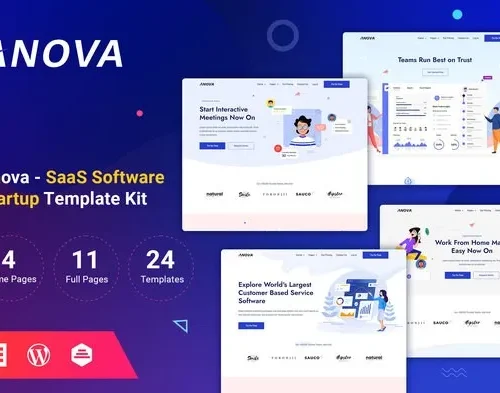 Anova - SaaS & Startup Elementor Template Kit
How to use Kit:
Install and activate the “Template Kit – Import” plugin from Plugins > Add New in WordPress.
Do not unzip.
Go to Template Kit – Import > Upload Template Kit Zip File button.
Before importing a template, ensure the Install Requirements button is clicked to activate required plugins.
For best results, do not import more than one template at a time.










 Mobile Apps
 php script
 How to

Reviews
There are no reviews yet