
Antibugs – Pest Control Service Elementor Template Kit
- Updated on September 25, 2025
- 100% Original Product & Well Documented
- Unlimited Domain Usage

*Important Note:
The image should not be Part of the template kit. You need to use your own reliable Source.


Original price was: ₹999.00.₹299.00Current price is: ₹299.00.
- Secured & Scanned by Virus total & McAfee.
- Access to Free updates for Lifetime
- All products are Under GPL License (Unlimited Domain Usage)
- We Not Provide any Support For this Product

Lifetime Membership
Access 6700+ Premium WordPress Themes & Plugins, Elementor Templates, Mobile Apps, PHP scripts with Lifetime Updates.
Join Premium MembershipRecently Viewed
Antibugs: Elementor Template Kit for Pest Control Services
Streamline Your Pest Control Website Development
Building a professional online presence for a pest control service can be time-consuming. You need a website that looks credible, clearly outlines your services, and encourages potential clients to reach out. Often, this involves significant design and development effort, delaying your ability to attract new business. The Antibugs Elementor Template Kit is designed to cut through that complexity. It provides a ready-made foundation specifically for pest control businesses, helping you launch an effective website quickly without needing extensive coding knowledge or hiring expensive designers.
Key Features for a Professional Online Presence
Comprehensive Template Library
This kit includes over 12 meticulously crafted templates, covering all essential pages for a pest control business. From homepage layouts that make a strong first impression to service detail pages for pest control, mosquito control, rodent control, and bed bug control, you’ll find exactly what you need. Each template features a clean design and modern style, ensuring your website looks up-to-date and trustworthy.
Effortless Customization with Elementor
Leveraging the power of Elementor Page Builder, Antibugs offers unparalleled ease of customization. You can modify layouts, change colors, update text, and swap out images with a simple drag-and-drop interface. This means you can tailor the website to your specific brand and service offerings in a matter of hours, not days or weeks, all without writing a single line of code.
Optimized for Performance and Compatibility
Designed with the free Hello Elementor theme in mind, this kit ensures a lightweight and fast-loading website. It’s also built to be compatible with most themes that work well with Elementor, giving you flexibility in your existing WordPress setup. The focus is on providing a solid, reliable structure that performs well on all devices.
Ideal Applications for Your Business
The Antibugs template kit is a perfect fit for any business operating in the pest control industry. Whether you’re a solo operator offering local pest removal, a larger company specializing in specific infestations like bed bugs or rodents, or a franchise providing a range of pest management solutions, this kit provides a strong starting point. It’s also useful for mosquito abatement services or general pest extermination companies looking to establish a credible online portfolio and service listing. The pre-built pages reduce the need to create content and design elements from scratch, allowing you to focus on what you do best: managing pests.
Quick Setup and Ongoing Benefits
Implementing the Antibugs template kit is a straightforward process. You can import the templates quickly and begin customizing immediately. Because the design is responsive, your website will look great and function correctly on desktops, tablets, and smartphones, reaching customers wherever they are. This structured approach not only speeds up initial development but also simplifies future updates and maintenance, saving you ongoing time and resources.
Download from Plugintheme at an affordable price.
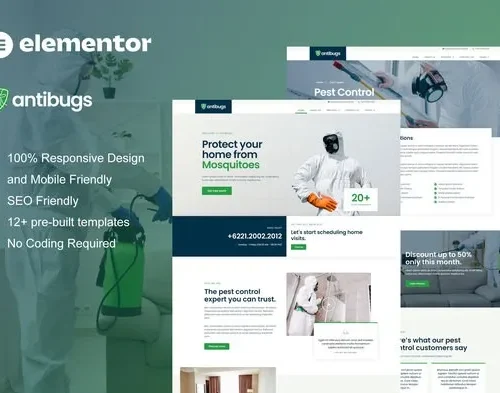 Antibugs - Pest Control Service Elementor Template Kit
How to use Kit:
Install and activate the “Template Kit – Import” plugin from Plugins > Add New in WordPress.
Do not unzip.
Go to Template Kit – Import > Upload Template Kit Zip File button.
Before importing a template, ensure the Install Requirements button is clicked to activate required plugins.
For best results, do not import more than one template at a time.










 Mobile Apps
 php script
 How to
Reviews
There are no reviews yet