
Aports – Single Property Elementor Template Kit
- Updated on September 24, 2025
- 100% Original Product & Well Documented
- Unlimited Domain Usage

*Important Note:
The image should not be Part of the template kit. You need to use your own reliable Source.


Original price was: ₹999.00.₹299.00Current price is: ₹299.00.
- Secured & Scanned by Virus total & McAfee.
- Access to Free updates for Lifetime
- All products are Under GPL License (Unlimited Domain Usage)
- We Not Provide any Support For this Product

Lifetime Membership
Access 6700+ Premium WordPress Themes & Plugins, Elementor Templates, Mobile Apps, PHP scripts with Lifetime Updates.
Join Premium MembershipRecently Viewed
Aports – Single Property Template Kit
Tired of Starting Property Websites from Scratch?
Building a professional website for a single property, whether for rent or sale, can be a time-consuming process. You need to showcase high-quality images, present detailed information clearly, and ensure the site looks good on any device, all while managing client expectations. Often, this means juggling multiple design elements and trying to make them work together cohesively. If you’re spending too much time on initial setup and not enough on marketing your properties, Aports is designed to streamline that exact workflow.
Key Features to Streamline Your Property Listings
Aports comes packed with essential elements designed to make your single property listings stand out. The kit includes a dedicated Property Showcase template, perfect for highlighting a specific apartment, villa, or commercial space. This means you get pre-designed sections for image galleries, floor plans, amenity lists, and property descriptions, all laid out in a way that guides potential buyers or renters. It also features a Contact & Inquiry form setup, allowing interested parties to reach out directly, and a well-organized Location & Map integration to easily show where the property is situated. These components are built with Elementor, so you can adjust layouts, colors, and text without needing to code.
Detailed Property Presentations
The core of Aports is its ability to present a single property in detail. You get layouts specifically for features, amenities, and even neighborhood information, helping potential clients understand the full value of the listing. The clean design ensures that your property’s best assets are front and center, supported by intuitive navigation.
Customizable with Elementor
Built entirely with Elementor, Aports offers a straightforward customization experience. You can modify every aspect of the design, from font choices and color schemes to the arrangement of content blocks, using the visual drag-and-drop interface. This makes it easy to align the website with your brand or the specific property’s unique selling points.
Who Benefits from Aports?
This template kit is ideal for real estate agents, property developers, and small agencies specializing in single property rentals or sales. If you frequently market individual apartments, villas, farms, or complex buildings, Aports provides a ready-to-go foundation. It’s also suitable for property management companies showcasing specific rental units or for individuals looking to quickly create a professional online presence for their high-value property. It works well for showcasing everything from urban apartments to rural estates.
Fast Setup and Responsive Design
Getting a new property website live is much quicker with Aports. The template kit is designed for a fast setup, allowing you to import pages and sections and begin populating them with your property details almost immediately. It’s fully responsive, ensuring your listings look professional and function correctly on desktops, tablets, and smartphones. The design is also retina-ready, guaranteeing sharp images and crisp text across all high-resolution displays. Regular updates ensure compatibility with the latest WordPress and Elementor versions, reducing long-term maintenance concerns.
Download from Plugintheme at an affordable price.
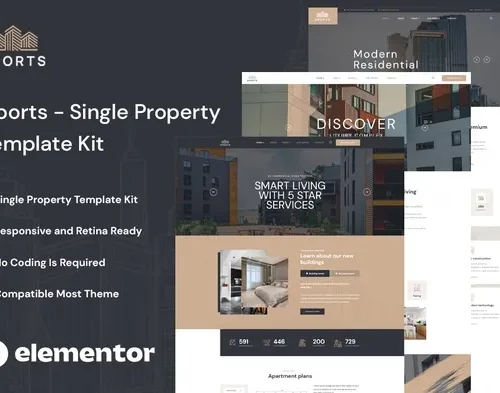 Aports - Single Property Elementor Template Kit
How to use Kit:
Install and activate the “Template Kit – Import” plugin from Plugins > Add New in WordPress.
Do not unzip.
Go to Template Kit – Import > Upload Template Kit Zip File button.
Before importing a template, ensure the Install Requirements button is clicked to activate required plugins.
For best results, do not import more than one template at a time.










 Mobile Apps
 php script
 How to
Reviews
There are no reviews yet