
Appa – Mobile App & Startup Elementor Template Kit
- Updated on October 6, 2025
- 100% Original Product & Well Documented
- Unlimited Domain Usage
*Important Note:
The image should not be Part of the template kit. You need to use your own reliable Source.


Original price was: ₹999.00.₹299.00Current price is: ₹299.00.
- Secured & Scanned by Virus total & McAfee.
- Access to Free updates for Lifetime
- All products are Under GPL License (Unlimited Domain Usage)
- We Not Provide any Support For this Product

Lifetime Membership
Access 6700+ Premium WordPress Themes & Plugins, Elementor Templates, Mobile Apps, PHP scripts with Lifetime Updates.
Join Premium MembershipRecently Viewed
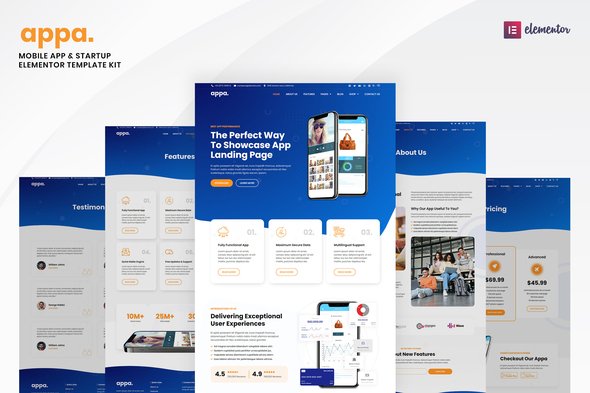
Appa – Mobile App & Startup Elementor Template Kit
Building a professional website for a mobile app, SaaS product, or a new tech startup often feels like a balancing act between speed and quality. Many developers, agencies, and business owners face the challenge of creating an effective online presence without spending excessive time on design or writing custom code. The Appa Elementor Template Kit provides a practical solution to this common problem. It’s designed specifically for those who need to launch a well-designed, functional website quickly, offering a complete set of page templates that address the specific needs of the tech and app industries. This kit helps you create the necessary pages for showcasing your product or service without starting from scratch.
Key Features for Efficient Web Development
The Appa kit focuses on delivering tools that save you time and improve your project delivery. Here are some of its core benefits:
20+ Pre-built Page Templates
Instead of designing each page individually, this kit includes over 20 ready-to-use page templates. This means you have professionally structured layouts for everything from your homepage and feature showcases to contact pages and service descriptions. Having these templates available reduces the initial design burden significantly, allowing you to focus on content rather than layout construction.
Easy Customization with Elementor
Appa is built for Elementor, the popular drag-and-drop page builder. This integration means you can adjust any element—text, images, sections, and more—directly from the interface. You don’t need any coding knowledge to modify these templates, making it accessible for both experienced developers and business owners managing their own sites. Changes can be implemented quickly, ensuring your site reflects your brand effectively.
Versatile for Various Tech Niches
This template kit isn’t limited to a single purpose. It’s designed to support a wide range of tech and startup websites, including mobile app landing pages, SaaS product showcases, digital agency sites, and general technology service providers. This versatility means you can use Appa for multiple projects or adapt it as your business evolves, providing consistent value across different web initiatives.
Practical Use Cases & Applications
The Appa template kit is a strong choice for several scenarios. Mobile app developers can use it to quickly establish an engaging landing page for a new application launch, detailing features and encouraging downloads. SaaS companies will find it useful for building a professional online platform that effectively demonstrates their software’s value propositions and pricing structures.
Digital agencies can utilize Appa to deliver client projects for tech-focused businesses more efficiently, meeting deadlines and providing a high-quality product. Startups across various sectors, from information technology to product development, can get their initial online presence set up fast, helping them attract early users and potential investors. It’s particularly effective for sites that need to clearly communicate innovative solutions or digital services.
Implementation Benefits
Implementing the Appa template kit means a quicker development cycle. The pre-designed elements and Elementor compatibility allow for a rapid setup process, getting your website live much faster than if you built it from scratch. Customization is straightforward; you can easily adjust colors, fonts, and layouts to match your brand’s specific requirements. Importantly, sites built with Elementor template kits are generally responsive, meaning they will display correctly and function well across all devices, from desktops to smartphones, without extra effort for mobile optimization. This helps ensure a consistent user experience and good performance.
Download Appa from Plugintheme at an affordable price and simplify your next web project for mobile apps or startups.
 Appa - Mobile App & Startup Elementor Template Kit
How to use Kit:
Install and activate the “Template Kit – Import” plugin from Plugins > Add New in WordPress.
Do not unzip.
Go to Template Kit – Import > Upload Template Kit Zip File button.
Before importing a template, ensure the Install Requirements button is clicked to activate required plugins.
For best results, do not import more than one template at a time.










 Mobile Apps
 php script
 How to
Reviews
There are no reviews yet