
Aptify – Mobile App Landing Page & Tech Company Elementor Template Kit
- Updated on October 9, 2025
- 100% Original Product & Well Documented
- Unlimited Domain Usage
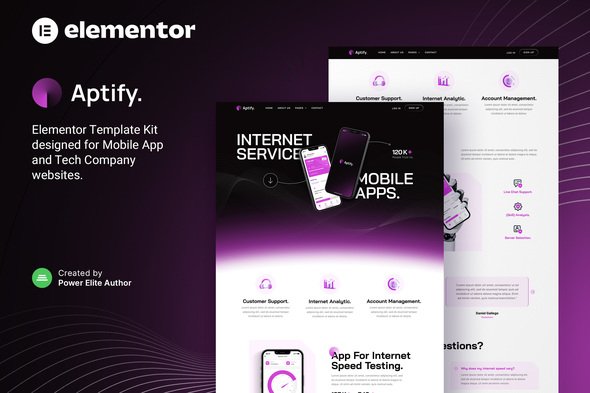
*Important Note:
The image should not be Part of the template kit. You need to use your own reliable Source.


Original price was: ₹999.00.₹299.00Current price is: ₹299.00.
- Secured & Scanned by Virus total & McAfee.
- Access to Free updates for Lifetime
- All products are Under GPL License (Unlimited Domain Usage)
- We Not Provide any Support For this Product

Lifetime Membership
Access 6700+ Premium WordPress Themes & Plugins, Elementor Templates, Mobile Apps, PHP scripts with Lifetime Updates.
Join Premium MembershipRecently Viewed
Aptify Elementor Template Kit
Building a professional website for a tech or mobile app company can often feel like a large undertaking. Without extensive coding skills or a significant budget for custom development, it’s easy to get bogged down in the details. Many template kits might also require Elementor Pro, adding to your overall costs. Aptify addresses these challenges by providing a straightforward way to create a polished online presence for mobile apps, technology companies, internet services, or agencies. It’s designed to help you get your site up and running efficiently, focusing on a clean and effective presentation without needing code.
Key Features for Efficient Website Building
Aptify includes several features designed to save you time and improve your website building process.
No Elementor Pro Required
A significant advantage for many users, Aptify lets you build a professional site using Elementor’s free version. This helps keep development costs down, making it a cost-effective choice for smaller operations or those working within a tight budget. You get full functionality without the extra subscription.
Complete Template Collection
This kit includes over 13 ready-to-use templates, offering a strong foundation for various essential pages. You can quickly assemble a complete website, starting with well-designed layouts for your home page, about sections, services, and contact pages. This means less time designing from scratch and more time refining your content.
Fully Responsive and Adaptable Design
Websites built with Aptify look good on any device, from desktops to tablets and smartphones. The design adapts automatically, ensuring your visitors have a positive experience regardless of how they access your site. This responsiveness is crucial for reaching a wider audience and maintaining a professional image.
Easy Customization with Elementor
As an Elementor-based kit, Aptify offers a visual drag-and-drop interface for all customizations. You can adjust layouts, change colors, modify typography, and images without touching any code. This approach makes site management simple and accessible, even for those new to website building.
Practical Applications for Your Business
Aptify is a practical choice for several types of businesses looking to establish a strong online presence. Mobile app developers can use it to showcase their latest applications with clear screenshots and feature descriptions. Technology startups can build a credible online presence to attract investors and customers. Digital agencies might find it a useful base for client projects, customizing it to fit various branding needs. Companies offering internet or network services will find its clean design suitable for presenting information clearly. Its flexibility means it can serve many different tech-focused ventures effectively.
Streamlined Implementation Benefits
Getting started with Aptify is quick. You can import the templates and begin customizing right away, saving considerable development time. Its design ensures good performance and looks sharp on all screens. Because it relies on Elementor’s reliable framework, future updates and maintenance are simplified, allowing you to manage your site efficiently as your business grows.
Aptify helps you create a professional online presence without the usual complexities. Download from Plugintheme at an affordable price and start building your effective website today.
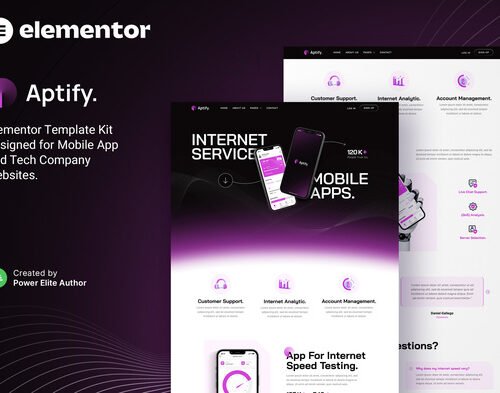 Aptify – Mobile App Landing Page & Tech Company Elementor Template Kit
How to use Kit:
Install and activate the “Template Kit – Import” plugin from Plugins > Add New in WordPress.
Do not unzip.
Go to Template Kit – Import > Upload Template Kit Zip File button.
Before importing a template, ensure the Install Requirements button is clicked to activate required plugins.
For best results, do not import more than one template at a time.










 Mobile Apps
 php script
 How to
Reviews
There are no reviews yet