
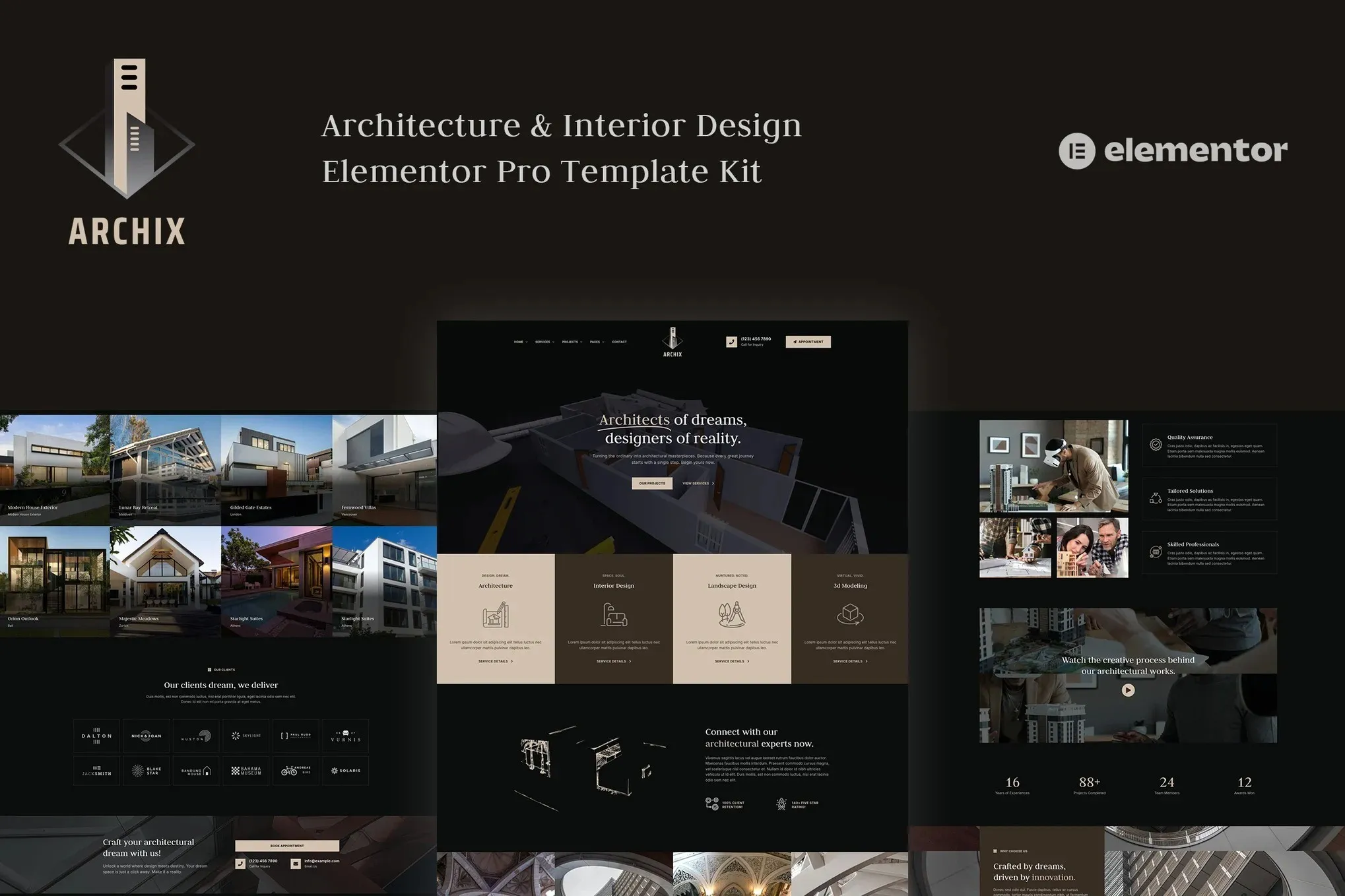
Archix – Architecture & Interior Design Elementor Pro Template Kit
- Updated on September 12, 2025
- 100% Original Product & Well Documented
- Unlimited Domain Usage
*Important Note:
The image should not be Part of the template kit. You need to use your own reliable Source.


Original price was: ₹999.00.₹299.00Current price is: ₹299.00.
- Secured & Scanned by Virus total & McAfee.
- Access to Free updates for Lifetime
- All products are Under GPL License (Unlimited Domain Usage)
- We Not Provide any Support For this Product

Lifetime Membership
Access 6700+ Premium WordPress Themes & Plugins, Elementor Templates, Mobile Apps, PHP scripts with Lifetime Updates.
Join Premium MembershipRecently Viewed
Archix is a creative, modern, and professional Elementor template kit designed especially for the architects and creative interior designers out there. This Elementor template kit makes showcasing your projects a breeze. Whether you’re into architecture, interior design, home renovation, real estate, landscaping, construction, or crafting beautiful furniture, Archix is tailored just for you.
Template Kit Features:
- 20+ ready to use templates.
- 3 Home page layouts.
- 100% Fully Responsive & mobile-friendly.
- Global Styles included.
- Cross Browser Compatibility: Chrome, Firefox, Safari, Opera.
- Easy color & typography customization.
- SEO-friendly design.
- No coding knowledge is required.
- Lifetime free updates
Included Templates:
- Home Page 1
- Home Page 2
- Home Page 3
- Services 1
- Services 2
- Single Service
- Projects 1
- Projects 2
- Single Project 1
- Single Project 2
- About Us
- Our Team 1
- Our Team 2
- Our Clients
- Pricing
- Testimonials
- FAQs
- Blog
- Single Post
- Contact Us
- 404 Page
- Header
- Footer
- Block: Main CTA
Required Plugins:
- Elementor
- Elementor Pro upgrade (purchase separately) is required for most templates and features (not included).
Creating Pages
- Go to Pages and create a new page and click Edit with Elementor
- Click the gear icon at lower-left of the builder to view page settings and choose Elementor Full Width and hide page title
- Click the gray folder icon to access My Templates tab and then Import the page you’d like to customize.
- The home page is set under Settings > Reading by selecting Static Front Page.
If you have Elementor Pro, headers and footers are customized under Templates > Theme Builder.
Detailed Guide:
- Elementor Documentation: For further support, go to Elementor > Get Help in the WordPress menu.
How to Setup Main CTA Block:
- Import the Main CTA blocks and customize it from Templates > Saved Templates.
- Create / Open the page where the CTA block should appear in Elementor.
- Locate the Template element in the navigator and select the block from the dropdown.
- Alternatively, you may set the CTA Block template to Global and insert the block directly into your pages from the My Templates library. For more information on Globals, see Elementor > Get Help in your admin menu.
Blog Posts:
Blog content is not included – you will need to add a few posts to WordPress before post content will appear in templates.
 Archix - Architecture & Interior Design Elementor Pro Template Kit
How to use Kit:
Install and activate the “Template Kit – Import” plugin from Plugins > Add New in WordPress.
Do not unzip.
Go to Template Kit – Import > Upload Template Kit Zip File button.
Before importing a template, ensure the Install Requirements button is clicked to activate required plugins.
For best results, do not import more than one template at a time.










 Mobile Apps
 php script
 How to
Reviews
There are no reviews yet