
Ashton – Web hosting Elementor Template Kit
- Updated on September 24, 2025
- 100% Original Product & Well Documented
- Unlimited Domain Usage
*Important Note:
The image should not be Part of the template kit. You need to use your own reliable Source.


Original price was: ₹999.00.₹299.00Current price is: ₹299.00.
- Secured & Scanned by Virus total & McAfee.
- Access to Free updates for Lifetime
- All products are Under GPL License (Unlimited Domain Usage)
- We Not Provide any Support For this Product

Lifetime Membership
Access 6700+ Premium WordPress Themes & Plugins, Elementor Templates, Mobile Apps, PHP scripts with Lifetime Updates.
Join Premium MembershipRecently Viewed
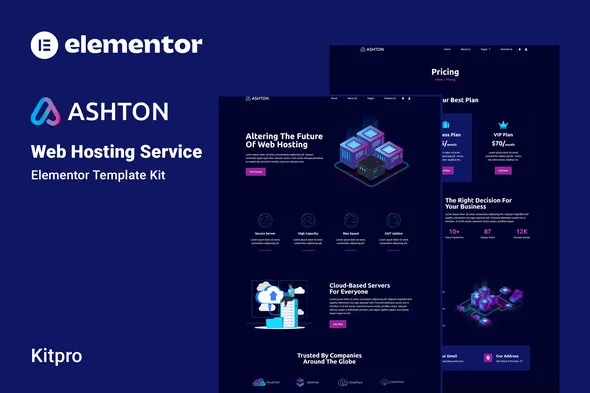
Ashton: Elementor Template Kit for Web Hosting Services
Streamline Your Web Hosting Website Development
Building a professional and effective website for a web hosting service can be time-consuming. You need a site that clearly communicates your services, builds trust, and converts visitors into clients. Many template kits offer flashy designs but lack practical functionality. Ashton is different. It’s a carefully crafted Elementor template kit designed specifically for web hosting providers, focusing on getting your business online quickly and efficiently without needing to write a single line of code.
Key Features Designed for Your Business
Intuitive Drag-and-Drop Customization
With Ashton, you get true no-code customization. The entire kit is built for Elementor’s visual builder, allowing you to rearrange sections, modify content, and adjust layouts with a simple drag-and-drop interface. This means you can make significant design changes without any coding knowledge, saving you valuable development time.
Centralized Design Control
Maintain brand consistency with ease. Ashton allows you to define your site’s overall fonts and color scheme in one central location within Elementor. If you need to make specific adjustments, you can fine-tune individual elements as required. This approach ensures a cohesive look across your entire website.
Modern, Performance-Oriented Design
The kit features a clean, modern, and professional aesthetic that instills confidence in potential clients. Beyond looks, Ashton has been optimized for fast loading speeds. A quick-loading website is crucial for user experience and search engine rankings, especially in the competitive web hosting market.
Flexible Theme Compatibility
Ashton is optimized for use with the free Hello Elementor theme, offering a lightweight foundation. However, it’s designed to work with most WordPress themes that support Elementor, giving you flexibility in your existing setup. Additionally, for those managing client accounts, it can be integrated with the WHMCS addon for Elementor for a more robust hosting management solution.
Ideal Use Cases and Applications
Ashton is an excellent choice for:
- New web hosting startups looking to establish an online presence quickly.
- Established hosting companies wanting to refresh their website design with a professional and modern look.
- Freelancers or agencies specializing in building websites for web hosting clients.
- Businesses offering related services like domain registration, VPS hosting, or dedicated servers.
The included templates cover all essential pages: Home, About, Services, Contact Us, Team, Pricing, Features, FAQ, Blog, and a 404 page. This comprehensive set ensures you have a complete website structure ready to go.
Benefits of Implementing Ashton
Getting started with Ashton is straightforward. Because it’s a template kit, the setup process is quick, allowing you to import pages and sections directly into Elementor. The design is fully responsive, ensuring your website looks great and functions perfectly on desktops, tablets, and mobile devices. This immediate mobile-friendliness is essential for reaching a wider audience. Updates and maintenance are also simplified, as the kit works within the familiar Elementor environment.
Download from Plugintheme at an affordable price.
 Ashton - Web hosting Elementor Template Kit
How to use Kit:
Install and activate the “Template Kit – Import” plugin from Plugins > Add New in WordPress.
Do not unzip.
Go to Template Kit – Import > Upload Template Kit Zip File button.
Before importing a template, ensure the Install Requirements button is clicked to activate required plugins.
For best results, do not import more than one template at a time.










 Mobile Apps
 php script
 How to
Reviews
There are no reviews yet