
Autome | Smart Home Automation Elementor Template Kit
- Updated on October 6, 2025
- 100% Original Product & Well Documented
- Unlimited Domain Usage
*Important Note:
The image should not be Part of the template kit. You need to use your own reliable Source.


Original price was: ₹999.00.₹299.00Current price is: ₹299.00.
- Secured & Scanned by Virus total & McAfee.
- Access to Free updates for Lifetime
- All products are Under GPL License (Unlimited Domain Usage)
- We Not Provide any Support For this Product

Lifetime Membership
Access 6700+ Premium WordPress Themes & Plugins, Elementor Templates, Mobile Apps, PHP scripts with Lifetime Updates.
Join Premium MembershipRecently Viewed
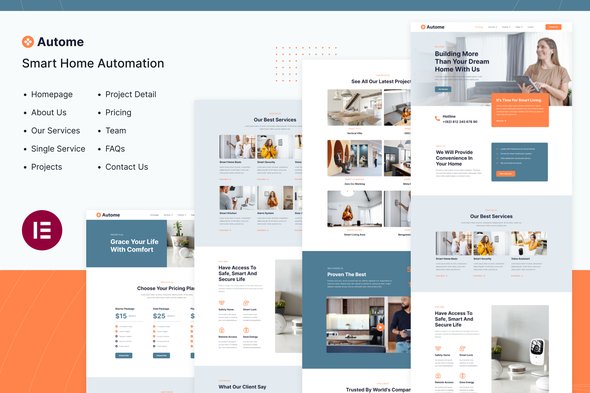
Autome: Smart Home Automation Template Kit
The Challenge of Professional Tech Website Creation
Creating a professional website for your smart home automation business can be time-consuming and expensive. Many companies in this tech space lack the resources or technical skills to develop a compelling online presence that effectively showcases their services and products. Autome addresses this need by providing a ready-to-use template kit specifically designed for smart home automation services, security solutions, and tech-related businesses. This template eliminates the need for coding or expensive web development, allowing you to establish a professional online presence quickly and efficiently.
Key Features for Your Tech Business
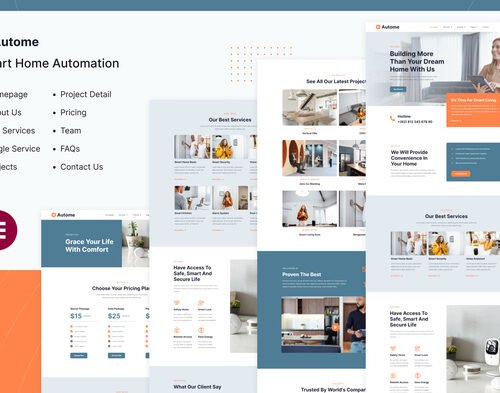
Autome offers 10 customizable page layouts and 18 well-designed section templates that work seamlessly with Elementor Pro. You can import these templates with a single click, saving hours of design work. The kit features a sleek, minimalist style with carefully selected colors that convey professionalism and technological innovation. All styles and effects are created within the Elementor panel, requiring no coding knowledge. The 100% responsive layout ensures your website looks excellent on desktops, laptops, tablets, and mobile devices, while the retina-ready display guarantees crisp visuals on all screens. This comprehensive approach covers everything from service overview pages to product showcases and contact forms.
Perfect for Various Smart Home Businesses
Autome works exceptionally well for smart home service providers, security solution companies, device retailers, and tech integrators. Whether you need to showcase installation services, security systems, or cutting-edge automation products, this template provides the structure and design elements needed to present your offerings professionally. The layout is particularly effective for businesses that want to highlight their technical expertise while maintaining an accessible, customer-friendly interface. Compatible with standard WordPress plugins, you can easily add contact forms, booking systems, or e-commerce functionality as your business grows.
Quick Implementation and Easy Maintenance
Setting up your website is straightforward with the Autome template. Simply install Elementor Pro, import your desired templates, and customize the content to match your brand. The responsive design works well across devices without requiring additional adjustments. Updates are simple through the standard WordPress template system, ensuring your site remains secure and functional. The clean code structure makes future modifications accessible, even as your business needs evolve.
Get Started Today
Download Autome from Plugintheme at an affordable price and start building your smart home automation website right away. This template kit provides everything needed to create a professional online presence that effectively communicates your services and builds customer trust.
 Autome | Smart Home Automation Elementor Template Kit
How to use Kit:
Install and activate the “Template Kit – Import” plugin from Plugins > Add New in WordPress.
Do not unzip.
Go to Template Kit – Import > Upload Template Kit Zip File button.
Before importing a template, ensure the Install Requirements button is clicked to activate required plugins.
For best results, do not import more than one template at a time.










 Mobile Apps
 php script
 How to
Reviews
There are no reviews yet