
Aviatora – Aviation & Flight School Elementor Pro Template Kit
- Updated on May 4, 2026
- 100% Original Product & Well Documented
- Unlimited Domain Usage
*Important Note:
The image should not be Part of the template kit. You need to use your own reliable Source.


Original price was: ₹999.00.₹299.00Current price is: ₹299.00.
Turn your flight school into a website that actually converts. 12 page layouts, drag-and-drop editing, and a design built for aviation — no developer required.
- Secured & Scanned by Virus total & McAfee.
- Access to Free updates for Lifetime
- All products are Under GPL License (Unlimited Domain Usage)
- We Not Provide any Support For this Product

Lifetime Membership
Access 6700+ Premium WordPress Themes & Plugins, Elementor Templates, Mobile Apps, PHP scripts with Lifetime Updates.
Join Premium MembershipRecently Viewed
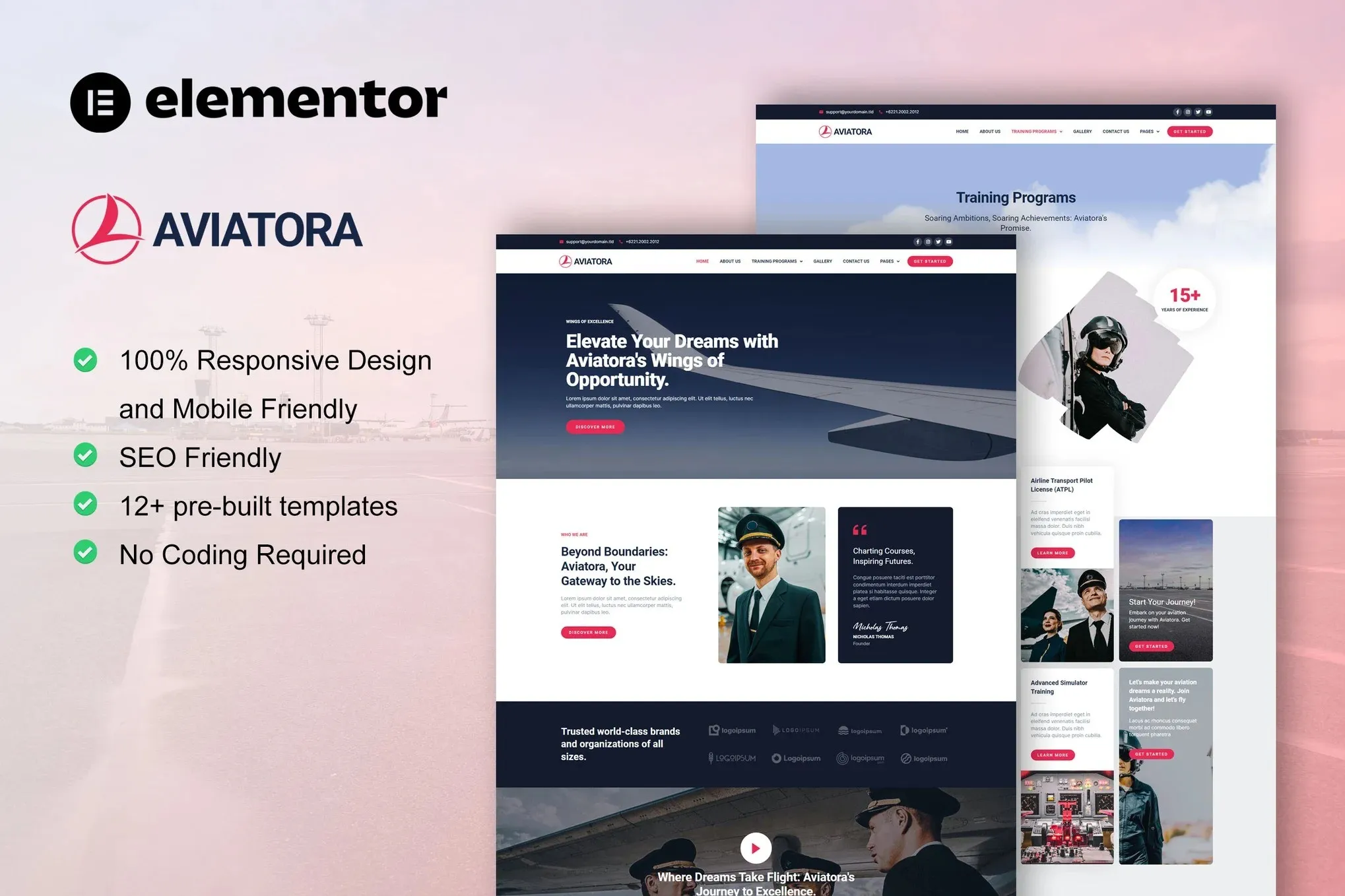
Professional Aviation Website Template for Elementor
Aviatora is a ready-to-use Elementor Pro Template Kit built specifically for aviation businesses and flight training organizations. If you’ve been searching for an affordable way to establish a credible online presence, this kit removes the design and development barriers entirely. Every page layout, section, and style has been pre-built by professional designers so you can focus on running your flight school instead of building a website from scratch.
The aviation industry demands trust and professionalism — your website should reflect that from the first click. Aviatora delivers a modern, clean aesthetic with a color palette and typography system designed for high-stakes industries where first impressions matter. Whether you’re launching a new pilot academy or refreshing an existing flight school site, this kit gives you a polished result without the agency price tag.
What’s Included in the Kit
This template kit comes with 12 page layouts and templates covering every section a complete aviation website needs:
- Homepage — bold hero section, course overview, testimonials, and CTA
- About Us — team profiles, school history, and mission statement
- Flight Courses — filtering system for different license types and ratings
- Single Course Pages — pricing, syllabus, duration, and enrollment options
- Instructors — pilot bios, certifications, and experience levels
- Fleet & Aircraft — aircraft listing with specs and photos
- Blog — news and industry updates for SEO and student engagement
- Contact — inquiry form, map integration, and office details
- FAQ — common questions about training, costs, and requirements
- Gallery — photo showcase for campus and aircraft
- 404 Page — branded error page
- Header and Footer — consistent navigation across all pages
Who Is This Template Kit For?
Aviatora works best for businesses and organizations in the aviation training space:
- Flight schools and aviation training centers
- Pilot academies offering private, commercial, and instrument ratings
- Cabin crew and flight attendant training programs
- Aviation colleges and Part 141/Part 61 training providers
- Individual flight instructors building a personal brand
- Aircraft charter companies and aviation service providers
The layouts are versatile enough to adapt to any aviation-related business while remaining specific enough to feel purpose-built for flight training.
Built for Elementor — No Code Required
This kit uses Elementor Pro along with the free Elementor plugin to deliver full drag-and-drop functionality. You don’t need to hire a developer or write a single line of code. If you can point and click, you can customize this template kit to match your brand colors, logos, and content. The responsive design ensures your aviation website looks sharp on desktop computers, tablets, and mobile devices — critical for students browsing on their phones.
Commercial License and Instant Access
When you buy Aviatora, you receive a commercial license that covers client projects and commercial use. There are no recurring subscription fees — this is a one-time payment for lifetime access. Download your files instantly after purchase and have your aviation website template ready to install within minutes.
You also get lifetime free updates. When we add new pages or improve existing layouts, your download stays current at no extra cost.
Ready to Get Started?
Stop paying ongoing website builder fees or waiting weeks for a developer. Aviatora gives you a professional aviation website template that installs directly into your existing WordPress and Elementor setup. Affordable, fast, and built for the flight training industry — buy today and have your site live this week.
Only logged in customers who have purchased this product may leave a review.
How to use Kit:
Install and activate the “Template Kit – Import” plugin from Plugins > Add New in WordPress.
Do not unzip.
Go to Template Kit – Import > Upload Template Kit Zip File button.
Before importing a template, ensure the Install Requirements button is clicked to activate required plugins.
For best results, do not import more than one template at a time.
RELATED PRODUCTS

DIVI – Original License | One Time Payment – Exclusive Deal

Elementor Pro 4.2.3 + Elementorism Landing Pages WordPress Plugin

907 5.3.6 – Responsive Multi-Purpose WordPress Theme

Element Pack Pro 9.1.0 – Addon For Elementor






 Mobile Apps
 php script
 How to
Reviews
There are no reviews yet