
Baligo – Asian Travel Agency Elementor Kit Template
- Updated on May 3, 2026
- 100% Original Product & Well Documented
- Unlimited Domain Usage
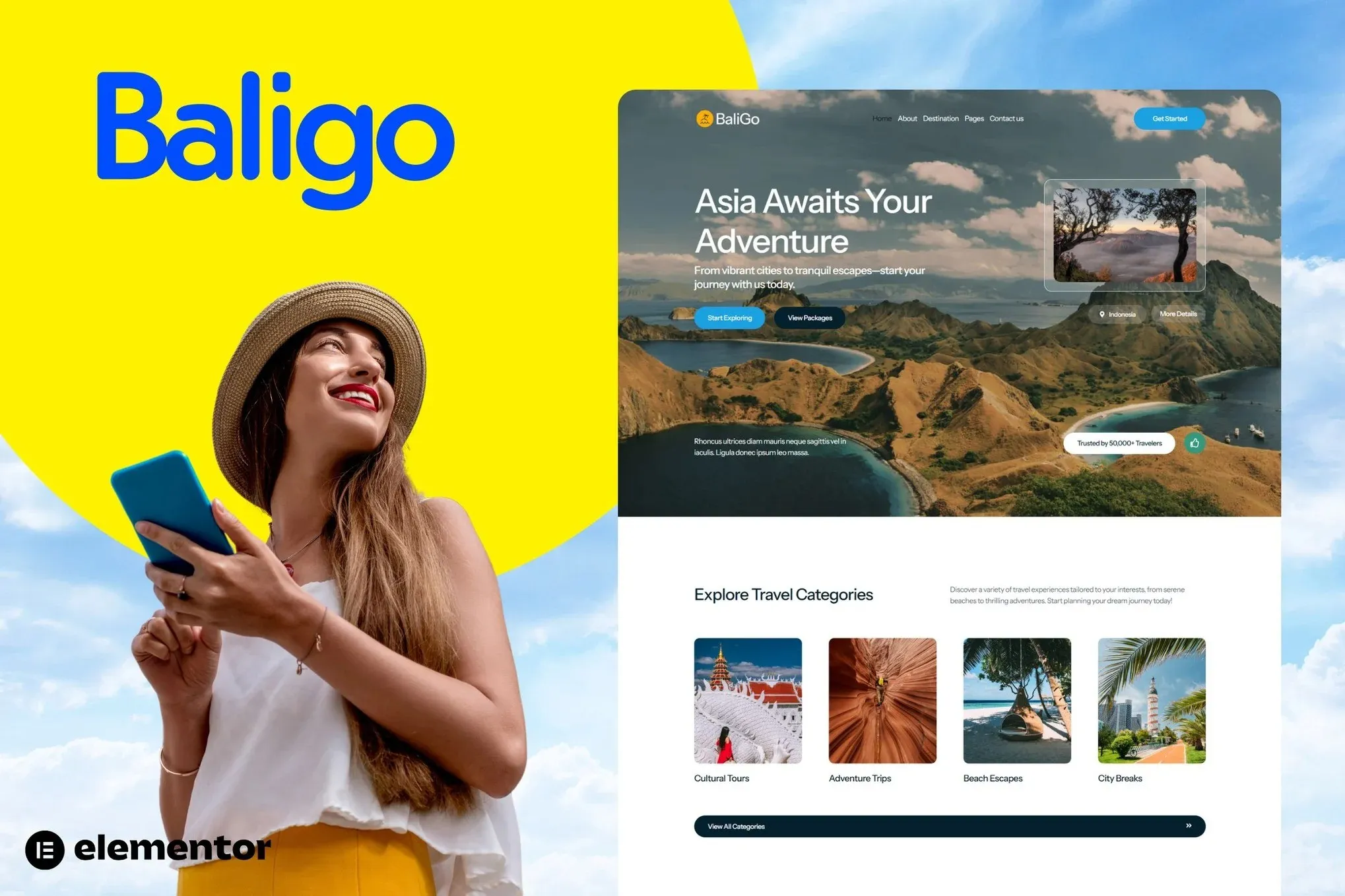
*Important Note:
The image should not be Part of the template kit. You need to use your own reliable Source.


Original price was: ₹999.00.₹299.00Current price is: ₹299.00.
A polished Elementor Kit built for Asian travel agencies. Showcase destinations, sell tour packages, and look professional from day one — no coding required.
- Secured & Scanned by Virus total & McAfee.
- Access to Free updates for Lifetime
- All products are Under GPL License (Unlimited Domain Usage)
- We Not Provide any Support For this Product

Lifetime Membership
Access 6700+ Premium WordPress Themes & Plugins, Elementor Templates, Mobile Apps, PHP scripts with Lifetime Updates.
Join Premium MembershipRecently Viewed
Baligo — Asian Travel Agency Elementor Template Kit
Need a travel agency website that doesn’t look like every other WordPress template out there? Baligo gives you that custom-designed feel without the custom price tag. Built specifically for Asian travel agencies and tour operators, this kit helps you stand out, book more tours, and actually enjoy the process.
From the moment visitors land on your site, they’ll feel the pull of wanderlust. Baligo’s warm color palette, bold typography, and destination-focused layouts work together to create real excitement — and excitement leads to bookings. Every section is designed to turn browsers into paying customers, whether they’re on a desktop researching options or scrolling on their phone during a commute.
What You’re Getting
Baligo ships as a complete Elementor Template Kit. You import the pre-designed pages directly into your existing WordPress + Elementor setup. No blank canvas. No developer fees. One download gets you professionally laid-out pages for your homepage, destination showcases, tour package listings, about page, contact forms, and more.
- 15+ pre-built pages and section templates
- Fully responsive — looks great on mobile, tablet, and desktop
- One-click demo import to get your site live fast
- Clean, SEO-friendly structure that ranks on Google
- Works with free Elementor and WordPress — no Pro version needed
Key Features That Drive Results
This isn’t a generic template with a travel icon thrown in. Baligo was designed with the Asian travel market specifically in mind — layouts that highlight group tours, cultural experiences, beach resorts, mountain adventures, and luxury packages. The gallery sections let your photography do the heavy lifting. Package pricing blocks make it easy for clients to compare options and click “Book Now.”
Every element works with Elementor’s drag-and-drop builder. Change colors. Add your logo. Update text in seconds. You own the site — you control everything.
- Tour package cards with pricing, duration, and booking buttons
- Destination spotlights with hero images and location details
- Testimonial blocks to build trust with first-time travelers
- Team profiles so clients know who’s planning their adventure
- Blog section structure for travel guides and SEO content
Who Baligo Is Built For
Baligo works best for travel agencies operating in Southeast Asia, East Asia, and beyond. Boutique tour companies in Bali. Adventure operators in Vietnam. Luxury resort booking sites. Cultural experience agencies in Japan or Thailand. Multi-destination planners covering the entire Asian region.
Freelancers or agencies building travel sites for clients will find Baligo saves serious time. The kit gives you a professional starting point so you can deliver faster and charge more. Beginner-friendly enough for a solo business owner, but structured enough for deeper customization when needed.
Commercial License Included
Every purchase includes a commercial license. Use it on client websites, include it in projects, or build multiple sites for your own business. No recurring fees. No limits on the number of sites. One payment, lifetime access.
You’ll also receive free updates as Elementor and WordPress evolve, plus direct support if something isn’t working.
Why Buy Baligo Over Starting From Scratch
Custom website designs cost thousands and take months. Baligo gets you a professional result in days — sometimes hours. You’re not just buying layouts. You’re buying momentum. The hard design decisions have been made: spacing, typography scale, color contrast, button placement. You plug in your content and go live.
Stop paying for revisions on generic themes. Stop struggling with page builders for mediocre results. Baligo is the affordable solution that travel agencies actually need.
Ready to Get Started?
Download Baligo now and have your Asian travel agency website live this week. Instant delivery. One-time payment. Commercial license included.
Only logged in customers who have purchased this product may leave a review.
How to use Kit:
Install and activate the “Template Kit – Import” plugin from Plugins > Add New in WordPress.
Do not unzip.
Go to Template Kit – Import > Upload Template Kit Zip File button.
Before importing a template, ensure the Install Requirements button is clicked to activate required plugins.
For best results, do not import more than one template at a time.
RELATED PRODUCTS

DIVI – Original License | One Time Payment – Exclusive Deal

Elementor Pro 4.2.3 + Elementorism Landing Pages WordPress Plugin

907 5.3.6 – Responsive Multi-Purpose WordPress Theme

Element Pack Pro 9.1.0 – Addon For Elementor






 Mobile Apps
 php script
 How to
Reviews
There are no reviews yet