
Barbercrop – Hairdressing Elementor Template Kit
- Updated on September 20, 2025
- 100% Original Product & Well Documented
- Unlimited Domain Usage
*Important Note:
The image should not be Part of the template kit. You need to use your own reliable Source.


Original price was: ₹999.00.₹299.00Current price is: ₹299.00.
- Secured & Scanned by Virus total & McAfee.
- Access to Free updates for Lifetime
- All products are Under GPL License (Unlimited Domain Usage)
- We Not Provide any Support For this Product

Lifetime Membership
Access 6700+ Premium WordPress Themes & Plugins, Elementor Templates, Mobile Apps, PHP scripts with Lifetime Updates.
Join Premium MembershipRecently Viewed
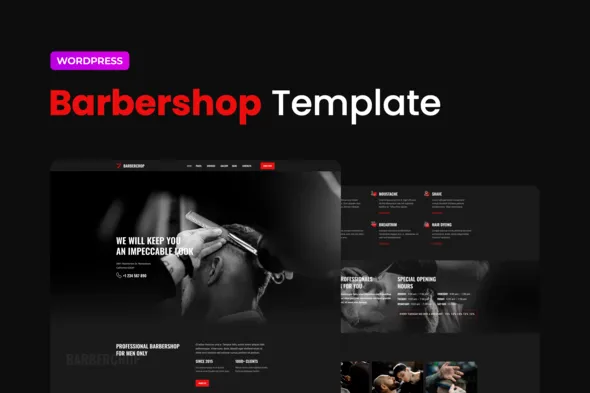
Barbercrop: Elementor Template Kit for Barber Shops
Build Your Barber Shop Website Faster
Getting a professional website for your barber shop shouldn’t be a technical headache. Many business owners struggle with finding the right tools to showcase their services and attract new clients. The Barbercrop Elementor Template Kit is designed to solve this exact problem. It provides you with a complete set of pre-designed pages and sections specifically for barber shops, allowing you to create a polished online presence quickly and without needing to be a coding expert. This kit works smoothly with Elementor, meaning you can customize everything visually, saving you significant development time and effort.
Key Features That Make a Difference
Ready-to-Use Pages and Sections
Barbercrop comes with 24 meticulously designed Elementor templates, covering all essential pages like Home, About Us, Services, Gallery, and Contact. You also get key sections like Header, Footer, Team, Testimonials, and Working Hours. This means you don’t have to start from scratch; you have professional layouts ready to go, which you can adapt to your brand. The pixel-perfect design ensures that every element looks sharp and aligns perfectly, giving your site a high-quality appearance.
Global Styles for Consistency
To maintain a cohesive look across your entire website, Barbercrop includes Global Theme Styles. This feature allows you to set your primary colors, fonts, and typography once, and have them applied across all templates. It makes brand consistency simple and saves you from manually updating styles on every page. This attention to detail ensures your website looks unified and professional, reflecting the quality of your barber services.
Optimized for Performance and Usability
While the description notes “100%,” implying completion, the true benefit lies in how these templates are built. They are designed to be lightweight and responsive, ensuring your website loads quickly on all devices, from desktops to mobile phones. This focus on performance is crucial for user experience and for search engine rankings. Easy customization with Elementor means you can tweak layouts, swap images, and update text without breaking the design.
Who Can Benefit from Barbercrop?
This template kit is ideal for individual barbers, established barber shops, grooming salons, and any business offering similar services. If you need to quickly launch a professional website to display your services, feature your team, showcase your work in a gallery, and make it easy for clients to book appointments or get in touch, Barbercrop is a practical solution. It’s also a great option for web developers and agencies looking for a reliable starting point for client projects in the grooming industry.
Streamlined Implementation and Customization
Implementing Barbercrop is straightforward. It’s optimized to work with the free Hello Elementor theme but is generally compatible with most themes that support Elementor. You can import the templates and sections directly into your Elementor editor and begin customizing. The visual drag-and-drop interface means you can adjust colors, fonts, images, and text in real-time. Because the templates are well-structured, making significant changes or additions is manageable, and the mobile responsiveness means your site will look good on any screen size without extra work.
Download from Plugintheme at an affordable price.
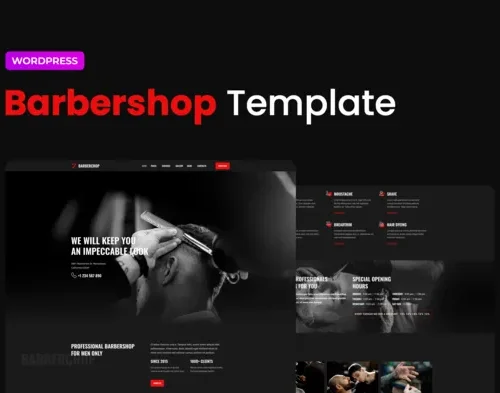 Barbercrop – Hairdressing Elementor Template Kit
How to use Kit:
Install and activate the “Template Kit – Import” plugin from Plugins > Add New in WordPress.
Do not unzip.
Go to Template Kit – Import > Upload Template Kit Zip File button.
Before importing a template, ensure the Install Requirements button is clicked to activate required plugins.
For best results, do not import more than one template at a time.










 Mobile Apps
 php script
 How to
Reviews
There are no reviews yet