
Bavro – Travel & Tour Agency Elementor Template Kits
- Updated on May 3, 2026
- 100% Original Product & Well Documented
- Unlimited Domain Usage
*Important Note:
The image should not be Part of the template kit. You need to use your own reliable Source.


Original price was: ₹999.00.₹299.00Current price is: ₹299.00.
Launch your travel agency website in hours — no coding required. Bavro gives you 8+ professionally designed pages, booking layouts, and destination showcases that convert visitors into bookings. Get instant access now.
- Secured & Scanned by Virus total & McAfee.
- Access to Free updates for Lifetime
- All products are Under GPL License (Unlimited Domain Usage)
- We Not Provide any Support For this Product

Lifetime Membership
Access 6700+ Premium WordPress Themes & Plugins, Elementor Templates, Mobile Apps, PHP scripts with Lifetime Updates.
Join Premium MembershipRecently Viewed
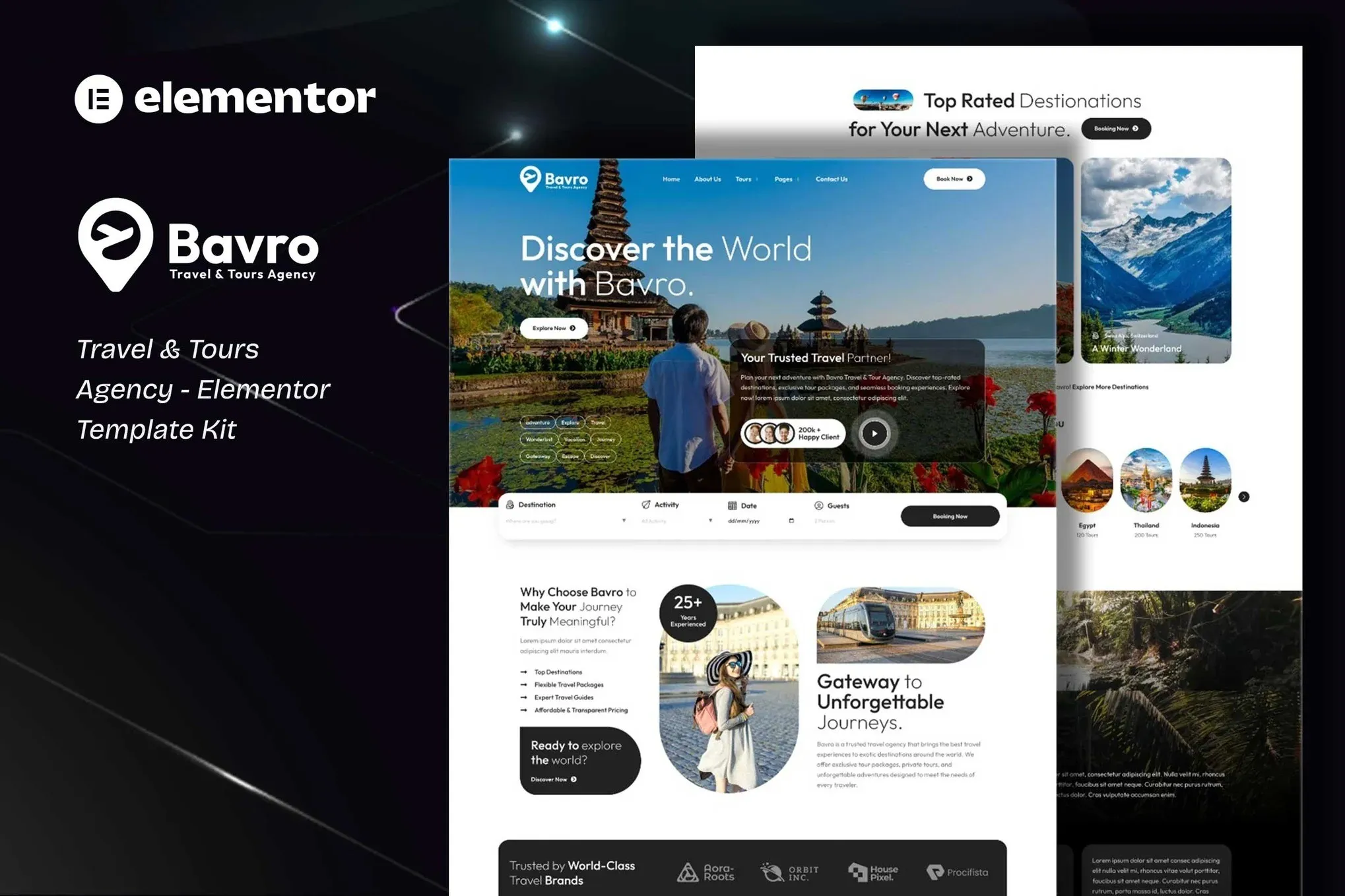
Bavro: Travel & Tour Agency Elementor Template Kits
Building a travel agency website from scratch eats up weeks you don’t have. Between finding a developer, going back and forth on revisions, and paying way too much — it’s exhausting. You just need a site that shows off destinations beautifully, displays itineraries clearly, and makes booking easy. Without touching code. Bavro is that solution. This Elementor Template Kit gets your travel or tours business online fast, looking sharp, and actually capturing leads.
What Bavro Gives You
No developers. No complicated page builders to learn. Bavro works inside Elementor — open your WordPress dashboard, import the kit, and your website comes together in an afternoon. Simple as that.
Every page is built for conversions. Hero sections that grab attention. Gallery layouts that make destinations look incredible. Tour cards that show pricing, itineraries, and booking options without cluttering the page. This is travel website design that actually works for your business.
Key Features Built for Travel Businesses
- 8+ pre-built pages: Home, About, Tours Listing, Tour Single, Destinations, Contact, Gallery, and more
- Drag-and-drop editing: Customize every section without touching code
- Booking-ready layouts: Tour schedules, pricing tables, and inquiry forms already built in
- Mobile responsive: Every element adapts perfectly to phones and tablets
- Destination showcases: Image galleries and grid layouts that make locations pop
- Fast-loading structure: Optimized for speed and SEO from the start
Who It’s For
Bavro works for any travel or tours business ready to stop DIY-ing their website or overpaying agencies. Boutique travel agencies promoting curated trips. Tour operators running multiple destinations. Adventure companies showcasing experiences. Destination management companies needing a professional hub. Solo consultant or 10-person team — it scales to your needs.
How To Use It
Getting started takes minutes. Install the free Elementor plugin on your WordPress site, upload the Bavro kit, and start editing. Drop in your logo, add your destination photos, tweak the colors to match your brand, and publish. Each section guides customers toward booking. The kit includes placeholder travel content so you can see exactly how everything fits together before swapping in your own.
Why Buy This Template Kit
Custom development costs thousands and takes weeks of back-and-forth. Free templates are generic business layouts awkwardly repurposed for travel. Bavro is purpose-built for travel agencies from the start. Commercial license included — use it for client projects or your own business, no restrictions.
One payment. Lifetime access. Future Elementor and WordPress updates won’t break your site. Lifetime support means help is available if you hit a snag. You’re buying time back — that’s the real value here.
Ready to Get Started?
Your travel agency deserves a website that brings in bookings, not one that makes you cringe when you send a client the link. Download Bavro today and have a professional travel website live before the weekend. Instant delivery. One-time payment. Yours forever.
Only logged in customers who have purchased this product may leave a review.
How to use Kit:
Install and activate the “Template Kit – Import” plugin from Plugins > Add New in WordPress.
Do not unzip.
Go to Template Kit – Import > Upload Template Kit Zip File button.
Before importing a template, ensure the Install Requirements button is clicked to activate required plugins.
For best results, do not import more than one template at a time.
RELATED PRODUCTS

DIVI – Original License | One Time Payment – Exclusive Deal

Elementor Pro 4.2.3 + Elementorism Landing Pages WordPress Plugin

907 5.3.6 – Responsive Multi-Purpose WordPress Theme

Element Pack Pro 9.1.0 – Addon For Elementor






 Mobile Apps
 php script
 How to
Reviews
There are no reviews yet