
Bebio – Kindergarten & Baby Care Elementor Template Kit
- Updated on April 28, 2026
- 100% Original Product & Well Documented
- Unlimited Domain Usage
*Important Note:
The image should not be Part of the template kit. You need to use your own reliable Source.


Original price was: ₹999.00.₹299.00Current price is: ₹299.00.
Launch your kindergarten or baby care website today — no developers, no waiting weeks. Bebio gives you 15+ pre-built sections, responsive design, and a setup most people finish in a single afternoon. Commercial license included.
- Secured & Scanned by Virus total & McAfee.
- Access to Free updates for Lifetime
- All products are Under GPL License (Unlimited Domain Usage)
- We Not Provide any Support For this Product

Lifetime Membership
Access 6700+ Premium WordPress Themes & Plugins, Elementor Templates, Mobile Apps, PHP scripts with Lifetime Updates.
Join Premium MembershipRecently Viewed
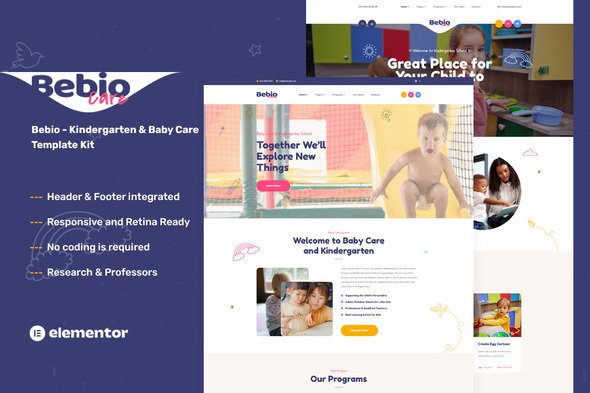
Bebio — Kindergarten & Baby Care Template Kit for Elementor
You don’t need weeks of back-and-forth with a developer to get a professional website. Bebio is a ready-made template built specifically for kindergartens, preschools, and childcare centers. Customize it, publish it, done.
The design hits the mark for early education businesses: soft colors that feel trustworthy, typography that’s playful without looking unprofessional, and layouts that naturally guide parents from browsing programs to submitting an enrollment inquiry. Drop in your photos, swap the text, and you’re live.
What’s Included in the Bebio Template Kit
This isn’t just a collection of pretty pages. It’s a working website system:
- 15+ sections for home, about, programs, gallery, staff, testimonials, and contact pages
- Responsive layouts that look sharp on every device — because parents book from their phones
- Built with the free Elementor plugin, so you skip expensive page builder fees
- Organized structure: edit text, swap images, and publish without touching code
- Color system and typography you can adjust to match your brand in minutes
- Commercial license covers client work or your own business — no restrictions
Who Is This For?
Bebio works if you run any of these:
- Kindergarten or preschool needing a website refresh
- Daycare or baby care center wanting a trustworthy, parent-friendly presence
- Nursery school without budget for custom web design
- Freelance designer building childcare client sites on a tight timeline
- Anyone using Elementor who wants a polished starting point instead of a blank page
If your audience includes parents of young children, Bebio’s design language already speaks their language — warm, clean, and reassuring.
How to Use Bebio
Even if you’ve never touched Elementor, you’ll find your footing quickly. Install the free plugin on WordPress, import the kit, and start editing. The sections stack logically: hero banner first, then programs, staff profiles, contact form. Replace placeholder images with real photos of your center, plug in your actual programs and enrollment details, and publish.
Most people finish in one afternoon.
Why Not Just Start From Scratch?
Blank pages create paralysis. Which colors? Which layout? What goes first? Bebio eliminates that spiral by giving you a structure already proven to work for childcare businesses. Every decision is made — you just customize.
Updates are free for life. When WordPress or Elementor evolves, Bebio evolves with them. No subscriptions, no annual renewals.
The commercial license covers everything: your own center or client projects. No hidden fees.
Launch This Week
Parents are looking for your programs right now. Bebio gets you in front of them with a professional, trustworthy website — fast. Instant download, beginner-friendly setup. Get Bebio today.
Only logged in customers who have purchased this product may leave a review.
How to use Kit:
Install and activate the “Template Kit – Import” plugin from Plugins > Add New in WordPress.
Do not unzip.
Go to Template Kit – Import > Upload Template Kit Zip File button.
Before importing a template, ensure the Install Requirements button is clicked to activate required plugins.
For best results, do not import more than one template at a time.
RELATED PRODUCTS

DIVI – Original License | One Time Payment – Exclusive Deal

Elementor Pro 4.2.3 + Elementorism Landing Pages WordPress Plugin

907 5.3.6 – Responsive Multi-Purpose WordPress Theme

Element Pack Pro 9.1.0 – Addon For Elementor






 Mobile Apps
 php script
 How to
Reviews
There are no reviews yet