
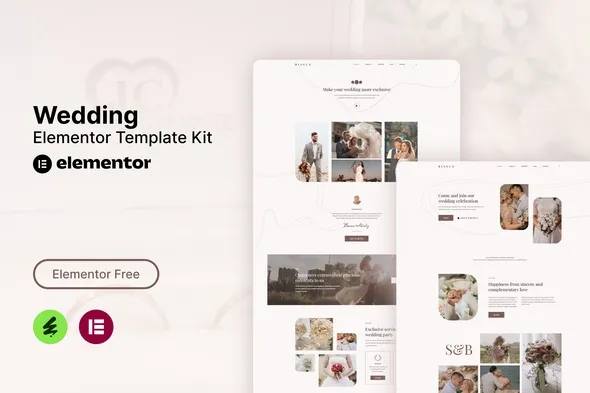
Bianca – Wedding Elementor Template Kit
- Updated on September 20, 2025
- 100% Original Product & Well Documented
- Unlimited Domain Usage
*Important Note:
The image should not be Part of the template kit. You need to use your own reliable Source.


Original price was: ₹999.00.₹299.00Current price is: ₹299.00.
- Secured & Scanned by Virus total & McAfee.
- Access to Free updates for Lifetime
- All products are Under GPL License (Unlimited Domain Usage)
- We Not Provide any Support For this Product

Lifetime Membership
Access 6700+ Premium WordPress Themes & Plugins, Elementor Templates, Mobile Apps, PHP scripts with Lifetime Updates.
Join Premium MembershipRecently Viewed
Bianca – Wedding Elementor Template Kit
Build Beautiful Wedding Websites with Ease
Launching a new wedding business or revamping an existing one can be a significant undertaking. Finding the right online presence that truly reflects the joy and professionalism of your services is crucial. Many template kits are filled with generic designs that don’t quite capture the specific needs of wedding professionals. The Bianca Template Kit is designed to solve this by providing a structured, professional, and easy-to-manage foundation for any wedding-related business. It’s built to help you present your services clearly and attract the clients you want, without the typical headaches of web design.
Key Features That Matter
Free Plugin Compatibility
You can get started with Bianca right away because it works with free plugins. This means no additional costs for essential features like Elementor Pro. This approach makes professional website design accessible and keeps your project budget-friendly, allowing you to focus on what you do best – planning unforgettable events.
Modern and Clean Aesthetics
The design is fresh, uncluttered, and visually appealing, which is perfect for the wedding industry. A clean layout helps your content stand out, ensuring potential clients can easily find information about your services, pricing, and how to get in touch. It creates a professional image that instills confidence.
Fully Responsive and Customizable
Your website will look great on any device, from desktops to smartphones. In today’s mobile-first world, this is non-negotiable for reaching all potential clients. The template is also highly customizable, allowing you to tweak colors, fonts, and layouts to match your unique brand identity without needing to write a single line of code.
Ideal for Wedding Professionals
The Bianca Template Kit is perfectly suited for a wide range of wedding-focused businesses. Whether you’re a wedding planner, organizer, agent, or offer services like wedding invitations, RSVPs, event management, or consultation, this kit provides the structure you need. It’s also a strong choice for businesses offering wedding pricing guides or those managing wedding teams. If your business revolves around making wedding dreams come true, Bianca offers a professional online platform to showcase that.
Quick and Simple Implementation
Setting up your website with the Bianca Template Kit is straightforward. Optimized for use with the free Hello Elementor theme, it also integrates well with most other themes that support Elementor. You’ll find it easy to import the pre-designed pages and customize them to fit your specific offerings. The included Header and Footer templates provide a consistent brand experience across your site. Because no coding is required, you can achieve a professional look quickly, saving valuable time that can be better spent on client consultations and event execution.
Download from Plugintheme at an affordable price.
 Bianca - Wedding Elementor Template Kit
How to use Kit:
Install and activate the “Template Kit – Import” plugin from Plugins > Add New in WordPress.
Do not unzip.
Go to Template Kit – Import > Upload Template Kit Zip File button.
Before importing a template, ensure the Install Requirements button is clicked to activate required plugins.
For best results, do not import more than one template at a time.










 Mobile Apps
 php script
 How to
Reviews
There are no reviews yet