
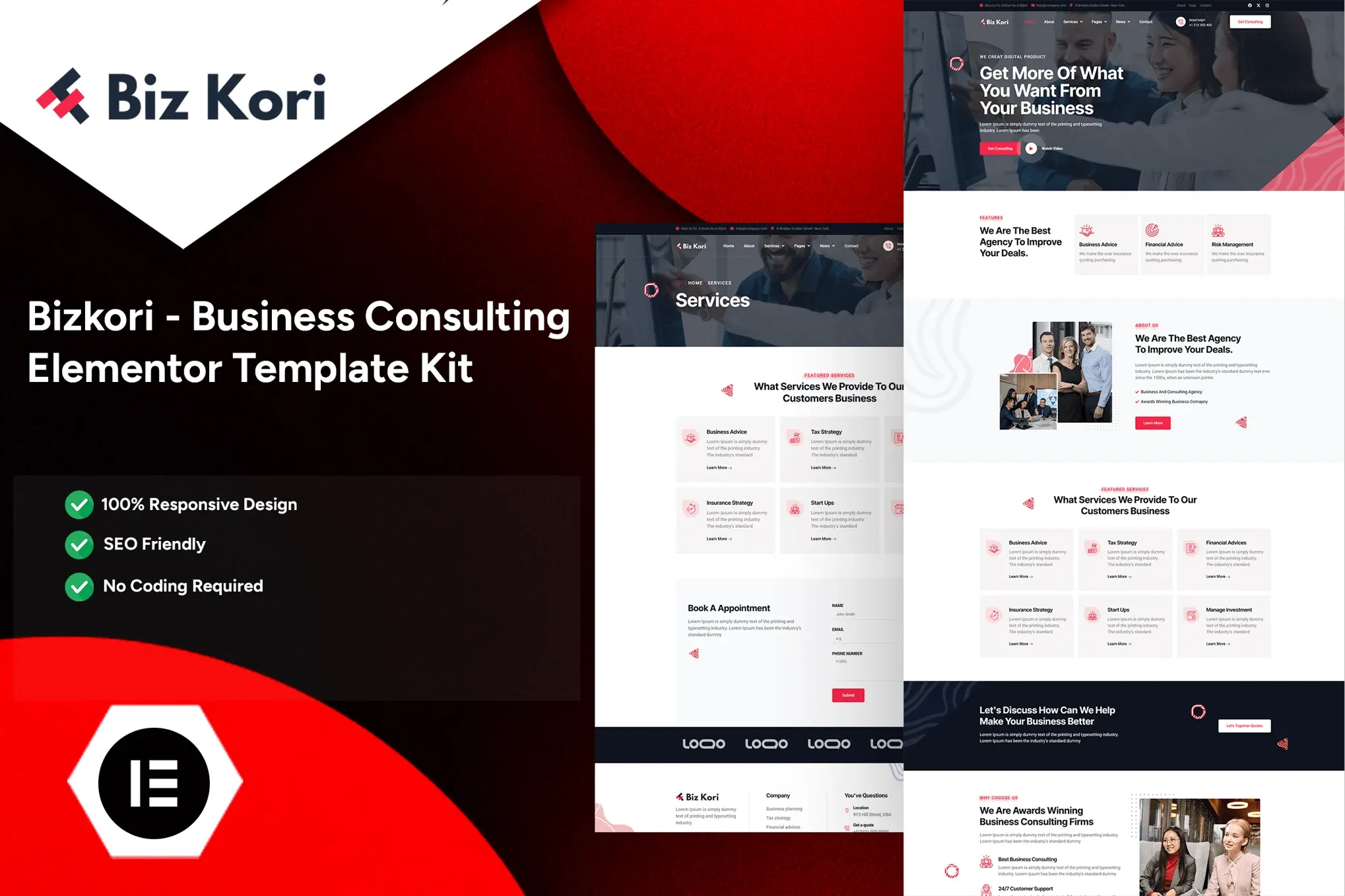
Bizkori – Business Consulting Elementor Pro Template Kit
- Updated on May 3, 2026
- 100% Original Product & Well Documented
- Unlimited Domain Usage
*Important Note:
The image should not be Part of the template kit. You need to use your own reliable Source.


Original price was: ₹999.00.₹299.00Current price is: ₹299.00.
Launch your consulting website this weekend. Bizkori gives you 10 pages built for Elementor Pro — homepage, services, team, case studies, and more. Instant download, commercial license included. Start building today.
- Secured & Scanned by Virus total & McAfee.
- Access to Free updates for Lifetime
- All products are Under GPL License (Unlimited Domain Usage)
- We Not Provide any Support For this Product

Lifetime Membership
Access 6700+ Premium WordPress Themes & Plugins, Elementor Templates, Mobile Apps, PHP scripts with Lifetime Updates.
Join Premium MembershipRecently Viewed
Bizkori Business Consulting Elementor Pro Template Kit
Your website is often the first conversation you have with a potential client. It needs to look like you know what you’re doing before you even say hello. But coding one from scratch? That’s a weeks-long detour from actual paid work.
Bizkori fixes that. Ten complete pages, ready to drop into Elementor Pro. A single afternoon gets you from download to live site — no developers, no generic templates, no bloated code slowing you down.
What’s Inside the Kit
Ten pages isn’t just a number. It’s a complete site structure: homepage with conversion-focused hero sections, a services page with clean layouts, team profiles that make your firm feel human, case studies that prove you deliver, and a contact section that actually gets prospects to reach out.
Then there are the inner pages. About. Process breakdowns. Pricing. Testimonials. FAQs. You won’t spend hours staring at a blank editor wondering what comes next. Everything ties together visually, so your site feels cohesive from the first page to the last.
Built for Elementor Pro — No Code, No Problem
Elementor Pro runs the show here. Theme builder functionality, custom headers and footers, portfolio templates, dynamic content — it’s all wired in. Every section uses the drag-and-drop editor. Change your brand colors in seconds. Swap placeholder images for real ones. Update copy without touching a single character of code.
And because responsive design matters, your site looks sharp on phones, tablets, and whatever screen your next client opens it on.
Key Features
- 10 complete page designs (homepage, services, team, case studies, contact, and inner pages)
- Fully responsive — looks clean on every device
- Commercial license — build for yourself or charge clients for setup
- One-time payment, lifetime access, free updates included
- Direct support if you get stuck
- Modern design that earns trust immediately
Who Is This For?
Business consultants. Management advisors. Financial planners. Marketing agencies. Legal professionals. Any service firm that wants to look established before the first sales call.
Freelancers building sites for consulting clients: the commercial license clears everything. Charge for customization work without licensing headaches.
If you’ve been postponing your launch because the technical side feels like a second job, this kit removes that excuse. You don’t need to code. You don’t need to hire someone who does. Just a few hours and content that matches what you actually offer.
Getting Started
Under 30 minutes to your first live page. Install Elementor Pro on WordPress, upload the kit, and build. Pick the pages you need, customize with your branding, hit publish.
Works with most standard WordPress themes — Hello Elementor gives the cleanest results. Want a blog later? Elementor’s built-in blog features integrate with the kit. Expanding down the road? Add pages using the same design language and everything stays consistent.
Why Not Just Build It?
Custom builds run $3,000–$10,000+ and take months. Free templates often load slow and look forgettable. Hiring a designer means waiting through revision cycles every time you want a small copy change.
Bizkori gives you professional design without the professional price tag. Ten pages cover your entire structure. The commercial license handles legal for client work. Instant download means you’re building minutes after purchase. Lifetime updates mean your site stays fresh without subscription fees eating into your margins.
Bottom line: consultants who look credible attract better clients. This kit helps you get there without the delay.
Get Started
One payment. Lifetime access. No subscriptions. Download Bizkori, launch your site, and start the conversation you’ve been putting off.
Only logged in customers who have purchased this product may leave a review.
How to use Kit:
Install and activate the “Template Kit – Import” plugin from Plugins > Add New in WordPress.
Do not unzip.
Go to Template Kit – Import > Upload Template Kit Zip File button.
Before importing a template, ensure the Install Requirements button is clicked to activate required plugins.
For best results, do not import more than one template at a time.
RELATED PRODUCTS

DIVI – Original License | One Time Payment – Exclusive Deal

Elementor Pro 4.2.3 + Elementorism Landing Pages WordPress Plugin

907 5.3.6 – Responsive Multi-Purpose WordPress Theme

Element Pack Pro 9.1.0 – Addon For Elementor






 Mobile Apps
 php script
 How to
Reviews
There are no reviews yet