
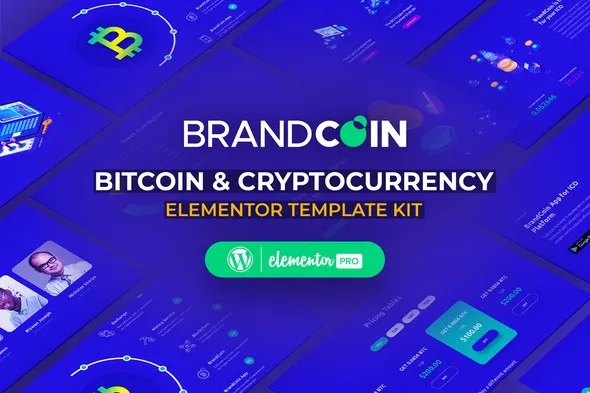
BrandCoin – Cryptocurrency Elementor Template Kit
- Updated on May 2, 2026
- 100% Original Product & Well Documented
- Unlimited Domain Usage
*Important Note:
The image should not be Part of the template kit. You need to use your own reliable Source.


Original price was: ₹999.00.₹299.00Current price is: ₹299.00.
Launch your crypto website in hours. BrandCoin gives exchanges, ICO projects, and fintech startups 15+ ready-made pages — no developer needed, no months of back-and-forth. Edit everything with drag-and-drop, then go live today.
- Secured & Scanned by Virus total & McAfee.
- Access to Free updates for Lifetime
- All products are Under GPL License (Unlimited Domain Usage)
- We Not Provide any Support For this Product

Lifetime Membership
Access 6700+ Premium WordPress Themes & Plugins, Elementor Templates, Mobile Apps, PHP scripts with Lifetime Updates.
Join Premium MembershipRecently Viewed
Build a Professional Cryptocurrency Website in Minutes
Most crypto projects start with a half-finished website and a developer who disappears mid-launch. BrandCoin takes a different approach. It’s a complete Elementor Template Kit built specifically for cryptocurrency businesses — exchanges, ICO launchpads, blockchain consultants, and digital asset agencies.
You get 15+ pages out of the box. Hero sections. Service pages. Team layouts. Pricing tables. Roadmap sections. Everything’s designed to look trustworthy and modern — the kind of site that makes investors take you seriously.
What’s Inside the Kit
This isn’t one lonely landing page. BrandCoin ships with full inner pages for your homepage, about section, services, portfolio, team, pricing, blog, and contact — all built to work with the free Elementor plugin on any WordPress site.
- Designs that hold up on phones, tablets, and desktops
- Sections built for token sales, ICO dashboards, and trading platform showcases
- Pricing tables, analytics widgets, and client testimonial blocks
- CTA sections designed for lead capture and investor signups
- Dark and light mode color schemes — pick what fits your brand
Who Is This For?
You run a crypto business. You need a site yesterday. BrandCoin works if you’re launching an ICO, running a hedge fund, offering blockchain advisory, or building a digital agency that serves fintech clients.
- Cryptocurrency exchanges and trading platforms
- ICO and STO launchpad agencies
- Blockchain development studios
- DeFi startups and Web3 consultancies
- Crypto-focused digital marketing agencies
How Easy Is It to Customize?
Zero coding required. BrandCoin uses Elementor’s native drag-and-drop builder. Swap images, change colors, edit text, move sections around — all in real time. No theme customizer gymnastics, no child themes, no PHP files to worry about.
Replace the placeholder crypto imagery with your logo and brand assets. Add your own content. Hit publish. Most people have their first page live within an hour of installing the kit.
Why Pay Instead of Using a Free Template?
Free crypto templates are usually an afterthought — outdated designs, five pages max, murky licensing, and zero help when something breaks. BrandCoin is different.
Commercial license is included. Use it for client work or your own business, no attribution required. Lifetime updates keep everything working as WordPress and Elementor evolve. One payment, never a subscription. And if you get stuck during setup, you email a real support team — not a dead forum thread or an auto-response.
Stop wasting weeks on DIY builds or settling for a template that screams “2018 crypto site.” BrandCoin gets you a professional website by tomorrow.
Ready to Get Started?
Download BrandCoin now. One purchase, lifetime access, commercial license included.
Only logged in customers who have purchased this product may leave a review.
How to use Kit:
Install and activate the “Template Kit – Import” plugin from Plugins > Add New in WordPress.
Do not unzip.
Go to Template Kit – Import > Upload Template Kit Zip File button.
Before importing a template, ensure the Install Requirements button is clicked to activate required plugins.
For best results, do not import more than one template at a time.
RELATED PRODUCTS

DIVI – Original License | One Time Payment – Exclusive Deal

Elementor Pro 4.2.3 + Elementorism Landing Pages WordPress Plugin

907 5.3.6 – Responsive Multi-Purpose WordPress Theme

Element Pack Pro 9.1.0 – Addon For Elementor






 Mobile Apps
 php script
 How to

Reviews
There are no reviews yet