
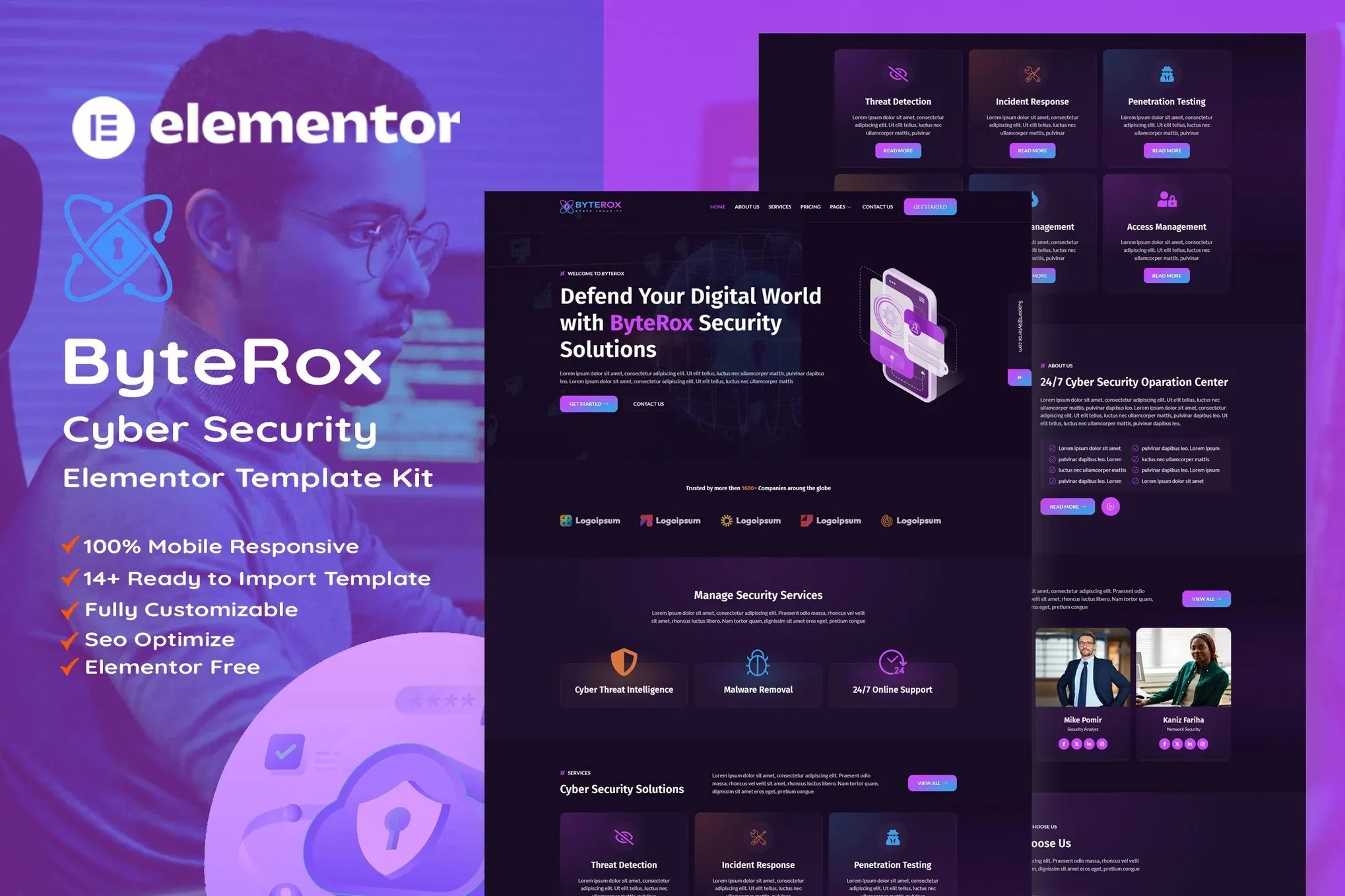
ByteRox – Cyber Security Elementor Template Kit
- Updated on May 3, 2026
- 100% Original Product & Well Documented
- Unlimited Domain Usage
*Important Note:
The image should not be Part of the template kit. You need to use your own reliable Source.


Original price was: ₹999.00.₹299.00Current price is: ₹299.00.
Stop wasting weeks on website design. ByteRox gives you 8+ ready-to-use pages, dark-mode cyber security styling, and drag-and-drop editing — no coding required. One purchase, lifetime updates, and your site is live today.
- Secured & Scanned by Virus total & McAfee.
- Access to Free updates for Lifetime
- All products are Under GPL License (Unlimited Domain Usage)
- We Not Provide any Support For this Product

Lifetime Membership
Access 6700+ Premium WordPress Themes & Plugins, Elementor Templates, Mobile Apps, PHP scripts with Lifetime Updates.
Join Premium MembershipRecently Viewed
ByteRox Cyber Security Elementor Template Kit
Your website is often the first conversation you have with a potential client. It needs to project competence immediately — not after they spend five minutes digging through your content.
ByteRox is a complete template kit built for security firms, MSPs, and tech consultants who need a professional online presence without hiring a developer or spending months on revisions.
What’s Included
Eight or more pre-built pages: home, services, team, pricing, case studies, blog, contact, and more. The dark-mode-first design with accent colors hits that high-tech, trustworthy note the security industry demands. No tweaking required.
- 8+ inner pages ready to customize
- Responsive layouts that look sharp on phones, tablets, and desktops
- Cyber-themed visual elements (shield icons, circuit patterns, data visualization motifs)
- One-click demo import — start editing in under 10 minutes
- Works with Elementor and the free Elementor plugin
Built for Cyber Security Professionals
Regular WordPress themes treat security companies like any other business. ByteRox doesn’t. Every section is designed for how security firms actually present themselves:
- Service pages for penetration testing, threat monitoring, compliance, and incident response
- Pricing tables set up for recurring monthly services
- Team sections that display certifications front and center
- Case study layouts that walk through your methodology and results
Who This Is For
ByteRox works well for:
- Cyber security firms and MSSPs launching a new site
- IT consultants and vCISO providers
- Agencies that need fast turnaround on client projects
- Solo security professionals tired of paying developers for simple updates
How It Works
No coding. After you download, import the kit directly into your WordPress dashboard through Elementor. Pick the pages you want, swap in your content, add your branding. Drag, drop, publish. The whole process takes hours, not weeks.
Why One Purchase Makes Sense
Most template kits hit you with subscription fees or require expensive theme bundles. ByteRox is a one-time payment. Commercial license included — use it for your own business or client projects. And you’ll get free updates for life as Elementor and WordPress evolve.
Other things you get:
- Installation support if you get stuck
- Free lifetime updates and new page additions
- No recurring costs, ever
- Setup simple enough for non-technical users
Your Next Step
Download ByteRox. Have your site live by tonight. Clients land on something that actually looks like you know what you’re doing — because you do, and now your website finally shows it.
Only logged in customers who have purchased this product may leave a review.
How to use Kit:
Install and activate the “Template Kit – Import” plugin from Plugins > Add New in WordPress.
Do not unzip.
Go to Template Kit – Import > Upload Template Kit Zip File button.
Before importing a template, ensure the Install Requirements button is clicked to activate required plugins.
For best results, do not import more than one template at a time.
RELATED PRODUCTS

DIVI – Original License | One Time Payment – Exclusive Deal

Elementor Pro 4.2.3 + Elementorism Landing Pages WordPress Plugin

907 5.3.6 – Responsive Multi-Purpose WordPress Theme

Element Pack Pro 9.1.0 – Addon For Elementor






 Mobile Apps
 php script
 How to

Reviews
There are no reviews yet