
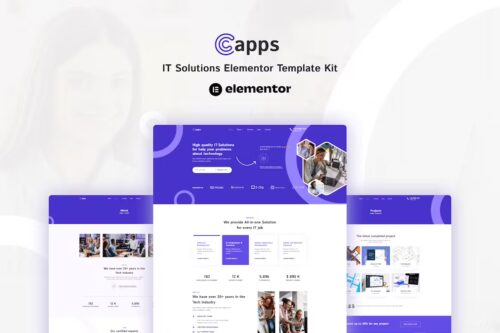
Capps – IT Solutions Elementor Template Kit
- Updated on May 4, 2026
- 100% Original Product & Well Documented
- Unlimited Domain Usage

*Important Note:
The image should not be Part of the template kit. You need to use your own reliable Source.


Original price was: ₹999.00.₹299.00Current price is: ₹299.00.
Build a complete IT business website in under two hours. This Elementor template kit gives tech companies a polished, professional site — no developer needed. Download and launch today.
- Secured & Scanned by Virus total & McAfee.
- Access to Free updates for Lifetime
- All products are Under GPL License (Unlimited Domain Usage)
- We Not Provide any Support For this Product

Lifetime Membership
Access 6700+ Premium WordPress Themes & Plugins, Elementor Templates, Mobile Apps, PHP scripts with Lifetime Updates.
Join Premium MembershipRecently Viewed
IT Solutions Elementor Template Kit for Professional Business Websites
Most IT companies spend months and thousands of dollars on website projects that could’ve launched in days. Capps changes that. It’s a ready-made Elementor template kit built specifically for tech businesses, MSPs, software firms, and IT consultants. You get a modern, professional website that actually looks like you hired a designer — without the designer invoice.
The kit handles the heavy lifting. Instead of piecing together generic themes or explaining your industry to a developer, you get pages that already understand IT businesses. Every layout speaks to the clients you’re trying to reach.
What You Get with Capps
A complete website, ready to customize:
- Home page with hero section, service overview, and trust signals
- Services pages with feature lists, pricing tables, and case study layouts
- About section with team profiles and company story space
- Contact page with form integration and business details
- Blog layout for tech insights and industry news
- Customizable headers, footers, and inner page templates
Key Features Built for IT Businesses
This isn’t a generic template with an IT label slapped on. Capps was designed with tech companies in mind — the color choices, typography, and layout structure all work for the industry.
- Fully responsive — looks sharp on phones, tablets, and desktops
- Elementor drag-and-drop editing — change anything without touching code
- Professional color scheme and typography built in
- Clean, fast-loading code
- Straightforward brand customization — swap in your logo and colors
Who Should Buy This Template Kit
Capps works for IT consulting firms, managed service providers, cybersecurity companies, cloud vendors, software agencies, tech startups, and freelance developers building client sites. Launching something new? Refreshing an old website that’s hurting your credibility? This kit gets you live faster than any other option.
How to Use This Template Kit
Download after purchase, import into Elementor (the free version works), browse the pre-built pages, pick what you need, and start editing. Swap the placeholder text for your business info, drop in your logo, adjust colors if you want, and hit publish. Total time commitment: usually under two hours, even if you’ve never touched Elementor before.
Why Buy Capps Instead of Starting From Scratch
- Download immediately — start building the same day
- Commercial license included — use it for your own business or client projects
- One payment, lifetime access — no subscriptions or recurring costs
- No technical skills required — if you can use Word, you can use this
- Results that compete with websites costing 10x more
Custom development makes sense for some businesses. For most IT companies, it’s overkill that drains budget and delays launch. Capps gets you a professional site up fast so you can focus on what you actually do — serving clients.
Only logged in customers who have purchased this product may leave a review.
How to use Kit:
Install and activate the “Template Kit – Import” plugin from Plugins > Add New in WordPress.
Do not unzip.
Go to Template Kit – Import > Upload Template Kit Zip File button.
Before importing a template, ensure the Install Requirements button is clicked to activate required plugins.
For best results, do not import more than one template at a time.
RELATED PRODUCTS

DIVI – Original License | One Time Payment – Exclusive Deal

Elementor Pro 4.2.3 + Elementorism Landing Pages WordPress Plugin

907 5.3.6 – Responsive Multi-Purpose WordPress Theme

Element Pack Pro 9.1.0 – Addon For Elementor






 Mobile Apps
 php script
 How to
Reviews
There are no reviews yet