
Chapelia – Church & Religion Elementor Pro Template Kit
- Updated on November 27, 2025
- 100% Original Product & Well Documented
- Unlimited Domain Usage
*Important Note:
The image should not be Part of the template kit. You need to use your own reliable Source.


Original price was: ₹999.00.₹299.00Current price is: ₹299.00.
- Secured & Scanned by Virus total & McAfee.
- Access to Free updates for Lifetime
- All products are Under GPL License (Unlimited Domain Usage)
- We Not Provide any Support For this Product

Lifetime Membership
Access 6700+ Premium WordPress Themes & Plugins, Elementor Templates, Mobile Apps, PHP scripts with Lifetime Updates.
Join Premium MembershipRecently Viewed
Chapelia Elementor Template Kit
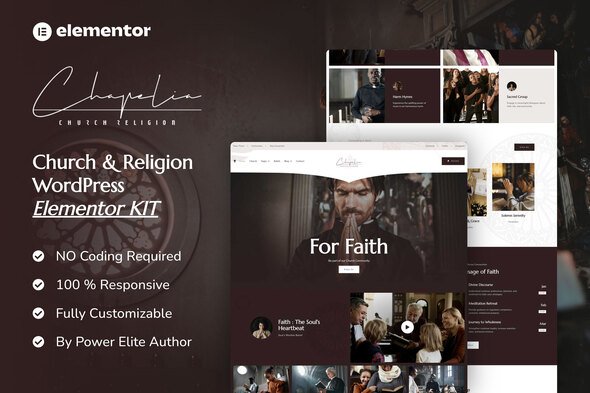
Building an effective website for a church or religious organization can often be a complex task, demanding both design insight and development time. The Chapelia Elementor Template Kit offers a practical solution, allowing web developers, agencies, and business owners to establish a professional online presence quickly. This kit provides a collection of pre-designed pages and sections specifically tailored for religious communities. It’s important to note that Chapelia is an Elementor Template Kit, not a standalone WordPress theme; it works in conjunction with the Elementor Page Builder plugin to help you create your site efficiently.
Practical Features for Faster Development
Chapelia focuses on providing a streamlined workflow for website creation, offering key features that save time and improve results.
Comprehensive Page Layouts
This kit includes a complete set of page templates covering essential needs: Home, About, Church, Services, Beliefs, Contact, 404 Page, Team, Archive, and Single Post. Having these layouts ready saves significant time that would otherwise be spent on initial design and structuring, letting you focus on content rather than starting from scratch.
Consistent Global Styling
Manage your site’s aesthetic efficiently. Chapelia allows you to customize fonts and colors in one central location, ensuring a consistent look across all pages. This feature reduces repetitive work and makes future branding updates straightforward and quick.
Drag-and-Drop Customization
Leverage the power of Elementor’s visual builder for true no-code customization. This means you can adjust layouts, move elements, and refine designs by simply dragging and dropping. This approach speeds up your workflow and makes site adjustments accessible even to clients. Header and Footer templates are also included, helping maintain a uniform design across your entire site.
Ideal Applications for Chapelia
Chapelia is an excellent fit for various scenarios where a strong online presence for a religious or community-focused organization is needed. This template kit is designed for churches, ministries, non-profit religious groups, and community organizations aiming to build or redesign their digital platform. Whether you are launching a new website, refreshing an outdated one, or need a quick setup for a special event, Chapelia provides a solid foundation. While optimized for the free Hello Elementor theme, it can be used with most WordPress themes that support the Elementor plugin. Be aware that some templates and features may require an upgrade to Elementor PRO (not included) to function as intended.
Streamlined Implementation
Implementing Chapelia means a faster path from concept to live website. The setup process is designed for efficiency. You can import the kit templates and begin customizing almost immediately, significantly reducing development time. The layouts are built with mobile responsiveness in mind, helping ensure your site looks good on any device. Centralized styling also contributes to easier maintenance and quick updates as your organization’s needs evolve. This approach helps you deliver a professional website without unnecessary delays.
Chapelia offers a reliable and practical solution for building church and religious organization websites. Download from Plugintheme at an affordable price to begin your project.
 Chapelia - Church & Religion Elementor Pro Template Kit
How to use Kit:
Install and activate the “Template Kit – Import” plugin from Plugins > Add New in WordPress.
Do not unzip.
Go to Template Kit – Import > Upload Template Kit Zip File button.
Before importing a template, ensure the Install Requirements button is clicked to activate required plugins.
For best results, do not import more than one template at a time.










 Mobile Apps
 php script
 How to
Reviews
There are no reviews yet