
Cohubz – Creative Hub & Coworking Space Elementor Template Kit
- Updated on October 11, 2025
- 100% Original Product & Well Documented
- Unlimited Domain Usage

*Important Note:
The image should not be Part of the template kit. You need to use your own reliable Source.


Original price was: $15.98.$4.78Current price is: $4.78.
- Secured & Scanned by Virus total & McAfee.
- Access to Free updates for Lifetime
- All products are Under GPL License (Unlimited Domain Usage)
- We Not Provide any Support For this Product

Lifetime Membership
Access 6700+ Premium WordPress Themes & Plugins, Elementor Templates, Mobile Apps, PHP scripts with Lifetime Updates.
Join Premium MembershipRecently Viewed
Cohubz: A Foundation for Your Coworking or Creative Hub Website
Building a professional online presence for a coworking space, creative hub, or office rental business can be a significant undertaking. Often, it involves managing design, content, and functionality, all while aiming for a professional look that accurately represents your brand. This can be particularly challenging if you need to launch quickly or prefer to avoid complex coding. The Cohubz Elementor Template Kit directly addresses these needs, providing a complete, ready-to-use solution designed specifically for this niche. It offers a clear path to setting up an effective website without the usual design or development hurdles.
Key Features for Efficient Website Building
The Cohubz kit comes equipped with a set of features that help streamline your website creation process and ensure a strong final product.
No Elementor Pro Requirement
One significant advantage of Cohubz is its ability to function fully using only free Elementor plugins. This means you don’t need to purchase Elementor Pro, which can help reduce your overall project costs and simplify the setup process. It makes Cohubz an accessible option for developers and business owners working with a tighter budget or looking for straightforward solutions.
15+ Ready-to-Use Templates
With more than 15 well-designed templates included, you have a solid foundation for every essential page your coworking space website might need. This collection covers common layouts, allowing you to quickly assemble a full site without starting each page from scratch. These pre-built sections and pages provide a consistent design language across your site, saving you considerable design and development time.
Fully Responsive and Retina-Ready Layout
In today’s web environment, a website must look good and function correctly on all devices. Cohubz is built with a 100% responsive layout, ensuring your site adjusts appropriately whether viewed on a desktop, tablet, or mobile phone. Being retina-ready also means your content will appear crisp and clear on high-resolution screens, contributing to a professional user experience for all visitors.
Practical Use Cases and Applications
The Cohubz template kit is an excellent choice for a range of businesses that operate shared or rental spaces. It’s ideal for Coworking Spaces looking to showcase their facilities, membership plans, and community events. Creative Hubs can use it to highlight their workshops, artist profiles, and collaborative projects. Businesses offering Meeting Room or Office Space Rental can present available rooms, booking options, and pricing structures clearly and invitingly. Individual entrepreneurs or marketing agencies managing multiple rental properties will find this kit provides a consistent and quick setup for each new venture. It integrates well with standard WordPress functionality and Elementor’s drag-and-drop interface.
Benefits for Implementation and Maintenance
Setting up your site with Cohubz is straightforward due to its Elementor base, meaning you can achieve significant customization without writing any code. The kit’s focus on performance and mobile responsiveness from the start reduces the need for extensive post-launch optimization work. Because it relies on free Elementor features, updates are generally managed easily through WordPress, helping keep your site current and secure with less effort.
Download Cohubz from Plugintheme at an affordable price and begin building your effective coworking space website today.
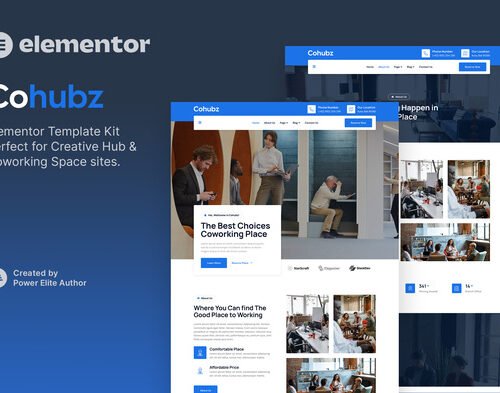 Cohubz - Creative Hub & Coworking Space Elementor Template Kit
How to use Kit:
Install and activate the “Template Kit – Import” plugin from Plugins > Add New in WordPress.
Do not unzip.
Go to Template Kit – Import > Upload Template Kit Zip File button.
Before importing a template, ensure the Install Requirements button is clicked to activate required plugins.
For best results, do not import more than one template at a time.










 Mobile Apps
 php script
 How to
Reviews
There are no reviews yet