
Conchitec – Contractor Building Construction Elementor Template Kit
- Updated on May 2, 2026
- 100% Original Product & Well Documented
- Unlimited Domain Usage
*Important Note:
The image should not be Part of the template kit. You need to use your own reliable Source.


Original price was: ₹999.00.₹299.00Current price is: ₹299.00.
Conchitec gives contractors a polished website in under an hour. 10+ pages, drag-and-drop editing, zero coding required. Download once, use forever.
- Secured & Scanned by Virus total & McAfee.
- Access to Free updates for Lifetime
- All products are Under GPL License (Unlimited Domain Usage)
- We Not Provide any Support For this Product

Lifetime Membership
Access 6700+ Premium WordPress Themes & Plugins, Elementor Templates, Mobile Apps, PHP scripts with Lifetime Updates.
Join Premium MembershipRecently Viewed
Conchitec Elementor Template Kit for Construction & Contracting Businesses
You build things. You probably don’t build websites. That’s where Conchitec comes in.
This template kit gives contractors and builders a professional online presence without the designer invoice. Launch a complete construction website in a few hours — not a few months.
What It Is
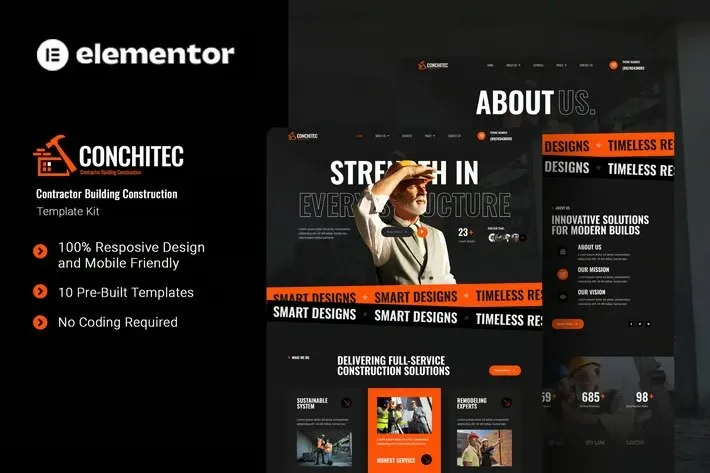
Conchitec is an Elementor template kit built for general contractors, construction firms, home builders, and property developers. It includes 10+ pre-designed pages: homepage, about, services, project galleries, team profiles, testimonials, and contact forms.
The layouts are designed for construction businesses. Bold headers, big image areas, and clear calls-to-action that turn site visitors into phone calls.
No code. No designers. Just Elementor’s drag-and-drop builder. Swap in your photos, update your contact info, publish.
What’s Included
10+ responsive pages that look good on phones, tablets, and desktops. Service showcases where you can highlight what you do best. Project portfolios with filtering so clients can browse your work by category. Pre-built contact forms, team sections, and testimonial blocks.
Works with the free Elementor plugin. Compatible with Elementor Pro if you use it.
Who It’s For
This kit works for:
- General contractors who need a professional portfolio site
- Construction companies showcasing completed projects
- Home builders and remodelers displaying services
- Property developers presenting floor plans and developments
- Subcontractors and specialty trades building credibility
Whether you’re a one-person operation or managing a crew, this template scales to your needs. The clean design tells visitors you’re serious about your work.
How It Works
Setting up takes about 15 minutes. Install the Envato Elements plugin, import the template kit into WordPress, and start editing. Each section is organized logically — replace the placeholder text with yours, drop in photos of your best projects, tweak the colors to match your brand.
Don’t know design? Doesn’t matter. The pre-built sections snap together. Reorder them, delete what you don’t need, expand sections that matter more to your business. Elementor’s visual editor shows your changes live as you make them.
Why Conchitec
Pay once, use it forever. No subscription fees. Commercial license included — build unlimited sites for yourself or clients.
Instant download. Lifetime updates as Elementor evolves. And if you get stuck, support is available.
Hiring a developer for a custom construction site? That’s weeks of waiting and thousands of dollars. Conchitec delivers a professional result at a fraction of the cost — and you own it completely.
Get Started
Download Conchitec and have a professional construction website online this week. Commercial license, instant access, ongoing updates. It’s the only template kit you’ll need for your contracting business.
Only logged in customers who have purchased this product may leave a review.
How to use Kit:
Install and activate the “Template Kit – Import” plugin from Plugins > Add New in WordPress.
Do not unzip.
Go to Template Kit – Import > Upload Template Kit Zip File button.
Before importing a template, ensure the Install Requirements button is clicked to activate required plugins.
For best results, do not import more than one template at a time.
RELATED PRODUCTS

DIVI – Original License | One Time Payment – Exclusive Deal

Elementor Pro 4.2.3 + Elementorism Landing Pages WordPress Plugin

907 5.3.6 – Responsive Multi-Purpose WordPress Theme

Element Pack Pro 9.1.0 – Addon For Elementor






 Mobile Apps
 php script
 How to
Reviews
There are no reviews yet