
Coursey – Online Courses Elementor Template Kit
- Updated on May 3, 2026
- 100% Original Product & Well Documented
- Unlimited Domain Usage
*Important Note:
The image should not be Part of the template kit. You need to use your own reliable Source.


Original price was: ₹999.00.₹299.00Current price is: ₹299.00.
Build a stunning online course website in hours, not weeks. Coursey gives you a complete, professional Elementor template kit — instant download, lifetime updates, and commercial license included. Get started today.
- Secured & Scanned by Virus total & McAfee.
- Access to Free updates for Lifetime
- All products are Under GPL License (Unlimited Domain Usage)
- We Not Provide any Support For this Product

Lifetime Membership
Access 6700+ Premium WordPress Themes & Plugins, Elementor Templates, Mobile Apps, PHP scripts with Lifetime Updates.
Join Premium MembershipRecently Viewed
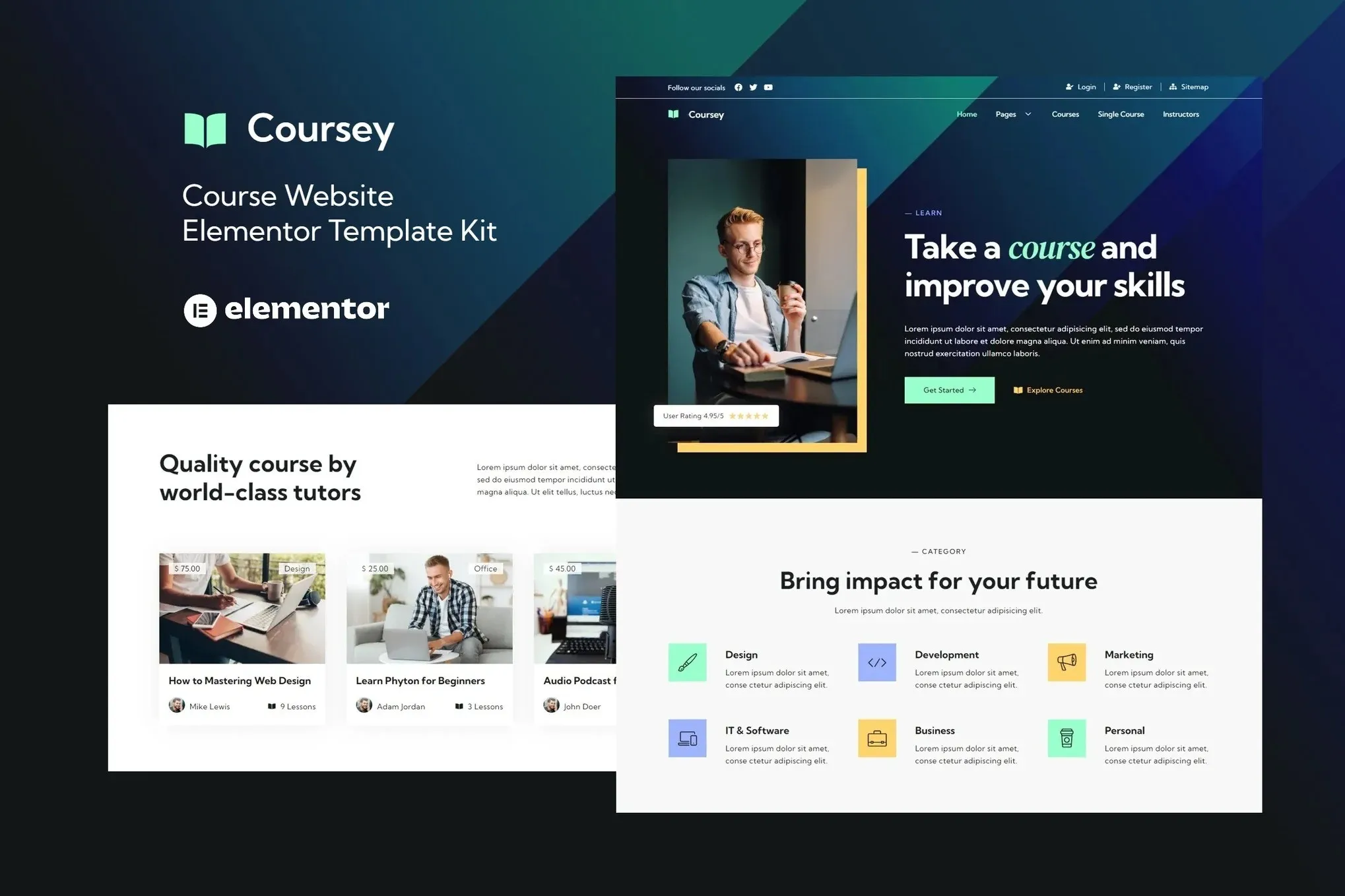
Coursey: Elementor Template Kit for Online Courses
You have expertise worth sharing. The last thing you need is weeks spent wrestling with website design. Coursey is a ready-to-use Elementor template kit built specifically for online course creators, coaches, and educators who want a professional website without hiring a developer or spending months on design.
What It Is
Coursey is a complete website template package designed for the free Elementor page builder. It includes pre-built pages for course listings, lesson layouts, pricing sections, instructor profiles, and student testimonials. Every section is organized, labeled, and ready to customize. You open Elementor, swap in your text and images, and publish.
No coding required. No page builder subscriptions to pay for. Just install the template kit, and your course website is structurally ready in a single afternoon.
Key Features
This template kit covers the pages online course websites actually need:
- Homepage with hero section, featured courses, and call-to-action blocks
- Course catalog page with filters and enrollment buttons
- Individual course layout with curriculum, instructor info, and pricing
- About page and instructor profile templates
- Blog section for course updates and educational content
- Contact and FAQ pages
- Sticky header, testimonial sliders, and student enrollment forms
All designs use a clean, modern aesthetic that builds trust. The layout guides visitors naturally from curiosity to enrollment without pushy tactics.
Who It’s For
Coursey works best if you:
- Teach online courses through platforms like Teachable, Thinkific, or your own LMS
- Offer coaching, training programs, or educational memberships
- Run a tutoring service or educational consultancy
- Build websites for clients who teach online
You don’t need design experience. If you can edit text and upload images, you can use this kit.
How To Use It
Here’s the process: Install Elementor (free), install the Coursey template kit, and import the layouts you want. Customize colors, fonts, and images to match your brand. Publish. Most users report spending 2-4 hours on initial setup, including content swapping.
The kit includes child theme files and documentation to help with installation. If you hit a snag, lifetime support is available.
Why Buy This
You could spend $500+ on a custom design or weeks building from scratch. Coursey gives you a professional starting point at a fraction of that cost. One payment covers the template kit, commercial license (use it on client sites or your own), and lifetime updates as WordPress and Elementor evolve.
You get instant download. No waiting. No subscriptions. Just the files, the license, and the freedom to build.
Ready to Get Started?
Download Coursey today and have your course website design locked in before dinner. The template kit is ready to use now. Buy it once, use it forever.
Only logged in customers who have purchased this product may leave a review.
How to use Kit:
Install and activate the “Template Kit – Import” plugin from Plugins > Add New in WordPress.
Do not unzip.
Go to Template Kit – Import > Upload Template Kit Zip File button.
Before importing a template, ensure the Install Requirements button is clicked to activate required plugins.
For best results, do not import more than one template at a time.
RELATED PRODUCTS

DIVI – Original License | One Time Payment – Exclusive Deal

Elementor Pro 4.2.3 + Elementorism Landing Pages WordPress Plugin

907 5.3.6 – Responsive Multi-Purpose WordPress Theme

Element Pack Pro 9.1.0 – Addon For Elementor






 Mobile Apps
 php script
 How to
Reviews
There are no reviews yet