
Digityze – Digital Marketing Agency Elementor Template Kit
- Updated on May 4, 2026
- 100% Original Product & Well Documented
- Unlimited Domain Usage
*Important Note:
The image should not be Part of the template kit. You need to use your own reliable Source.


Original price was: ₹999.00.₹299.00Current price is: ₹299.00.
Launch your digital marketing agency website in hours, not weeks. 15+ pre-designed pages built specifically for agencies — no developer required. Just Elementor, your content, and a professional site.
- Secured & Scanned by Virus total & McAfee.
- Access to Free updates for Lifetime
- All products are Under GPL License (Unlimited Domain Usage)
- We Not Provide any Support For this Product

Lifetime Membership
Access 6700+ Premium WordPress Themes & Plugins, Elementor Templates, Mobile Apps, PHP scripts with Lifetime Updates.
Join Premium MembershipRecently Viewed
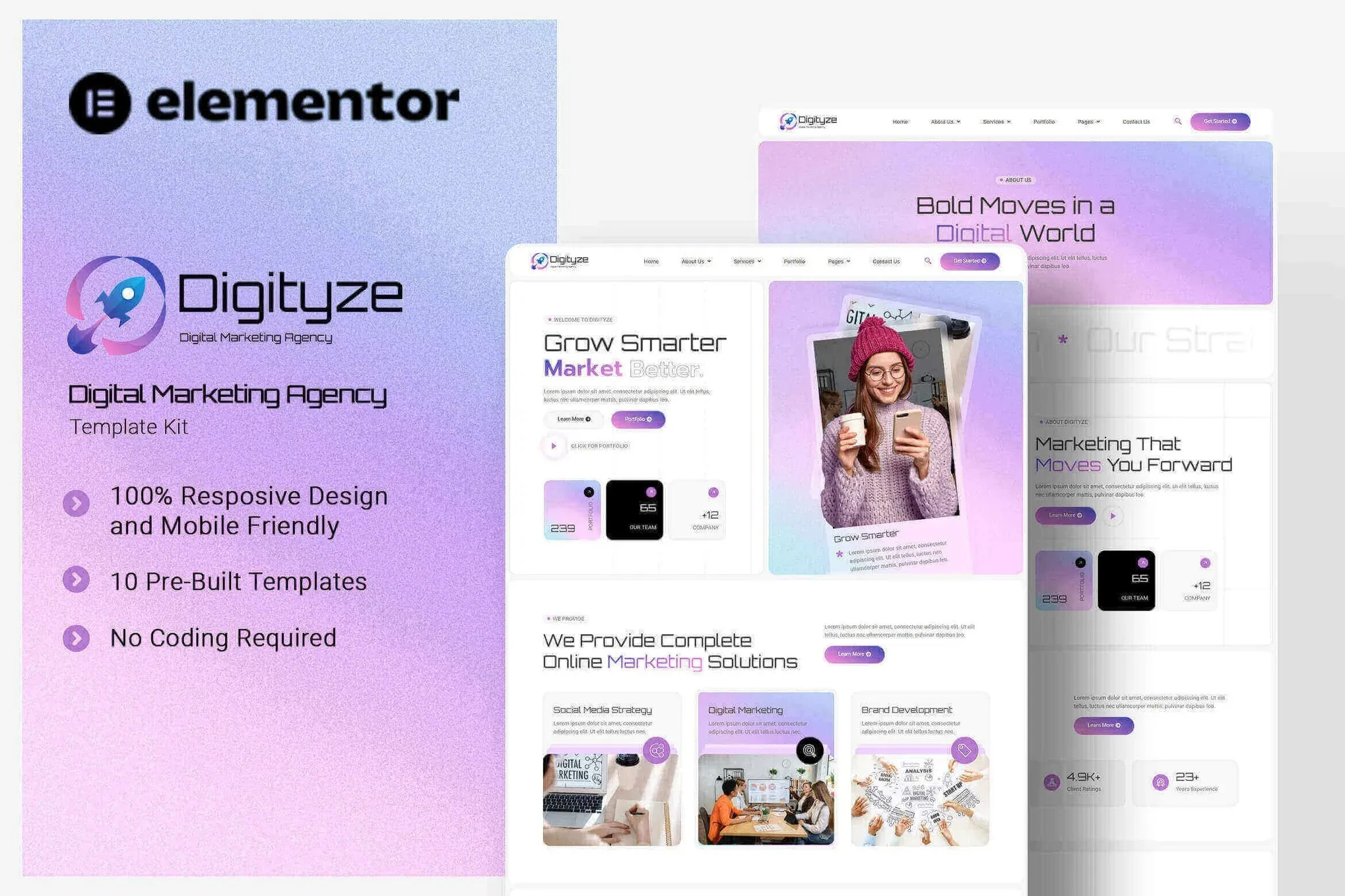
Digital Marketing Agency Elementor Template Kit for Your Next Website
Most agency websites look the same. Same layouts, same stock photo hero sections, same boring service grids. If you’re spending weeks or money on custom development just to look credible, you’re doing it wrong.
Digityze gives you 15+ pages that actually look like a successful marketing agency built them. Hero sections, case study layouts, portfolio galleries, pricing tables, team pages, blog layouts, and contact forms — everything you need, nothing you don’t. All you do is swap in your brand, your work, and your copy.
What’s Included in Digityze
15+ ready-to-use pages that work with Elementor’s drag-and-drop builder. No code. No custom development. Just open Elementor, pick a template, and edit:
- Three homepage variations with different hero styles
- Services pages with pricing tables and feature comparisons
- Portfolio and case study templates (show clients you’ve done this before)
- Team member profiles with photo placeholders and social links
- Blog layouts that actually look good for content marketing
- Contact forms and quote request pages with clear CTAs
- About page and testimonials section for social proof
Who Should Use This Template Kit
This was built for digital marketing agencies, SEO consultants, social media managers, PPC specialists, content marketing firms, and freelancers who need to look established fast. If you’re pitching clients or getting found online, your website needs to close deals — not just exist.
It’s also perfect if you build sites for clients. You can have a professional agency template ready in an afternoon instead of charging clients for weeks of custom work. The license covers commercial use, so you can use it for your own site or client projects.
How to Get Started
Three steps, seriously. Install Elementor on WordPress. Import the Digityze kit from the template library. Swap the placeholder content with your info. Most people finish in one afternoon.
The kit includes a global style kit, so when you change your brand colors, it updates everywhere automatically. One edit, every page updated. Makes rebranding or testing different palettes painless.
Why Digityze Instead of Other Template Kits
Generic templates make you customize everything. Digityze was designed for marketing agencies specifically — the section layouts, the copy placeholders, the lead generation prompts. It looks professional out of the box, not like you downloaded a generic business template and tried to make it work.
One payment. Lifetime access. Commercial license included. Use it for your own agency, sell it with client projects, or both. No subscription, no hidden fees.
Launch This Week
You don’t need to spend months on custom development. You don’t need a $5,000 agency to build your website. You need a template that was designed for your industry, by people who understand how agencies present themselves. Digityze is that template. Download it now and have your site live before the week is over.
Only logged in customers who have purchased this product may leave a review.
How to use Kit:
Install and activate the “Template Kit – Import” plugin from Plugins > Add New in WordPress.
Do not unzip.
Go to Template Kit – Import > Upload Template Kit Zip File button.
Before importing a template, ensure the Install Requirements button is clicked to activate required plugins.
For best results, do not import more than one template at a time.
RELATED PRODUCTS

DIVI – Original License | One Time Payment – Exclusive Deal

Elementor Pro 4.2.3 + Elementorism Landing Pages WordPress Plugin

907 5.3.6 – Responsive Multi-Purpose WordPress Theme

Element Pack Pro 9.1.0 – Addon For Elementor






 Mobile Apps
 php script
 How to
Reviews
There are no reviews yet