
DirtyWash – Dry Cleaning & Laundry Service Elementor Template Kit
- Updated on October 9, 2025
- 100% Original Product & Well Documented
- Unlimited Domain Usage

*Important Note:
The image should not be Part of the template kit. You need to use your own reliable Source.


Original price was: ₹999.00.₹299.00Current price is: ₹299.00.
- Secured & Scanned by Virus total & McAfee.
- Access to Free updates for Lifetime
- All products are Under GPL License (Unlimited Domain Usage)
- We Not Provide any Support For this Product

Lifetime Membership
Access 6700+ Premium WordPress Themes & Plugins, Elementor Templates, Mobile Apps, PHP scripts with Lifetime Updates.
Join Premium MembershipRecently Viewed
Dirty Wash – Dry Cleaning & Laundry Service Template Kit
Building a professional online presence for a dry cleaning or laundry service often means balancing specific business needs with a tight budget and limited development time. Many business owners and agencies struggle to create an effective, informative website quickly without getting bogged down in complex coding. The “Dirty Wash” Elementor Template Kit addresses this directly, providing a complete solution designed for service-oriented businesses. It helps you quickly launch a functional, attractive website, allowing you to focus on your core services instead of development hurdles. This kit is built to give you the essential tools to make your online presence successful.
Key Features for Efficient Website Building
This template kit includes several practical features designed to streamline your website creation process and improve user experience:
Ready-to-Use Core Layouts
The kit comes with pre-built header and footer templates, which are fundamental for consistent branding and navigation. Instead of building these from scratch, you can easily customize them to match your business’s identity, saving significant development time.
Engaging Content Displays
Utilize the included Carousel Slider to showcase your services, highlight customer testimonials, or promote special offers in an appealing, interactive way. The Post Widget also helps you display news, tips, or service updates, keeping your site content fresh and informative for visitors.
Direct Customer Interaction
A functional Contact Form is crucial for any service business. This kit provides one that’s ready to integrate, making it simple for potential customers to inquire about services, request quotes, or schedule pickups. This direct line of communication helps improve conversion rates and customer engagement.
Practical Applications for Your Business
The Dirty Wash template kit is ideal for a range of service businesses and the developers who support them. If you operate a dry cleaning business, a professional laundry service, or an eco-friendly textile care shop, this kit provides a solid foundation for your website. It’s also a valuable asset for web development agencies and freelancers creating sites for clients in the cleaning and service industry. Imagine setting up a new client’s website in a fraction of the usual time, complete with service listings, location details, and contact options. This kit helps you create an informative website that clearly communicates your services, operational hours, and pricing, all designed to attract and inform your target audience.
Benefits for Implementation and Maintenance
Setting up your website with Dirty Wash is designed to be straightforward. The kit allows for quick customization within Elementor, meaning you can adjust layouts, colors, and content without writing any code. It’s built to be fast-loading and responsive across all devices, ensuring your site looks and performs well on desktops, tablets, and phones. This focus on performance and mobile compatibility also contributes to better search engine optimization (SEO), helping more people find your services online. Furthermore, a recent update addressed a bug with live demo imports, reflecting a commitment to reliable functionality and an easier initial setup process.
Download from Plugintheme at an affordable price and start building your professional dry cleaning or laundry service website today.
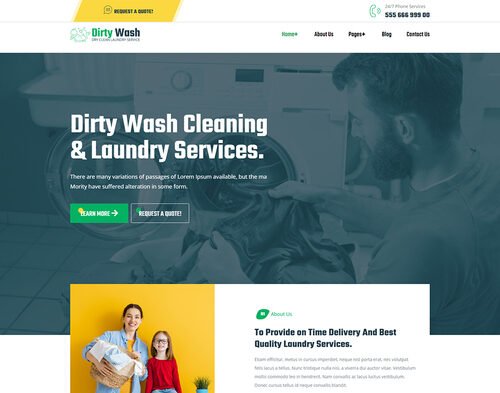 DirtyWash - Dry Cleaning & Laundry Service Elementor Template Kit
How to use Kit:
Install and activate the “Template Kit – Import” plugin from Plugins > Add New in WordPress.
Do not unzip.
Go to Template Kit – Import > Upload Template Kit Zip File button.
Before importing a template, ensure the Install Requirements button is clicked to activate required plugins.
For best results, do not import more than one template at a time.










 Mobile Apps
 php script
 How to
Reviews
There are no reviews yet