
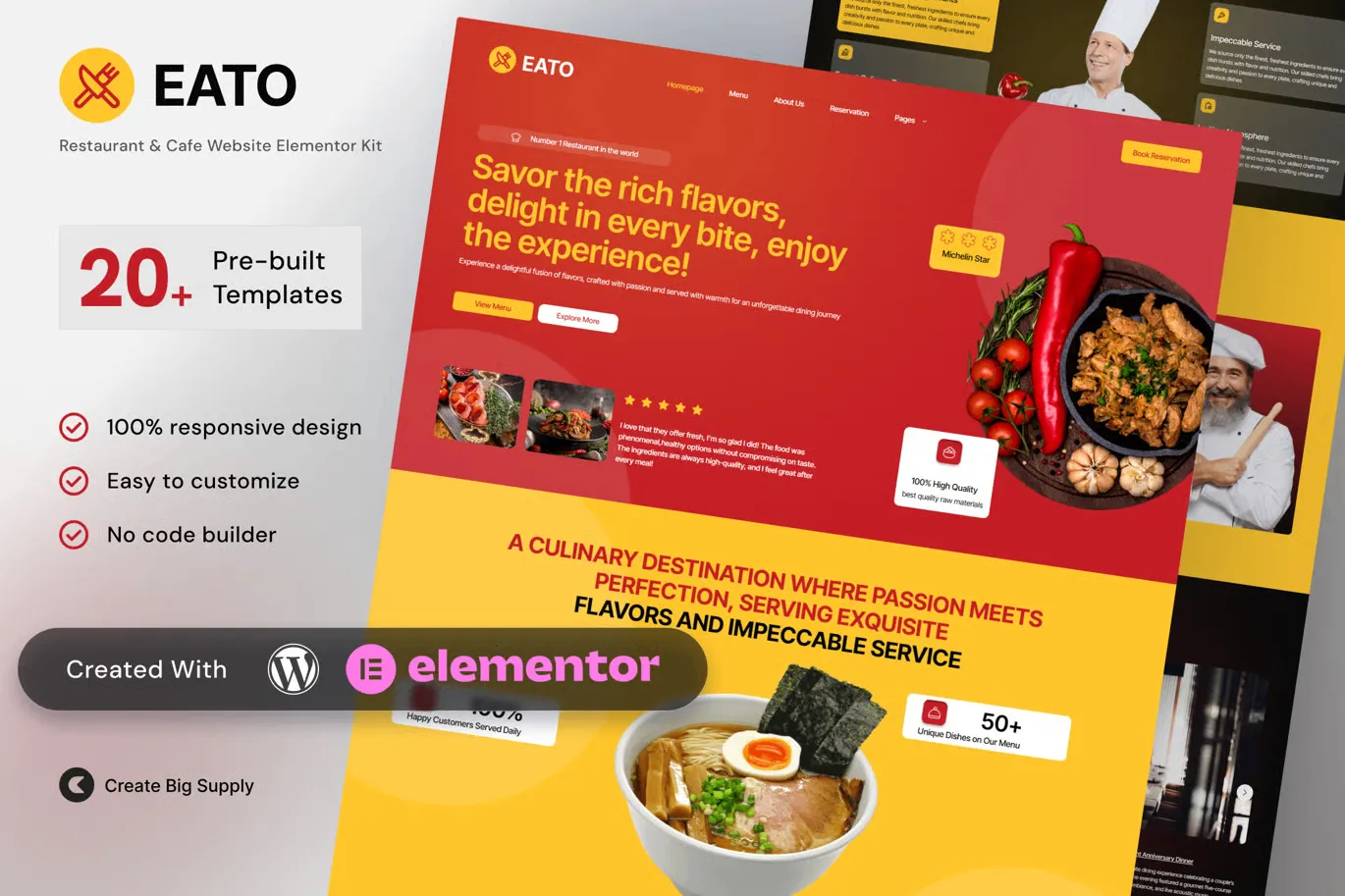
Eato – Restaurant and Cafe Elementor Template Kit for Dining, Food Services, and Culinary Brands
- Updated on May 3, 2026
- 100% Original Product & Well Documented
- Unlimited Domain Usage
*Important Note:
The image should not be Part of the template kit. You need to use your own reliable Source.


Original price was: ₹999.00.₹299.00Current price is: ₹299.00.
Launch your restaurant website today — no coding required. This complete Elementor kit includes menu layouts, reservation system, gallery pages, and more. Built for cafes, bistros, and food service brands.
- Secured & Scanned by Virus total & McAfee.
- Access to Free updates for Lifetime
- All products are Under GPL License (Unlimited Domain Usage)
- We Not Provide any Support For this Product

Lifetime Membership
Access 6700+ Premium WordPress Themes & Plugins, Elementor Templates, Mobile Apps, PHP scripts with Lifetime Updates.
Join Premium MembershipRecently Viewed
Eato Restaurant Website Template — Build Your Online Presence in Hours
Most restaurant owners know they need a website. Finding the time to build one? That’s another story. Eato fixes that. It’s a complete Elementor Template Kit built specifically for restaurants, cafes, and food service businesses — install it and customize everything without writing a single line of code.
Skip the developer fees. Skip the weeks of revision emails. This kit comes with pre-built pages for your homepage, menu, gallery, reservations, about section, and contact form. Every layout is designed for the food industry — warm, inviting, and appetite-inspiring. Drag, drop, swap your photos, launch.
What’s Inside the Eato Template Kit
Everything your restaurant website needs to attract customers and take reservations:
- Homepage with hero section, featured dishes, and testimonials
- Full menu page with categories, pricing, and descriptions
- Reservation booking system integrated throughout
- Photo gallery optimized for food photography
- About page with team profiles and your story
- Contact page with form and map integration
- Mobile-responsive design that looks great on any phone
The templates use clean, semantic code that loads fast — matters for both your visitors and Google rankings. Every section works with Elementor’s visual editor, so you see your changes instantly as you build.
Who Is Eato For?
This kit works best for:
- Independent restaurants and bistros needing a professional online presence
- Cafes and coffee shops wanting to showcase their atmosphere online
- Food trucks and pop-up vendors building brand credibility
- Catering services and culinary entrepreneurs launching new ventures
- WordPress developers managing multiple restaurant client projects
Whether you serve farm-to-table cuisine, artisan coffee, or fusion dishes, Eato adapts. Change colors, fonts, and imagery to match your brand — no coding required.
How to Get Started with Eato
Setting up Eato takes less than an afternoon:
- Download the kit after purchase — instant access, no waiting
- Install via WordPress and activate Elementor (free version works)
- Import the template kit with one click
- Replace placeholder content with your restaurant’s photos and information
- Publish and start accepting reservations
That’s it. No technical skills needed, no developer required.
Why Choose Eato Over Other Options
Free website builders limit your design control and tack on watermarks. Hiring a developer costs thousands and takes months. Eato gives you professional restaurant web design at a fraction of that price — with no ongoing subscriptions.
One-time payment. Lifetime free updates. Commercial license included. Use it for client projects, your own restaurant, or both. Build as many sites as you need. The license never expires.
When WordPress or Elementor releases new features, Eato evolves with them. You won’t pay again to stay current.
Ready to Get Started?
Get your restaurant online today. Eato gives you a complete, professional website — beginner-friendly, affordable, and ready to turn visitors into reservations. Buy the Eato Restaurant Elementor Template Kit and have your website live before your next dinner service.
Only logged in customers who have purchased this product may leave a review.
How to use Kit:
Install and activate the “Template Kit – Import” plugin from Plugins > Add New in WordPress.
Do not unzip.
Go to Template Kit – Import > Upload Template Kit Zip File button.
Before importing a template, ensure the Install Requirements button is clicked to activate required plugins.
For best results, do not import more than one template at a time.
RELATED PRODUCTS

DIVI – Original License | One Time Payment – Exclusive Deal

Elementor Pro 4.2.3 + Elementorism Landing Pages WordPress Plugin

907 5.3.6 – Responsive Multi-Purpose WordPress Theme

Element Pack Pro 9.1.0 – Addon For Elementor






 Mobile Apps
 php script
 How to
Reviews
There are no reviews yet