
Ereco – Architecture & Interior Design Elementor Template Kit
- Updated on April 28, 2026
- 100% Original Product & Well Documented
- Unlimited Domain Usage
*Important Note:
The image should not be Part of the template kit. You need to use your own reliable Source.


Original price was: ₹999.00.₹299.00Current price is: ₹299.00.
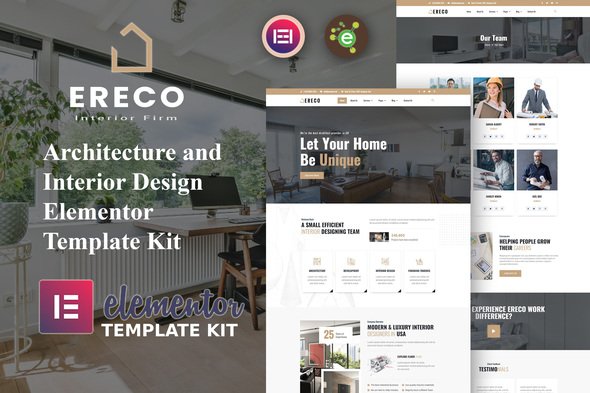
Stop spending months on a website. Ereco gives architecture firms a complete Elementor template kit — portfolio grids, service pages, team sections, and contact forms — all in one download. Your site is live today.
- Secured & Scanned by Virus total & McAfee.
- Access to Free updates for Lifetime
- All products are Under GPL License (Unlimited Domain Usage)
- We Not Provide any Support For this Product

Lifetime Membership
Access 6700+ Premium WordPress Themes & Plugins, Elementor Templates, Mobile Apps, PHP scripts with Lifetime Updates.
Join Premium MembershipRecently Viewed
Architecture Website Templates Built for Design Professionals
First impressions stick. When potential clients land on your architecture or interior design website, they decide in seconds whether you’re worth their time. Ereco removes the headache of building a professional online presence from scratch. This Elementor template kit gives you polished, ready-to-use layouts built specifically for architecture firms, interior designers, and creative studios. Portfolio grids. Service showcases. Team sections. Contact forms. Everything you need, designed to look exactly the kind of sophisticated your clients expect.
What You Get With Ereco
Most templates are generic. Ereco isn’t. We built this kit around how design professionals actually showcase their work. The layouts put your project photography front and center — because stunning visuals sell your services better than any copy. Every section plays nice with Elementor’s drag-and-drop builder. Tweak colors, swap images, rearrange sections. No code required.
- 8 portfolio layouts built for architectural projects and interior photography
- Service page templates with sections for architecture, interior design, or both
- Team and about page designs that build credibility with new clients
- Contact forms and call-to-action blocks that turn visitors into leads
- Mobile-responsive layouts that look sharp on phones, tablets, and desktops
Who It’s For
Ereco fits architecture firms launching from scratch, interior designers updating outdated sites, agencies juggling multiple client projects, and freelance architects building a personal brand. Solo designer or growing studio — the kit scales with you. The interface is intuitive enough that you won’t need a developer. The result looks like you hired one anyway.
How To Use It
After purchase, download the template files instantly. Open Elementor on your WordPress site, import the kit, and you’re ready to customize. Works with the free Elementor plugin — Elementor Pro unlocks extras like theme builder and pop-ups if you want them. Drop in your project photos, update your business details, match colors to your brand, and hit publish. Most people have their architecture website live before dinner. Zero coding. No subscriptions.
Why Buy This Template Kit
Custom development runs $3,000-$10,000+ and takes 6-8 weeks minimum. Generic templates don’t have the sections architecture firms actually need. Ereco bridges that gap — professional, niche-specific design at a price that makes sense. One-time purchase. Lifetime free updates as design trends shift. Commercial license covers client work or your own business, no strings. Got questions? Lifetime support is included.
Launch Your Architecture Website This Week
Your portfolio is strong. Your skills are proven. Your website just needs to catch up. Ereco gives you a professional architecture website template you can download and publish today. No subscriptions. No hidden costs. Just a polished site that makes clients take you seriously — and frees you up to focus on the actual design work.
Only logged in customers who have purchased this product may leave a review.
How to use Kit:
Install and activate the “Template Kit – Import” plugin from Plugins > Add New in WordPress.
Do not unzip.
Go to Template Kit – Import > Upload Template Kit Zip File button.
Before importing a template, ensure the Install Requirements button is clicked to activate required plugins.
For best results, do not import more than one template at a time.
RELATED PRODUCTS

DIVI – Original License | One Time Payment – Exclusive Deal

Elementor Pro 4.2.3 + Elementorism Landing Pages WordPress Plugin

907 5.3.6 – Responsive Multi-Purpose WordPress Theme

Element Pack Pro 9.1.0 – Addon For Elementor






 Mobile Apps
 php script
 How to
Reviews
There are no reviews yet