
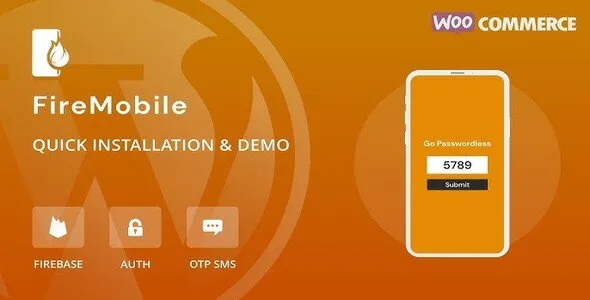
FireMobile 1.0.8 – WordPress & WooCommerce firebase mobile OTP authentication
- Updated on December 25, 2025
- 100% Original Product & Well Documented
- Unlimited Domain Usage


Original price was: ₹4,500.00.₹299.00Current price is: ₹299.00.
Secure your WordPress site with Firebase OTP login. Verify WooCommerce customers and reduce spam registrations. Buy this premium plugin today for ₹299.
- Secured & Scanned by Virus total & McAfee.
- Lifetime Free Updates
- GPL License (Unlimited Domain Usage)
- Pre Activated, You Don’t Need Any license Key
- 100% Satisfaction Guarantee (Refund Policy)

Lifetime Membership
Access 6700+ Premium WordPress Themes & Plugins, Elementor Templates, Mobile Apps, PHP scripts with Lifetime Updates.
Join Premium MembershipRecently Viewed
Secure WordPress and WooCommerce with FireMobile OTP Authentication
FireMobile is a dedicated tool for site owners who need to verify users via mobile phone numbers. It integrates directly with Google Firebase to send one-time passwords (OTP) to users during registration or login. By using this premium plugin, you remove the need for traditional email verification which often ends up in spam folders. When you buy FireMobile, you get a professional system that handles SMS delivery through a reliable infrastructure.
Why Choose Firebase for Mobile Authentication?
Google Firebase is a stable platform for sending SMS messages. Most site owners prefer this because it offers a generous free tier for many regions. FireMobile connects your WordPress site to your Firebase project. This setup ensures that your messages arrive quickly. Unlike other SMS gateways that charge high monthly fees, Firebase allows you to pay only for what you use after exceeding the free limit. This makes it a cost-effective choice for growing businesses.
Key Features for WooCommerce and WordPress
- Mobile Registration: Allow new users to create accounts using only their phone numbers. This reduces friction during the signup process.
- OTP Login: Existing users can log in without remembering passwords. They enter their phone number and receive a code instantly.
- WooCommerce Checkout Integration: Verify customers before they complete a purchase. This reduces fraudulent orders and ensures you have valid contact details.
- Country Code Selection: The plugin includes a dropdown for international country codes. You can restrict specific countries if you only operate in certain regions.
- Customizable UI: Match the login forms to your brand. You can change colors, button text, and layout settings from the admin panel.
- Secure Authentication: Firebase handles the security of the OTP generation and verification. Your server does not store sensitive login tokens.
Who Should Use FireMobile?
This plugin is for e-commerce store owners who struggle with fake customer accounts. If you run a WooCommerce store in a region where mobile usage is higher than email usage, this tool is essential. It is also suitable for membership websites where identity verification is a priority. Developers can use this professional download to add mobile login functionality to client sites without writing custom API integrations from scratch. This tool is not for site owners who do not want to set up a Google Cloud or Firebase account. It requires a basic configuration on the Firebase console to work. However, once the API keys are added to the WordPress dashboard, the system runs automatically.
Specific Use Cases
For WooCommerce users, FireMobile replaces the standard account login on the checkout page. Customers verify their identity in seconds. This leads to higher trust and better data quality. For developers using Elementor, you can place login shortcodes anywhere on your custom layouts. This flexibility allows you to build unique user journeys while maintaining high security standards.
Benefits of Mobile Verification
Mobile verification provides a higher level of security than email. Phone numbers are harder to spoof or create in bulk. By requiring a mobile OTP, you ensure that every registered user is a real person with an active phone line. This is particularly useful for sites offering digital downloads or premium content where account sharing is a concern. When you download this plugin, you gain control over your user database quality.
Installation and Support
After you buy FireMobile, the installation process is straightforward. Upload the plugin file to your WordPress directory and activate it. The settings menu guides you through connecting your Firebase project. You will need your project ID and API key. The documentation provides step-by-step instructions on how to find these details in your Google console. This professional approach ensures that even non-technical users can complete the setup.
FireMobile is a reliable choice for any WordPress professional looking to modernize their authentication flow. It replaces outdated login methods with a fast, mobile-first approach. Secure your site today with this premium mobile OTP solution.
 FireMobile 1.0.8 – WordPress & WooCommerce firebase mobile OTP authentication










 Mobile Apps
 php script
 How to
Reviews
There are no reviews yet