
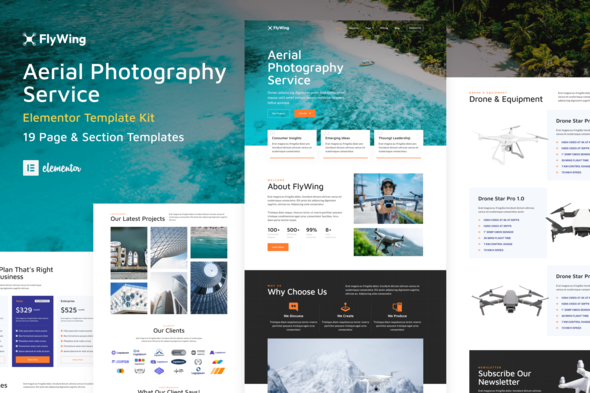
FlyWing – Drone Aerial Video & Photography WordPress Elementor Template Kit
- Updated on October 8, 2025
- 100% Original Product & Well Documented
- Unlimited Domain Usage
*Important Note:
The image should not be Part of the template kit. You need to use your own reliable Source.


Original price was: ₹999.00.₹299.00Current price is: ₹299.00.
- Secured & Scanned by Virus total & McAfee.
- Access to Free updates for Lifetime
- All products are Under GPL License (Unlimited Domain Usage)
- We Not Provide any Support For this Product

Lifetime Membership
Access 6700+ Premium WordPress Themes & Plugins, Elementor Templates, Mobile Apps, PHP scripts with Lifetime Updates.
Join Premium MembershipRecently Viewed
FlyWing Elementor Template Kit
Get Your Aerial Photography & Drone Service Website Online Faster
Building a professional website for an aerial video or drone photography business often means spending a lot of time on design and layout. You need a site that showcases your visual work effectively, communicates your services clearly, and looks credible to potential clients. The FlyWing Elementor Template Kit is designed to address this challenge directly, offering a complete set of pages and sections specifically tailored for aerial services and drone rental businesses. It helps you establish a strong online presence without the need to start from an empty canvas, allowing you to focus on your core business.
Practical Features for Your Business
Comprehensive Page & Section Collection
FlyWing provides 19 distinct page and section templates. This extensive collection means you have pre-built layouts for essential parts of your site, like your homepage, service descriptions, and contact forms. Having these ready-to-use components saves significant development time, letting you assemble a complete website quickly rather than building each piece from scratch.
Designed for Elementor & Flexibility
This template kit is optimized for use with the free Hello Elementor theme, ensuring good performance and compatibility. While it works well with Hello Elementor, you can also use it with most other WordPress themes that support Elementor. This flexibility allows you to integrate FlyWing into your existing WordPress setup or start a new project with confidence, knowing it will adapt to your chosen environment.
Professional & Cohesive Design
Every page and section within FlyWing is thoughtfully crafted to present a consistent and professional image for your aerial services business. The visual elements and layouts are designed to highlight photography and video content, making your portfolio stand out. Note that some templates and features within this kit do require the Elementor Pro upgrade for full functionality.
Ideal for Specific Industries
FlyWing is an excellent choice for anyone involved in aerial services. If you offer drone photography for real estate, provide cinematic drone video for events, or operate a drone rental service, this kit is built for your needs. It’s also suitable for businesses providing aerial inspections, mapping services, or any other professional use of drones where a strong visual presentation is key. The pre-designed layouts are structured to help you organize your service offerings and display your media content in a clear, engaging way, helping potential clients understand your capabilities quickly.
Streamlined Implementation & Performance
Getting your site up and running with FlyWing is a straightforward process. The kit provides a solid foundation, allowing for quick setup and customization. You can easily adapt the templates to match your brand’s colors and fonts, inserting your own text and media to personalize the site. Modern template kits like FlyWing are built with responsiveness in mind, ensuring your website looks good and functions correctly on desktops, tablets, and mobile phones. This attention to detail helps ensure your site performs well and remains easy to manage over time.
Download FlyWing from Plugintheme at an affordable price and get your aerial services website operational efficiently.
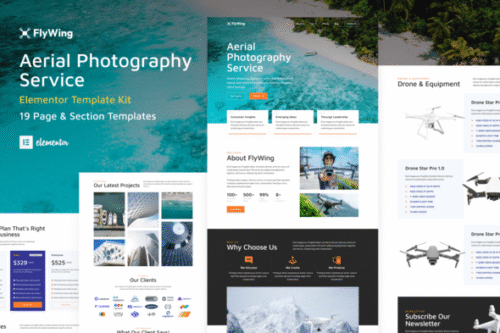
 FlyWing - Drone Aerial Video & Photography WordPress Elementor Template Kit
How to use Kit:
Install and activate the “Template Kit – Import” plugin from Plugins > Add New in WordPress.
Do not unzip.
Go to Template Kit – Import > Upload Template Kit Zip File button.
Before importing a template, ensure the Install Requirements button is clicked to activate required plugins.
For best results, do not import more than one template at a time.










 Mobile Apps
 php script
 How to
Reviews
There are no reviews yet