
Food Alfa – Restaurant & Cafe Elementor Pro Template Kit
- Updated on May 3, 2026
- 100% Original Product & Well Documented
- Unlimited Domain Usage
*Important Note:
The image should not be Part of the template kit. You need to use your own reliable Source.


Original price was: ₹999.00.₹299.00Current price is: ₹299.00.
Your restaurant needs a website, not a headache. Food Alfa gives you 15+ pages, a food-focused design, and zero coding — have it live before your next lunch rush. Get instant access
- Secured & Scanned by Virus total & McAfee.
- Access to Free updates for Lifetime
- All products are Under GPL License (Unlimited Domain Usage)
- We Not Provide any Support For this Product

Lifetime Membership
Access 6700+ Premium WordPress Themes & Plugins, Elementor Templates, Mobile Apps, PHP scripts with Lifetime Updates.
Join Premium MembershipRecently Viewed
Food Alfa – Restaurant & Cafe Elementor Pro Template Kit
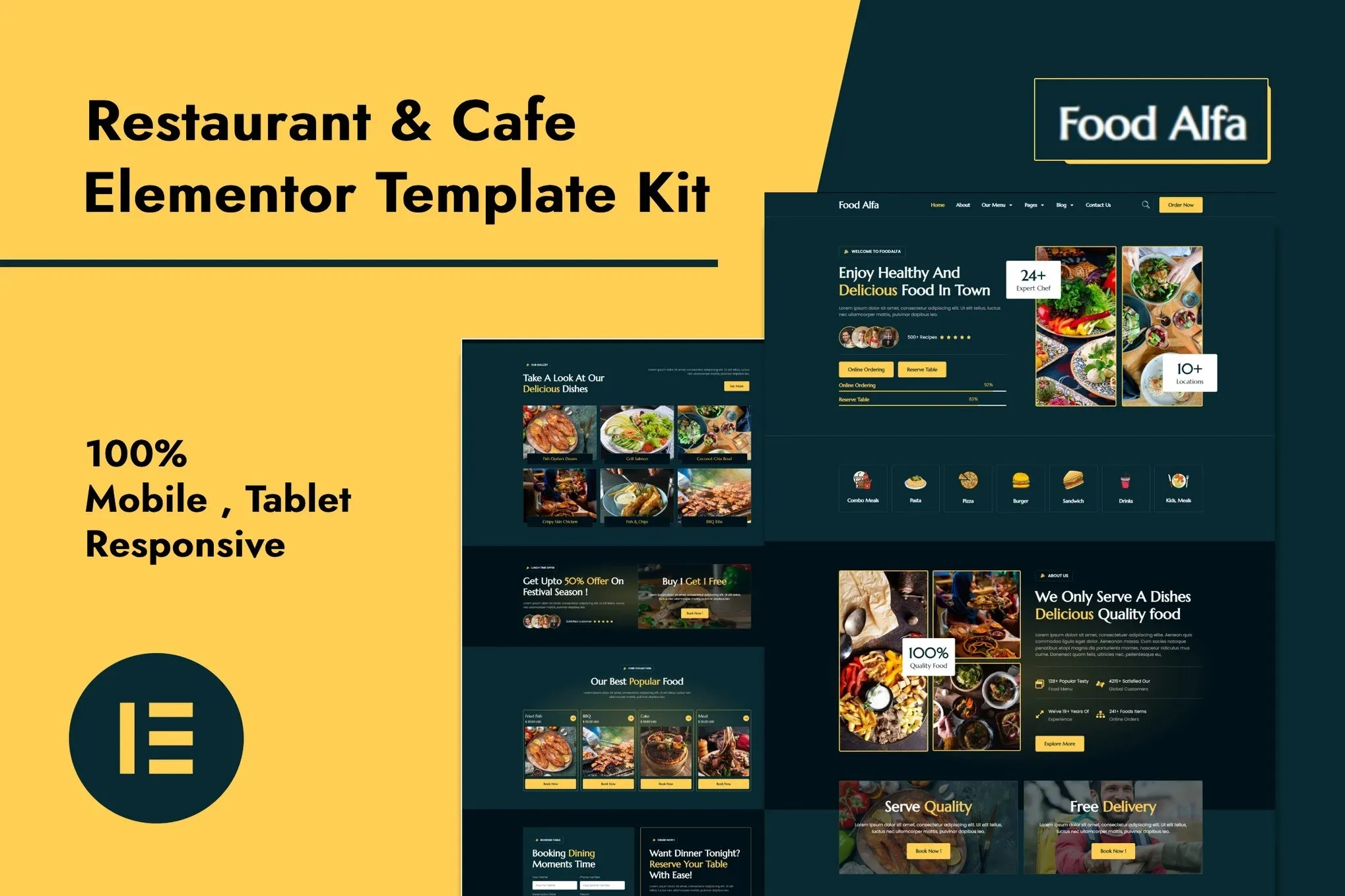
Most restaurant owners spend months and thousands of dollars on websites that end up looking like every other template out there. Food Alfa cuts through that. It’s a polished Elementor Pro template kit designed specifically for restaurants and cafes — launch a real, working site in a single afternoon, not after weeks of back-and-forth with developers.
The design knows the food industry. Warm colors that make dishes pop. Menu layouts that don’t confuse customers. Typography that feels inviting rather than corporate. Whether you’re running a neighborhood coffee shop or a white-tablecloth dining room, this kit adapts to your vibe.
What’s Inside the Kit
15+ pages ready to customize in Elementor’s drag-and-drop editor. Homepage, about, full menu pages, reservation system, gallery, contact — all there. Swap images, change colors, update your specials, add your own text. No code. No developer. No waiting.
Mobile-first design means your site looks sharp on every phone, tablet, and desktop. Since most restaurant searches happen on mobile devices, this matters more than ever. Food Alfa handles the responsive work so you don’t have to.
What’s Included
- 15+ page templates covering every restaurant need
- Designs that look great on iPhone, Android, tablets, and desktops
- Sharp retina graphics — no blurry food photos
- Drag-and-drop editing through Elementor Pro
- Menu layouts for food, drinks, and seasonal specials
- Reservation booking sections built in
- Gallery pages that make your dishes the star
- Contact and location pages with map support
- Lightweight code that loads fast
The color palette and typography create a mood that makes visitors hungry. Every design decision serves one goal: turning website browsers into seated customers.
Who Uses Food Alfa?
- Restaurants and bistros building their first online presence
- Cafes wanting to show off their space and drinks
- Catering companies displaying packages and menus
- Food trucks establishing a recognizable brand
- Pubs and breweries promoting events and menus
- Bakeries and dessert shops showing off their goods
- Hotels and resorts with on-site dining
- Food delivery services connecting with new customers
If you can use a drag-and-drop editor or post to Instagram, you can build this website. No technical skills required. The interface walks you through every step.
Getting Started Takes Minutes
Three steps: install Elementor Pro on your WordPress site, import the Food Alfa kit, then customize the pages to match your brand. Most owners finish the whole process in under two hours. Seriously — you could have a live site before dinner service.
You own your site completely. Update your menu for the holidays, change your hours, add seasonal dishes — whenever you want, no middleman required.
One Payment, No Subscriptions
Instant download after purchase. Your template kit arrives in your inbox ready to install. The commercial license covers client work and multiple sites — no extra fees.
Unlike subscription services that charge you forever, Food Alfa is a one-time purchase. Your website stays online at the same cost, year after year. Updates are free for life, so your template stays compatible as WordPress and Elementor evolve.
Stuck on something? Lifetime support means someone can help you troubleshoot, customize, or figure out the best approach for your specific situation.
Ready to Launch?
Stop paying agencies for basic websites. Stop wrestling with complicated builders. Food Alfa lets you build a professional restaurant site in hours, not months. Every template is ready to customize, fully responsive, and built to help more customers find you. Download Food Alfa now and put your restaurant online today.
Only logged in customers who have purchased this product may leave a review.
How to use Kit:
Install and activate the “Template Kit – Import” plugin from Plugins > Add New in WordPress.
Do not unzip.
Go to Template Kit – Import > Upload Template Kit Zip File button.
Before importing a template, ensure the Install Requirements button is clicked to activate required plugins.
For best results, do not import more than one template at a time.
RELATED PRODUCTS

DIVI – Original License | One Time Payment – Exclusive Deal

Elementor Pro 4.2.3 + Elementorism Landing Pages WordPress Plugin

907 5.3.6 – Responsive Multi-Purpose WordPress Theme

Element Pack Pro 9.1.0 – Addon For Elementor






 Mobile Apps
 php script
 How to
Reviews
There are no reviews yet