
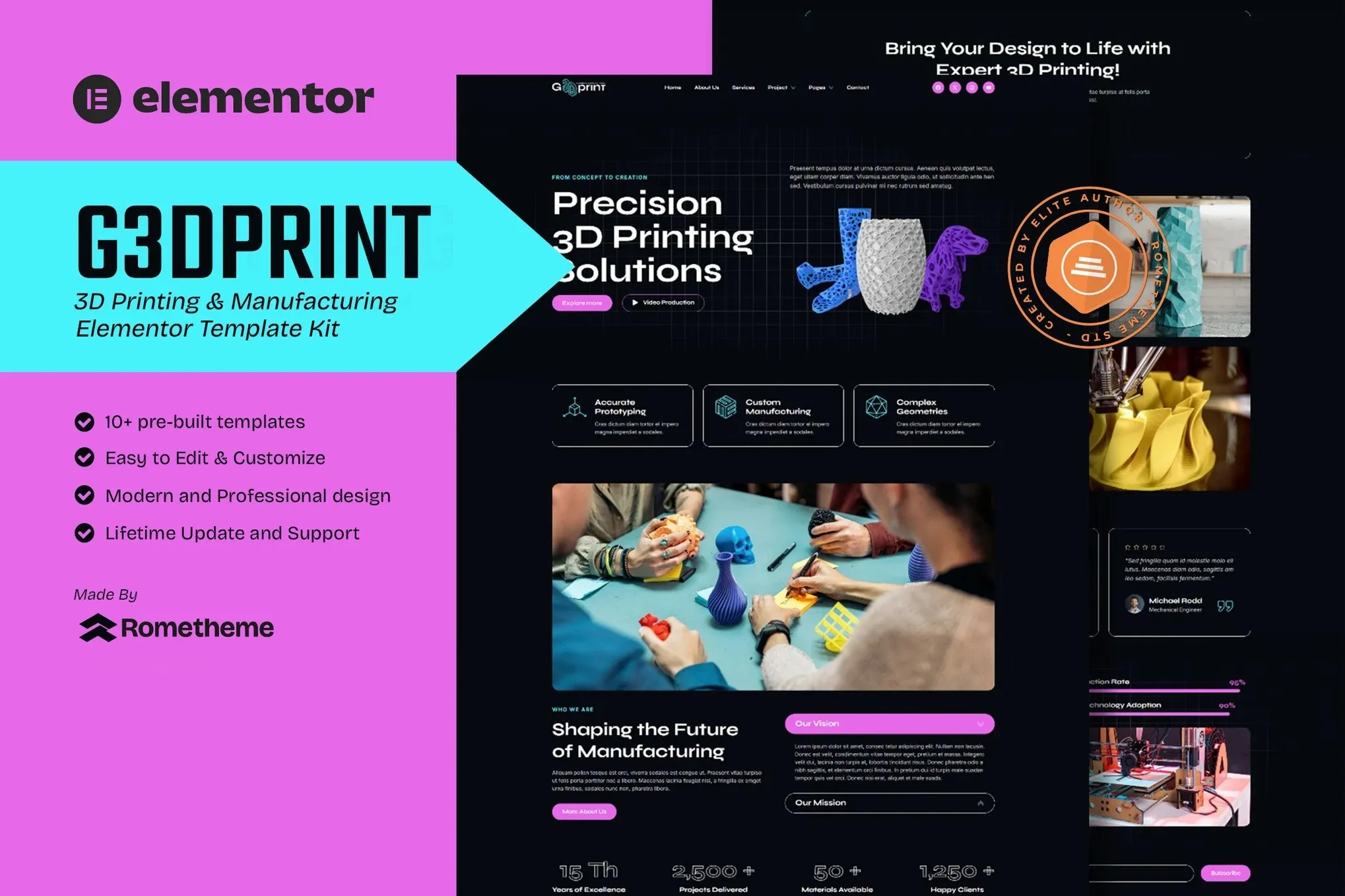
G3DPrint – 3D Printing & Manufacturing Elementor Template Kit
- Updated on May 3, 2026
- 100% Original Product & Well Documented
- Unlimited Domain Usage
*Important Note:
The image should not be Part of the template kit. You need to use your own reliable Source.


Original price was: ₹999.00.₹299.00Current price is: ₹299.00.
Launch a professional 3D printing website in 15 minutes flat. G3DPrint gives you nine polished pages — just swap in your photos and text, hit publish.
- Secured & Scanned by Virus total & McAfee.
- Access to Free updates for Lifetime
- All products are Under GPL License (Unlimited Domain Usage)
- We Not Provide any Support For this Product

Lifetime Membership
Access 6700+ Premium WordPress Themes & Plugins, Elementor Templates, Mobile Apps, PHP scripts with Lifetime Updates.
Join Premium MembershipRecently Viewed
G3DPrint Elementor Template Kit for 3D Printing & Manufacturing Websites
Most 3D printing businesses know this problem: you need a website, but hiring a developer means weeks of emails and revisions. G3DPrint solves that. It’s a complete Elementor template kit with nine pages ready to go — import, customize, publish. No code required.
What This Template Kit Is
Built specifically for 3D printing services, additive manufacturing companies, prototyping studios, and maker spaces. The kit includes nine pre-designed pages: homepage, services, portfolio gallery, about page, team profiles, FAQs, pricing, contact form, and a blog layout. The design follows industrial aesthetics — clean lines, technical typography, and a layout that puts your capabilities front and center.
Key Features of the G3DPrint Template Kit
- Nine complete pages ready to customize in Elementor
- Commercial license included — build client sites or your own, no recurring fees
- Instant download after purchase — start building immediately
- Works with Elementor free or Pro version
- Free lifetime updates keep everything compatible
- One-time payment, no subscriptions or hidden costs
- Direct support from the template developers
Who Should Buy This Template
This kit fits 3D printing service bureaus running SLS, FDM, SLA, or MJF printers. Manufacturing companies that want a clean, technical web presence without the usual design headaches. Prototyping services targeting engineers and product designers. FabLabs and maker spaces needing a professional online face. Even freelance 3D printing consultants use these templates to book more clients.
If you already run WordPress with Elementor, you’re minutes away from a website that actually represents the precision work you do.
How to Use This Template Kit
No technical skills required. Install Elementor on your WordPress site, upload the G3DPrint kit file, and watch your new website appear. Drag, drop, swap images, change text, update colors to match your brand. Preview changes in real-time. Publish when you’re satisfied. Elementor’s visual builder means what you see is what you get — no code, no confusion.
The kit includes all headers, footers, inner pages, and a setup manual to guide you through the first steps. Most users launch their site within the same day they download.
Why Choose G3DPrint Over Free Templates
Free templates save money upfront but eat your time. You spend hours hunting for compatible plugins, fixing broken layouts, and patching security holes. G3DPrint comes complete: every layout, every section, every necessary file in one download. The commercial license lets you use it for client projects without buying separate rights. Support is available if you get stuck. Updates keep everything working as WordPress and Elementor evolve.
This isn’t a generic template with your industry name dropped in. It’s designed around how 3D printing businesses actually present services, showcase print samples, and turn visitors into leads.
Ready to Launch Your 3D Printing Website?
Get instant access to the complete G3DPrint Elementor template kit. One payment, lifetime updates, and a professional website that works as hard as your printing machines. Download now and have your site live today.
Only logged in customers who have purchased this product may leave a review.
How to use Kit:
Install and activate the “Template Kit – Import” plugin from Plugins > Add New in WordPress.
Do not unzip.
Go to Template Kit – Import > Upload Template Kit Zip File button.
Before importing a template, ensure the Install Requirements button is clicked to activate required plugins.
For best results, do not import more than one template at a time.
RELATED PRODUCTS

DIVI – Original License | One Time Payment – Exclusive Deal

Elementor Pro 4.2.3 + Elementorism Landing Pages WordPress Plugin

907 5.3.6 – Responsive Multi-Purpose WordPress Theme

Element Pack Pro 9.1.0 – Addon For Elementor






 Mobile Apps
 php script
 How to
Reviews
There are no reviews yet