
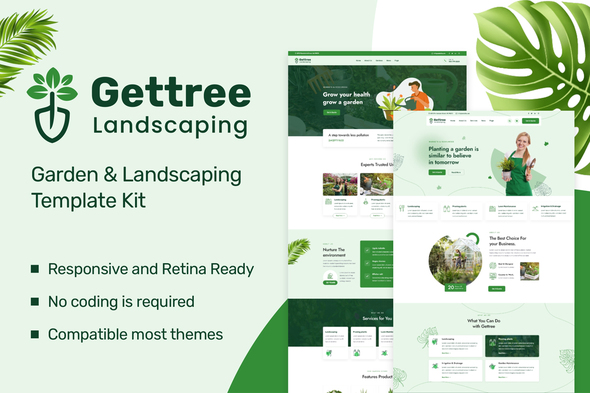
Gettree – Garden & Landscaping Elementor Template Kit
- Updated on May 2, 2026
- 100% Original Product & Well Documented
- Unlimited Domain Usage
*Important Note:
The image should not be Part of the template kit. You need to use your own reliable Source.


Original price was: ₹999.00.₹299.00Current price is: ₹299.00.
Build a professional garden or landscaping website without touching code. Gettree gives you six pre-designed pages, an earthy color scheme, and drag-and-drop editing — everything you need to go from purchase to published in one afternoon.
- Secured & Scanned by Virus total & McAfee.
- Access to Free updates for Lifetime
- All products are Under GPL License (Unlimited Domain Usage)
- We Not Provide any Support For this Product

Lifetime Membership
Access 6700+ Premium WordPress Themes & Plugins, Elementor Templates, Mobile Apps, PHP scripts with Lifetime Updates.
Join Premium MembershipRecently Viewed
Gettree Elementor Template Kit for Garden & Landscaping Websites
Most landscaping businesses wait months to get online because custom websites cost thousands and take forever. Gettree solves that. It’s a complete WordPress template that works with Elementor — no coding, no developer fees, no waiting.
Lawn care services, landscape designers, garden centers, arborists — this kit was built for people who know plants better than they know PHP. Six pages, ready to customize.
What You Get With Gettree
Each page comes with placeholder text and images you can swap out in minutes. Everything uses Elementor’s drag-and-drop builder — if you’ve sent an email, you can edit this site.
- Homepage with service showcase and call-to-action above the fold
- Services page with three pricing tiers pre-built
- About page that actually builds trust (not just “we love plants”)
- Contact page with a quote request form ready to go
- Project gallery using a masonry grid layout
- Blog template for seasonal tips, maintenance schedules, and project updates
Who This Is For
Gettree works when you need a site up fast without sacrificing professionalism. A landscaping contractor who wants clients to take them seriously. A garden center launching an online presence. A freelance designer building client sites on a budget.
If you’re comfortable with WordPress, you can have this live today. If you’ve never touched WordPress, Plan on an hour or two to learn the basics — but it’s genuinely easier than it sounds.
Setup Process
Three steps: Install Elementor (free), import the template kit, replace the placeholder content with yours. Most people finish in an afternoon. The kit includes setup documentation, but it’s pretty straightforward if you’ve ever used Canva or any drag-and-drop tool.
Why Not Just Hire Someone
You could. But a custom site runs $2,000-5,000 minimum and takes 6-8 weeks. Gettree gets you the same result — a clean, professional site that actually converts visitors into leads — for a one-time payment. No subscriptions. No retention rights. The site is yours to keep and modify however you want.
- One payment covers everything — no surprise fees later
- Lifetime updates as WordPress and Elementor change
- Commercial license included — use it for client projects too
- Support available if you hit a snag
You download immediately after purchase. No waiting for files, no approval chains, no back-and-forth emails. Just download, open Elementor, and start building.
Get Started
Your competitors probably have websites that look like they were built in 2008. That’s an opportunity. A clean, modern site tells visitors you’re a real business before they even read your services. Buy Gettree, spend a few hours customizing it, and you’ll have something you’re actually proud to show clients.
Only logged in customers who have purchased this product may leave a review.
How to use Kit:
Install and activate the “Template Kit – Import” plugin from Plugins > Add New in WordPress.
Do not unzip.
Go to Template Kit – Import > Upload Template Kit Zip File button.
Before importing a template, ensure the Install Requirements button is clicked to activate required plugins.
For best results, do not import more than one template at a time.
RELATED PRODUCTS

DIVI – Original License | One Time Payment – Exclusive Deal

Elementor Pro 4.2.3 + Elementorism Landing Pages WordPress Plugin

907 5.3.6 – Responsive Multi-Purpose WordPress Theme

Element Pack Pro 9.1.0 – Addon For Elementor






 Mobile Apps
 php script
 How to
Reviews
There are no reviews yet