
Growceries – Food & Grocery Store Elementor Template Kit
- Updated on April 29, 2026
- 100% Original Product & Well Documented
- Unlimited Domain Usage
*Important Note:
The image should not be Part of the template kit. You need to use your own reliable Source.


Original price was: ₹999.00.₹299.00Current price is: ₹299.00.
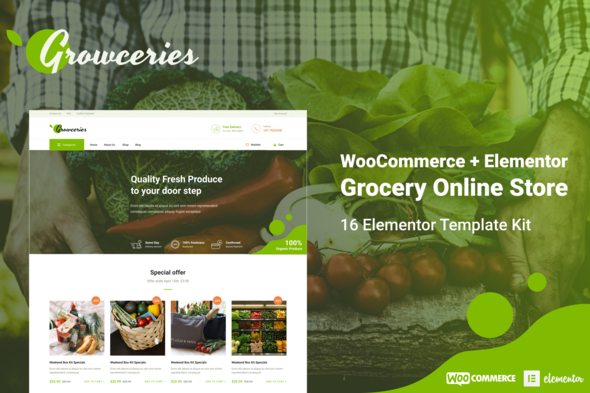
Launch your grocery store online today. This Elementor template kit includes 12+ pages, WooCommerce-ready layouts, and everything you need to start selling food — no coding required.
- Secured & Scanned by Virus total & McAfee.
- Access to Free updates for Lifetime
- All products are Under GPL License (Unlimited Domain Usage)
- We Not Provide any Support For this Product

Lifetime Membership
Access 6700+ Premium WordPress Themes & Plugins, Elementor Templates, Mobile Apps, PHP scripts with Lifetime Updates.
Join Premium MembershipRecently Viewed
Grocery Store WooCommerce Template Kit for Food & Produce Businesses
Getting your grocery business online used to mean hiring developers and spending thousands. Growceries changes that. This is a complete, professionally designed Elementor template kit that works with your existing WordPress site. Download, install, and your food store is live.
Built specifically for grocery stores, farmers markets, organic delivery services, and specialty food shops. Every page, every section, every button exists for one reason: help you sell more food online.
What You Get with Growceries
Twelve pre-designed pages covering your entire customer journey — from that first click on your homepage to the confirmation email after purchase.
- Homepage with featured products, daily deals, and store categories
- Shop page with grid layouts, filtering options, and quick-add buttons
- Product detail pages built for food items — nutrition info, origin stories, related products
- Cart and checkout pages engineered to reduce abandonment
- About page, contact page, and blog layout for content marketing
- Mobile-responsive across every device and screen size
Who Should Buy This Template Kit
Small business owners who want a professional online store without the professional price tag. Opening a neighborhood grocery shop? Launching an organic produce subscription box? Building a specialty food e-commerce site? This kit gives you a head start that would cost hundreds in custom design fees.
WordPress beginners will love the setup. Standard WordPress pages. Free Elementor page builder. No proprietary plugins to learn, no complicated configurations. Open the template, swap in your products, adjust colors to match your brand, publish.
How to Set Up Your Grocery Store Website
Getting started takes less than an afternoon. Install WordPress and the free Elementor plugin. Add WooCommerce for your product catalog and payment processing. Import the Growceries template kit with one click.
The templates connect directly to WooCommerce — products, inventory, and orders sync automatically. Add your food inventory immediately after import. The layout handles fresh produce with weight-based pricing and packaged goods with fixed quantities.
Why Choose Growceries Over Custom Development
Custom web development for a grocery store typically runs $2,000 to $10,000, plus ongoing maintenance. Growceries delivers professional results at a fraction of that price:
- One-time payment with lifetime access — no subscriptions, no monthly fees
- Commercial license included — build client projects or your own store
- Lifetime updates as WordPress and Elementor evolve
- Dedicated support for setup questions and troubleshooting
The design quality matches what you’d get from a mid-range agency. Clean typography, food-focused color schemes, high-resolution image placeholders, and conversion-optimized layouts that guide visitors toward checkout.
Ready to Launch Your Food Store?
Your grocery website is ready to download now. The complete kit comes with all pages, elements, and documentation. Join thousands of small food businesses already selling online with Elementor.
Only logged in customers who have purchased this product may leave a review.
How to use Kit:
Install and activate the “Template Kit – Import” plugin from Plugins > Add New in WordPress.
Do not unzip.
Go to Template Kit – Import > Upload Template Kit Zip File button.
Before importing a template, ensure the Install Requirements button is clicked to activate required plugins.
For best results, do not import more than one template at a time.
RELATED PRODUCTS

DIVI – Original License | One Time Payment – Exclusive Deal

Elementor Pro 4.2.3 + Elementorism Landing Pages WordPress Plugin

907 5.3.6 – Responsive Multi-Purpose WordPress Theme

Element Pack Pro 9.1.0 – Addon For Elementor






 Mobile Apps
 php script
 How to
Reviews
There are no reviews yet