
Lastoria – Museum & Exhibition Elementor Template Kit
- Updated on May 2, 2026
- 100% Original Product & Well Documented
- Unlimited Domain Usage
*Important Note:
The image should not be Part of the template kit. You need to use your own reliable Source.


Original price was: ₹999.00.₹299.00Current price is: ₹299.00.
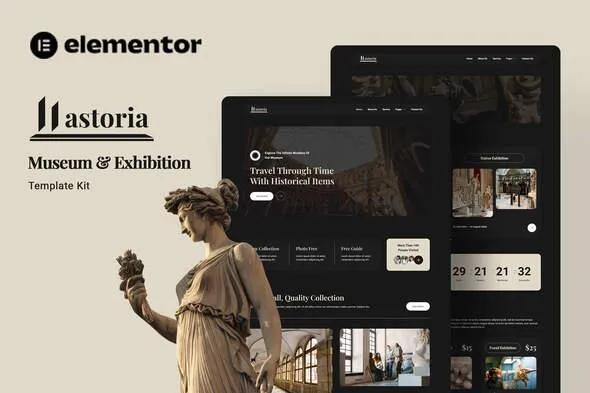
Lastoria gives museum and gallery owners a complete website in minutes — 10+ pre-built pages with exhibition-ready layouts. No coding needed, instant download included.
- Secured & Scanned by Virus total & McAfee.
- Access to Free updates for Lifetime
- All products are Under GPL License (Unlimited Domain Usage)
- We Not Provide any Support For this Product

Lifetime Membership
Access 6700+ Premium WordPress Themes & Plugins, Elementor Templates, Mobile Apps, PHP scripts with Lifetime Updates.
Join Premium MembershipRecently Viewed
Lastoria Museum Template Kit for Professional Exhibition Websites
Building a website for your museum or gallery doesn’t have to drain your budget or take three months of back-and-forth with developers. Lastoria gives you a professionally designed template kit that you can customize and publish in hours — not weeks. Whether you’re showcasing ancient artifacts, contemporary art, or rotating exhibitions, this kit has the layouts cultural institutions actually need.
What Is Lastoria?
Lastoria is an Elementor Template Kit built specifically for museums, galleries, art exhibitions, and cultural centers. It comes with pre-built pages for home, about, exhibitions, events, galleries, artist profiles, visitor info, and contact. Each layout puts your visuals front and center — because for museums, photography does the heavy lifting. You get that custom-designed look without the custom-designed price.
What’s Inside This Kit
No advanced Elementor features required — the free version handles everything, though Pro unlocks more flexibility. Here’s what you get:
- 10+ pre-built pages covering every section a modern museum website needs
- Gallery layouts designed to showcase artwork and artifacts without clutter
- Exhibition timeline and event calendar sections
- Artist and curator profile templates
- Visitor information and ticket booking sections
- Fully responsive — works on phones, tablets, and desktops
- One-click demo import to get started immediately
Who Is This Template For?
You run a museum or gallery and need a site that doesn’t look like every other WordPress install. Independent curators putting together traveling shows — you can have an online presence live this week. Cultural foundations looking to modernize without the agency quotes. Historical societies, art centers, exhibition spaces — if you have stuff to show and people to reach, this kit works.
How to Use Lastoria
Five minutes to start. Install Elementor, import the kit, swap in your content. The drag-and-drop builder means you can move things around without touching code. Update colors to match your brand, drop in your exhibition photos, edit text directly in the editor. The structure guides you through building each page logically — no guesswork.
Why Buy the Lastoria Museum Template Kit?
Commercial license included — use it for client work or your own institution. No restrictions. One payment, lifetime access — no subscriptions eating into your budget year after year. Free lifetime updates keep your site compatible as Elementor evolves. Direct support from people who actually build websites, not bots.
Compare this to hiring a designer for a custom museum site. You’ll save thousands and get a professional result. Lastoria gives you the foundation; your content brings it to life.
Ready to Launch Your Museum Website?
Stop postponing your digital presence. Lastoria downloads instantly, and you can start building today. Your exhibitions deserve a website that matches their quality.
Only logged in customers who have purchased this product may leave a review.
How to use Kit:
Install and activate the “Template Kit – Import” plugin from Plugins > Add New in WordPress.
Do not unzip.
Go to Template Kit – Import > Upload Template Kit Zip File button.
Before importing a template, ensure the Install Requirements button is clicked to activate required plugins.
For best results, do not import more than one template at a time.
RELATED PRODUCTS

DIVI – Original License | One Time Payment – Exclusive Deal

Elementor Pro 4.2.3 + Elementorism Landing Pages WordPress Plugin

907 5.3.6 – Responsive Multi-Purpose WordPress Theme

Element Pack Pro 9.1.0 – Addon For Elementor






 Mobile Apps
 php script
 How to
Reviews
There are no reviews yet