
LogCargo – Logistic Cargo Transportation Elementor Template Kit
- Updated on May 3, 2026
- 100% Original Product & Well Documented
- Unlimited Domain Usage
*Important Note:
The image should not be Part of the template kit. You need to use your own reliable Source.


Original price was: ₹999.00.₹299.00Current price is: ₹299.00.
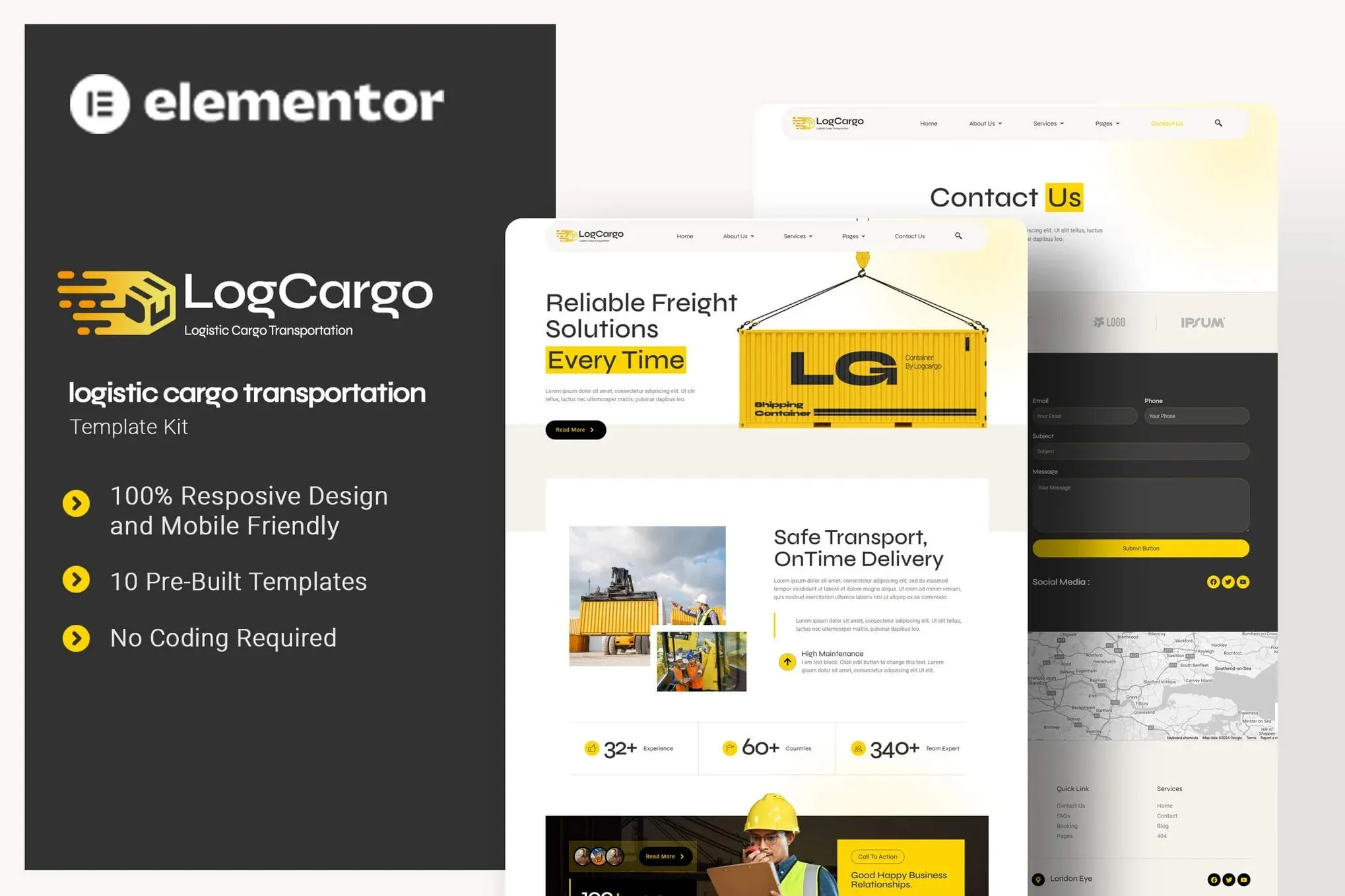
Build a killer logistics website in minutes. LogCargo gives your cargo business a professional online presence with 10+ ready-to-use pages, freight layouts, and shipping sections — all drag-and-drop, no coding required. Get instant access now.
- Secured & Scanned by Virus total & McAfee.
- Access to Free updates for Lifetime
- All products are Under GPL License (Unlimited Domain Usage)
- We Not Provide any Support For this Product

Lifetime Membership
Access 6700+ Premium WordPress Themes & Plugins, Elementor Templates, Mobile Apps, PHP scripts with Lifetime Updates.
Join Premium MembershipRecently Viewed
LogCargo – Logistics & Cargo Transportation Website Template
Your logistics business deserves a website that works as hard as you do. LogCargo is a professionally designed Elementor Template Kit built specifically for freight companies, cargo services, shipping businesses, and transportation firms. It gives you a complete website foundation — no design skills or coding knowledge required.
What LogCargo Includes
This template kit comes packed with everything you need to launch a polished logistics website fast. Inside, you’ll find 10+ pre-designed pages and sections covering services, fleet showcases, quote request forms, tracking pages, and team profiles. The layouts are clean, modern, and built to convey the reliability and efficiency your clients expect from a cargo partner.
- Homepage with hero section, service highlights, and call-to-action
- About Us page with company story and trust indicators
- Services section showcasing freight, shipping, warehousing, and delivery options
- Gallery and fleet showcase for your vehicles and equipment
- Contact page with embedded forms and company details
- Quote request form designed to capture leads instantly
Who It’s Built For
LogCargo works best for freight forwarders, trucking companies, shipping agencies, air cargo operators, and any logistics business that needs a professional website without the custom development costs. Whether you’re launching a new venture or refreshing an outdated site, this template kit gets you online quickly and looking established from day one.
Key Features That Set LogCargo Apart
Unlike generic website builders or expensive custom themes, LogCargo delivers industry-specific design that speaks directly to your target audience. Every element is optimized for logistics businesses — from the navigation structure to the service presentation layouts.
- 100% responsive design that looks great on mobile, tablet, and desktop
- Fully compatible with Elementor (free version works fine)
- Clean, organized structure that’s easy to customize
- Professional typography and color schemes built for trust
- SEO-friendly structure to help you rank in search results
- Commercial license included — use for client projects or your own business
How To Use LogCargo
Getting started takes less than 30 minutes. Install the free Elementor plugin, import the template kit with one click, and start customizing. Swap out the placeholder text with your company details, upload your own images, and publish. No code, no complications. If you can use Word, you can build this website.
Why Buy This Template Kit
Custom website development for a logistics business typically costs $2,000–$5,000 or more. LogCargo gives you the same professional result at a fraction of the price. One-time payment, lifetime access, and free updates mean you pay once and benefit forever. The commercial license lets you use this for your own business or even resell it to clients — making it an excellent investment for freelancers and agencies too.
Ready to get your logistics business online? Download LogCargo now and have a professional cargo website live today.
Only logged in customers who have purchased this product may leave a review.
How to use Kit:
Install and activate the “Template Kit – Import” plugin from Plugins > Add New in WordPress.
Do not unzip.
Go to Template Kit – Import > Upload Template Kit Zip File button.
Before importing a template, ensure the Install Requirements button is clicked to activate required plugins.
For best results, do not import more than one template at a time.
RELATED PRODUCTS

DIVI – Original License | One Time Payment – Exclusive Deal

Elementor Pro 4.2.3 + Elementorism Landing Pages WordPress Plugin

907 5.3.6 – Responsive Multi-Purpose WordPress Theme

Element Pack Pro 9.1.0 – Addon For Elementor






 Mobile Apps
 php script
 How to
Reviews
There are no reviews yet