
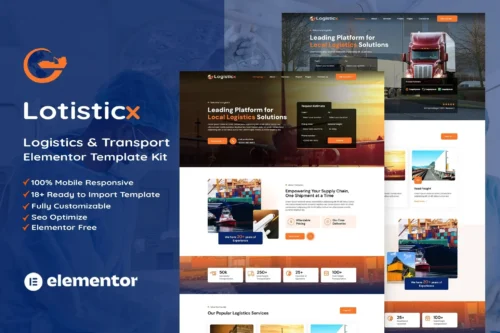
Logisticx – Logistics & Transportation Elementor Template Kit
- Updated on May 3, 2026
- 100% Original Product & Well Documented
- Unlimited Domain Usage

*Important Note:
The image should not be Part of the template kit. You need to use your own reliable Source.


Original price was: ₹999.00.₹299.00Current price is: ₹299.00.
Stop paying agencies $5K+ for a logistics website. Logisticx gives you 10+ professionally designed pages, a commercial license, and lifetime updates — all in one Elementor template kit. Launch this week.
- Secured & Scanned by Virus total & McAfee.
- Access to Free updates for Lifetime
- All products are Under GPL License (Unlimited Domain Usage)
- We Not Provide any Support For this Product

Lifetime Membership
Access 6700+ Premium WordPress Themes & Plugins, Elementor Templates, Mobile Apps, PHP scripts with Lifetime Updates.
Join Premium MembershipRecently Viewed
Logistics & Transportation Elementor Template Kit
Most logistics companies spend months waiting on agencies or burn through monthly theme subscriptions. Logisticx skips all that. It’s a pre-built Elementor template kit for trucking companies, freight forwarders, shipping businesses, and transport services — launch in hours, not weeks.
No coding required. Swap in your logo, adjust the colors, add your services, and you’re live.
What’s Included
12 pages total, each designed to convert visitors into paying clients:
- Homepage with a bold hero section that immediately shows what you do
- About page for telling your company story and building trust
- Services page to showcase trucking, freight, and shipping options
- Cargo Tracking page so clients can check shipments on their own
- Quote Calculator that generates instant shipping estimates
- Team page — great for introducing your drivers and dispatchers
- Testimonials section to display reviews and social proof
- Contact page with lead capture forms and map integration
- Multiple header and footer layouts to choose from
Key Features
Built to look professional and actually perform.
- Clean, modern design — communicates reliability without looking dated
- Mobile-responsive — looks solid on phones, tablets, and desktops
- Drag-and-drop editing — modify anything using Elementor’s visual builder
- Your branding, not ours — swap colors, fonts, and images freely
- SEO-friendly markup — clean code that search engines actually like
- Fast load times — optimized for Core Web Vitals out of the box
Commercial License
Use it on unlimited projects — your own business, client sites, whatever. No restrictions, no hidden fees, no “gotchas.” Deploy with confidence.
Who This Is For
- Logistics companies and freight brokers
- Trucking and hauling businesses
- Shipping and cargo services
- Warehouse and distribution companies
- Transport agencies and owner-operators
- Freelancers and agencies building logistics sites for clients
The Real Numbers
Agency-built logistics websites typically run $3,000–$8,000 and take 8–12 weeks. Monthly theme subscriptions drain money forever. Logisticx is a one-time purchase with instant download. No subscriptions. No surprises.
You’ll also get dedicated support if you hit any snags during setup. Every layout is built for conversion — each section nudges visitors toward booking or requesting a quote.
Get Started Now
Download Logisticx and have a professional logistics website live this week. Instant access, commercial license included, lifetime updates, and support when you need it.
Only logged in customers who have purchased this product may leave a review.
How to use Kit:
Install and activate the “Template Kit – Import” plugin from Plugins > Add New in WordPress.
Do not unzip.
Go to Template Kit – Import > Upload Template Kit Zip File button.
Before importing a template, ensure the Install Requirements button is clicked to activate required plugins.
For best results, do not import more than one template at a time.
RELATED PRODUCTS

DIVI – Original License | One Time Payment – Exclusive Deal

Elementor Pro 4.2.3 + Elementorism Landing Pages WordPress Plugin

907 5.3.6 – Responsive Multi-Purpose WordPress Theme

Element Pack Pro 9.1.0 – Addon For Elementor






 Mobile Apps
 php script
 How to
Reviews
There are no reviews yet