
Nexframe – Photography & Portfolio Elementor Kit
- Updated on May 3, 2026
- 100% Original Product & Well Documented
- Unlimited Domain Usage
*Important Note:
The image should not be Part of the template kit. You need to use your own reliable Source.


Original price was: ₹999.00.₹299.00Current price is: ₹299.00.
Skip the developer. Skip the monthly fees. Nexframe gives you 10 polished portfolio templates, a commercial license, and lifetime updates. Build your photography site today.
- Secured & Scanned by Virus total & McAfee.
- Access to Free updates for Lifetime
- All products are Under GPL License (Unlimited Domain Usage)
- We Not Provide any Support For this Product

Lifetime Membership
Access 6700+ Premium WordPress Themes & Plugins, Elementor Templates, Mobile Apps, PHP scripts with Lifetime Updates.
Join Premium MembershipRecently Viewed
Nexframe – Photography & Portfolio Elementor Kit
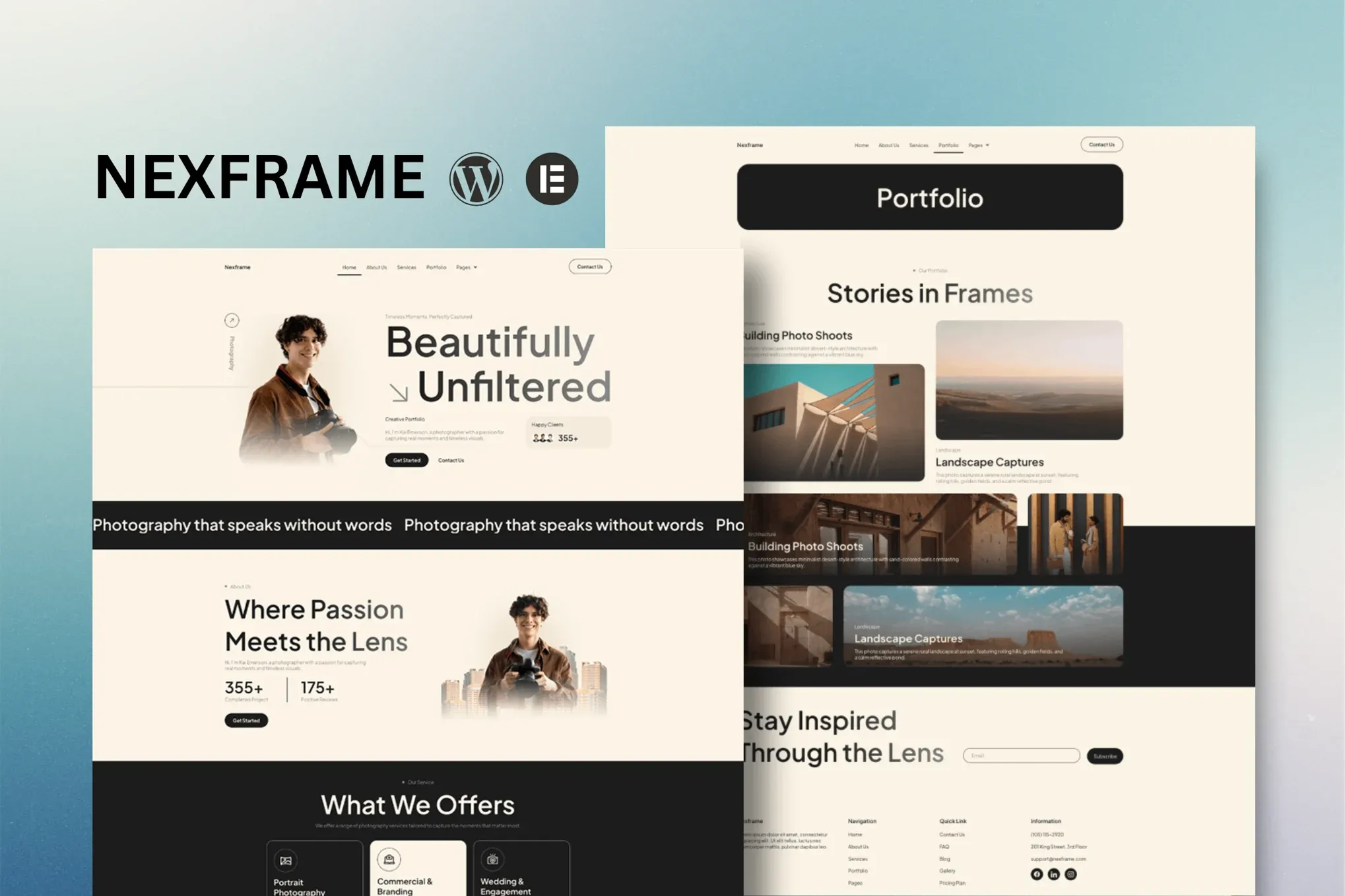
Your photography deserves more than a basic template. Nexframe is a ready-to-use Elementor template kit built specifically for photographers, creatives, and studios who want a professional portfolio without spending weeks on design or hundreds on a developer. Import, customize, and launch — all within your WordPress dashboard.
What Is Nexframe?
Nexframe is a collection of polished layouts crafted for the free Elementor page builder. No Elementor Pro required. No expensive themes. No coding knowledge needed. The kit works with Hello Elementor and most standard WordPress themes — you get a clean, modern portfolio site the moment you import it.
10+ Templates Included
Every page you need, ready to go. Nexframe ships with complete templates for:
- Home — a bold hero section that immediately showcases your best work
- About — build trust with your story, your process, and your credentials
- Services — clearly present what you offer and how much you charge
- Portfolio — a grid and masonry layout built to make images pop
- Pricing — transparent packages that convert browsers into paying clients
- Our Team — introduce your studio or collaborators
- FAQ — answer common questions and shorten your inbox
- Blog — share behind-the-scenes content, tips, and client stories
That’s eight core page templates and more layouts waiting inside the kit. Every section, header, and footer is designed to work together, giving your site a cohesive, premium feel from page one.
Built for Photographers, By Designers Who Get It
Your portfolio is your first impression. Nexframe puts your images first with generous white space, responsive grids, and typography that stays out of the way. Every layout is optimized for visual storytelling — because when your work is the hero, your site should get out of the way.
Customization is entirely drag-and-drop. Change colors, fonts, spacing, and section order without touching a single line of code. Every template is fully responsive, meaning your portfolio looks sharp on mobile phones, tablets, and desktop screens alike.
Who Is This For?
Nexframe works well for:
- Portrait, wedding, landscape, fashion, and commercial photographers building a portfolio from scratch
- Creative studios and agencies who need client-ready site foundations fast
- Freelancers and solopreneurs who want a polished online presence without a design budget
- WordPress users who already use Elementor and want layouts that actually look good
Whether you’re launching your first website or redesigning an outdated one, Nexframe gives you a professional starting point that you can make entirely your own.
One Payment, Lifetime Access
No subscriptions. No recurring fees. Buy Nexframe once and you own it — including every future update. The kit includes a commercial license, so you can use it on client projects without licensing concerns. If you ever get stuck, our support team is ready to help.
Ready to Get Started?
Website builders that watermark your images, charge monthly fees, and lock you into their ecosystem. Developers who take six weeks to deliver something you could’ve built yourself in an afternoon. That’s the old way. With Nexframe, you download, install, and publish — same day. Stop waiting and get your photography website live this week.
Only logged in customers who have purchased this product may leave a review.
How to use Kit:
Install and activate the “Template Kit – Import” plugin from Plugins > Add New in WordPress.
Do not unzip.
Go to Template Kit – Import > Upload Template Kit Zip File button.
Before importing a template, ensure the Install Requirements button is clicked to activate required plugins.
For best results, do not import more than one template at a time.
RELATED PRODUCTS

DIVI – Original License | One Time Payment – Exclusive Deal

Elementor Pro 4.2.3 + Elementorism Landing Pages WordPress Plugin

907 5.3.6 – Responsive Multi-Purpose WordPress Theme

Element Pack Pro 9.1.0 – Addon For Elementor






 Mobile Apps
 php script
 How to
Reviews
There are no reviews yet