
Peopletact – Recruitment Agency Elementor Template Kit
- Updated on May 4, 2026
- 100% Original Product & Well Documented
- Unlimited Domain Usage
*Important Note:
The image should not be Part of the template kit. You need to use your own reliable Source.


Original price was: ₹999.00.₹299.00Current price is: ₹299.00.
No coding. No developer fees. Get your recruitment agency website live today with 14 pre-built pages ready to customize in Elementor.
- Secured & Scanned by Virus total & McAfee.
- Access to Free updates for Lifetime
- All products are Under GPL License (Unlimited Domain Usage)
- We Not Provide any Support For this Product

Lifetime Membership
Access 6700+ Premium WordPress Themes & Plugins, Elementor Templates, Mobile Apps, PHP scripts with Lifetime Updates.
Join Premium MembershipRecently Viewed
Build a Professional Recruitment Agency Website in Minutes
No more waiting on developers. No more inflated agency quotes. PeopleTact is a purpose-built template for staffing professionals who need a polished site up and running today.
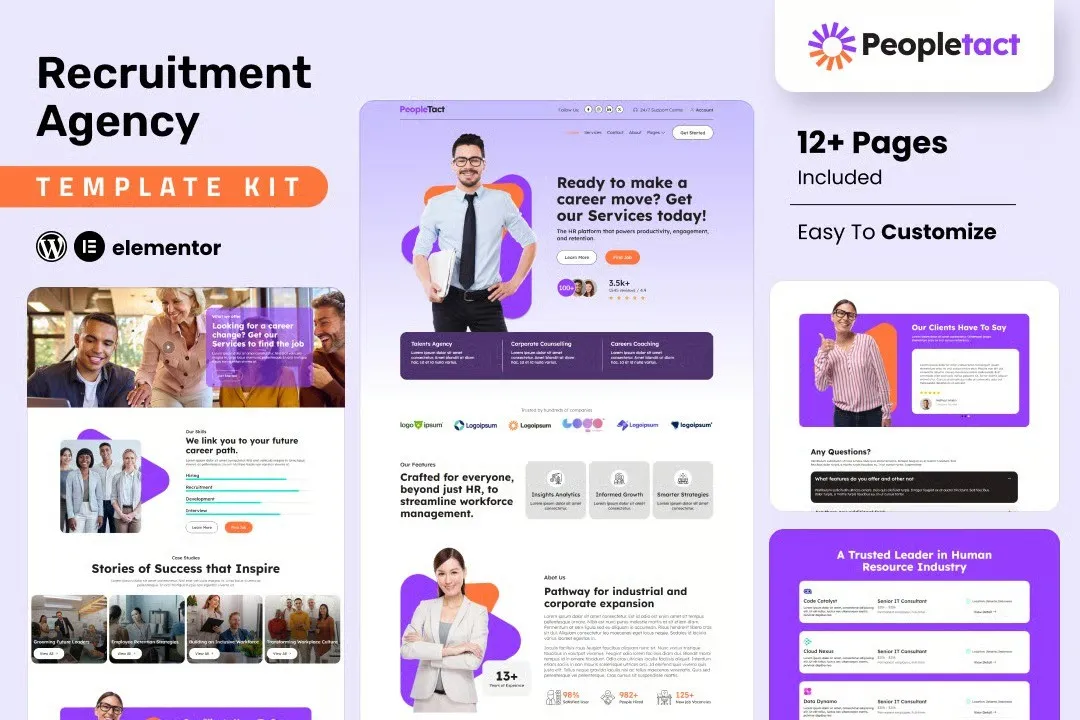
The kit includes homepage layouts, service pages, job listing templates, candidate showcases, and contact forms — all styled for the recruitment industry. Open it in Elementor, drop in your branding, hit publish.
What You Get in the PeopleTact Template Kit
Fourteen pre-designed pages and sections cover every touchpoint a staffing business needs. Each layout is mobile-responsive, retina-ready, and conversion-focused.
- Homepage — Bold hero section, service overview, candidate highlights, client testimonials, and a clear call-to-action driving visitors toward your contact or job search page
- About Us — Tell your agency story with space for team photos, company values, and years of experience
- Services — Detail permanent placement, temporary staffing, executive search, and contract hiring without rebuilding layouts from scratch
- Job Listings — Clean, scannable job post cards designed to hold position titles, locations, salary ranges, and apply buttons
- Candidate Profiles — Showcase talent categories to attract both job seekers and employers browsing your site
- Contact + Career Pages — Fully styled contact forms and a dedicated careers portal page ready for integration
Built for Recruiters, Not Generic Businesses
Most templates look great in demos but fall apart when you actually try to use them. PeopleTact follows the recruitment business model — results-driven messaging, trust-building layouts, and clear paths to action. Candidates land on your site and need to find relevant jobs fast. Employers need to understand your process in seconds. This template handles both.
The color palette and typography hierarchy mirror how successful staffing agencies actually communicate. No fluff, no confusion — just clear, professional presentation that builds credibility.
Who Is PeopleTact For?
Solo recruiters launching a personal brand. Mid-size staffing firms refreshing their online presence. HR consultants and headhunters who need a professional portfolio without the hassle.
- New recruitment agencies building their first website on a tight budget
- Established staffing firms switching from outdated or off-brand web setups
- HR consultants and headhunters who need a professional portfolio fast
- Freelance web designers building client sites in the recruitment niche
How to Get Started
You’ll need WordPress and the free Elementor plugin. Download the PeopleTact kit, import it into your WordPress dashboard, and start editing. Swap in your agency name, add your logo, adjust colors to match your brand, and publish.
No code. No third-party page builder required. No ongoing subscription — one flat payment gets you lifetime access.
Commercial license included. Use it for your own agency or client projects. No restrictions on the number of sites.
Ready to Launch?
Skip the developer quotes and the weeks of back-and-forth. PeopleTact gives you a complete recruitment agency template that looks custom-built — without the custom price tag. Download instantly and have your website live today.
Only logged in customers who have purchased this product may leave a review.
How to use Kit:
Install and activate the “Template Kit – Import” plugin from Plugins > Add New in WordPress.
Do not unzip.
Go to Template Kit – Import > Upload Template Kit Zip File button.
Before importing a template, ensure the Install Requirements button is clicked to activate required plugins.
For best results, do not import more than one template at a time.
RELATED PRODUCTS

DIVI – Original License | One Time Payment – Exclusive Deal

Elementor Pro 4.2.3 + Elementorism Landing Pages WordPress Plugin

907 5.3.6 – Responsive Multi-Purpose WordPress Theme

Element Pack Pro 9.1.0 – Addon For Elementor






 Mobile Apps
 php script
 How to
Reviews
There are no reviews yet