
Pixure – Minimalist Photography Portfolio Kit
- Updated on May 4, 2026
- 100% Original Product & Well Documented
- Unlimited Domain Usage
*Important Note:
The image should not be Part of the template kit. You need to use your own reliable Source.


Original price was: ₹999.00.₹299.00Current price is: ₹299.00.
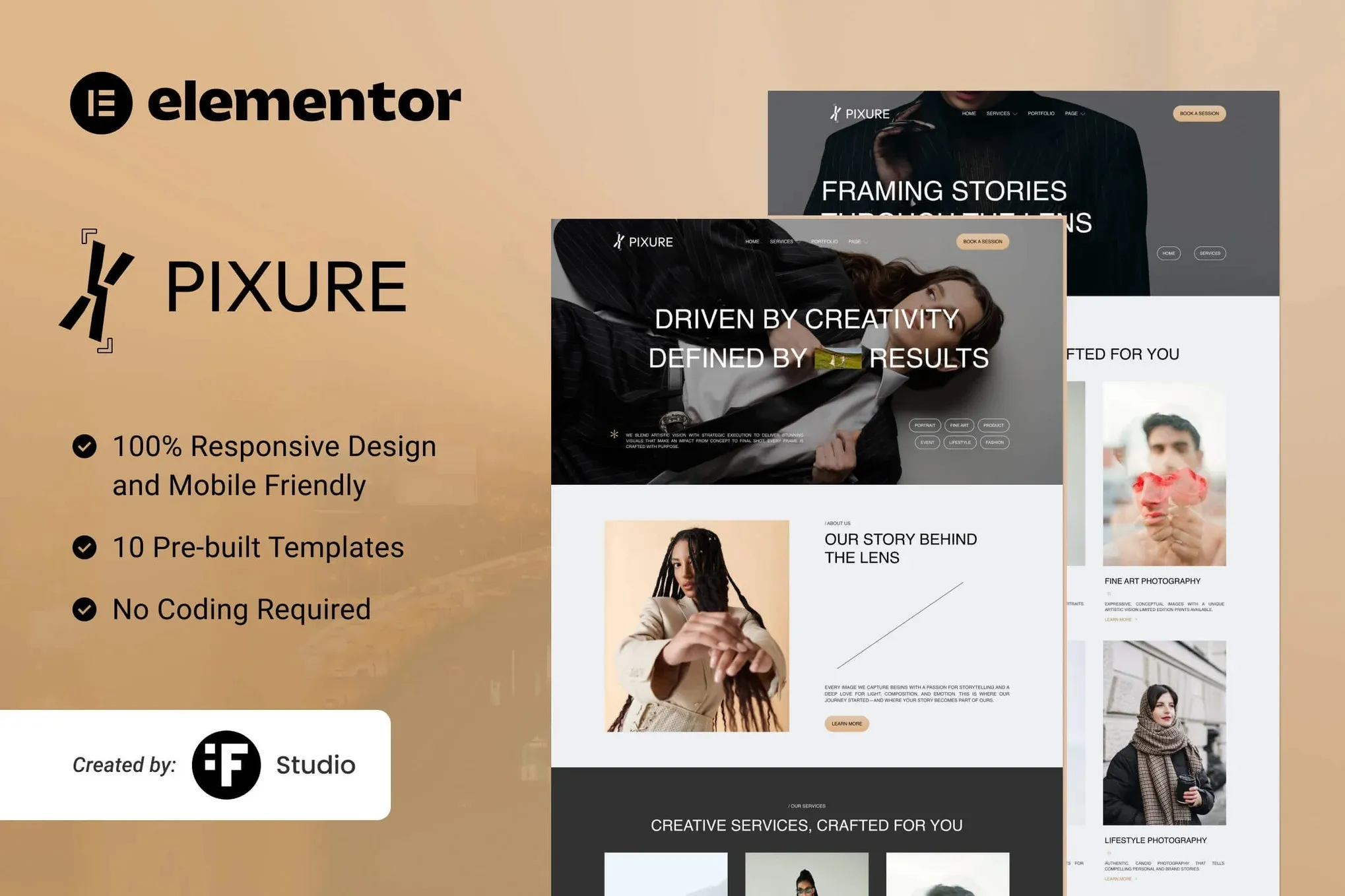
A clean photography portfolio kit for Elementor. Six layouts, gallery templates, service pages, and contact forms — no coding required. Just drag, drop, and launch your site in an afternoon.
- Secured & Scanned by Virus total & McAfee.
- Access to Free updates for Lifetime
- All products are Under GPL License (Unlimited Domain Usage)
- We Not Provide any Support For this Product

Lifetime Membership
Access 6700+ Premium WordPress Themes & Plugins, Elementor Templates, Mobile Apps, PHP scripts with Lifetime Updates.
Join Premium MembershipRecently Viewed
Minimalist Photography Portfolio Template for Elementor
Your photos deserve a stage that doesn’t compete for attention. Pixure is a gallery-focused Elementor Template Kit built for photographers, visual artists, and creative studios who want their work front and center. Every layout decision, every spacing choice, every transition exists to serve your images — not distract from them.
Built with Elementor (the free version works fine), Pixure lets you assemble a professional photography website in an afternoon. No complex plugins. No expensive developers. Just clean design that makes visitors stop scrolling and start booking sessions.
What Pixure Is
Pixure is a pre-built Elementor Template Kit containing ready-to-use page layouts for a complete photography portfolio. It includes a homepage with featured gallery sections, dedicated portfolio pages with masonry and grid options, about and contact pages, plus a services layout if you offer shoots. Import the templates, swap in your images, tweak a few colors — done.
The design philosophy is simple: maximum visual impact, minimum visual noise. White space isn’t empty here; it’s intentional breathing room that makes each photograph land harder.
Key Features for Your Photography Website
- 6 homepage variations — Hero with full-screen image, split-screen layouts, centered focus, sidebar navigation, and dark-mode alternatives
- Portfolio archive templates — Masonry grid, equal-height grid, and list view options for different photography styles
- Single portfolio layout — Full-width image display with minimal metadata, prev/next navigation, and related works section
- Service pages — Pricing cards, package breakdowns, and booking inquiry forms pre-built
- Blog templates — Photography journal layout for behind-the-scenes content, gear reviews, or workshops
- Fully responsive — Every layout adapts to mobile, tablet, and desktop viewing without breaking
All templates use global colors and typography settings, so changing your brand look takes minutes across every page.
Who Pixure Is Built For
This photography portfolio template kit works best for:
- Wedding and portrait photographers building a portfolio site
- Visual artists showcasing paintings, illustrations, or digital art
- Landscape and travel photographers with large image collections
- Creative studios with multiple photographers or service offerings
- Photography students creating their first professional presence
You don’t need to be a developer. If you can drag and drop in WordPress, you can build this site.
How To Set Up Pixure
Getting started takes three steps. First, install the free Elementor plugin on your WordPress site. Second, import the Pixure template kit from the Templates section in Elementor. Third, replace placeholder images with your own work.
Each template is complete — header, footer, and all content included. You can use just the homepage, or build an entire multi-page site. Customization happens directly in Elementor’s visual editor: change headings, adjust spacing, swap colors, add your logo. No CSS required unless you want it.
The kit includes setup documentation and tips for optimizing your images for fast loading — important for photography sites where large files can slow things down.
Why Buy This Photography Portfolio Template
You could spend weeks designing a portfolio from scratch. Or you could start with a foundation that’s already proven to work. Pixure gives you a professional starting point — clean layouts tested for visual flow, responsive designs that work everywhere, and a structure that scales as your portfolio grows.
One-time payment. Lifetime access. Commercial license included, so you can use it for client projects too. Instant download means you’re building your site tonight.
Ready to Get Started?
Your photography speaks for itself. Give it a home that matches its quality. Get Pixure now and launch a portfolio site that looks like you hired a designer — without the designer price tag.
Only logged in customers who have purchased this product may leave a review.
How to use Kit:
Install and activate the “Template Kit – Import” plugin from Plugins > Add New in WordPress.
Do not unzip.
Go to Template Kit – Import > Upload Template Kit Zip File button.
Before importing a template, ensure the Install Requirements button is clicked to activate required plugins.
For best results, do not import more than one template at a time.
RELATED PRODUCTS

DIVI – Original License | One Time Payment – Exclusive Deal

Elementor Pro 4.2.3 + Elementorism Landing Pages WordPress Plugin

907 5.3.6 – Responsive Multi-Purpose WordPress Theme

Element Pack Pro 9.1.0 – Addon For Elementor






 Mobile Apps
 php script
 How to
Reviews
There are no reviews yet