
Psikolog – Psychology & Counseling Elementor Template Kit
- Updated on May 3, 2026
- 100% Original Product & Well Documented
- Unlimited Domain Usage
*Important Note:
The image should not be Part of the template kit. You need to use your own reliable Source.


Original price was: ₹999.00.₹299.00Current price is: ₹299.00.
Launch a polished psychology website tonight — no coding skills needed. Psikolog gives therapists and counselors a professional online presence that helps new clients feel confident booking their first session. Includes instant download and commercial license.
- Secured & Scanned by Virus total & McAfee.
- Access to Free updates for Lifetime
- All products are Under GPL License (Unlimited Domain Usage)
- We Not Provide any Support For this Product

Lifetime Membership
Access 6700+ Premium WordPress Themes & Plugins, Elementor Templates, Mobile Apps, PHP scripts with Lifetime Updates.
Join Premium MembershipRecently Viewed
A Psychology Website Template Built for Mental Health Professionals
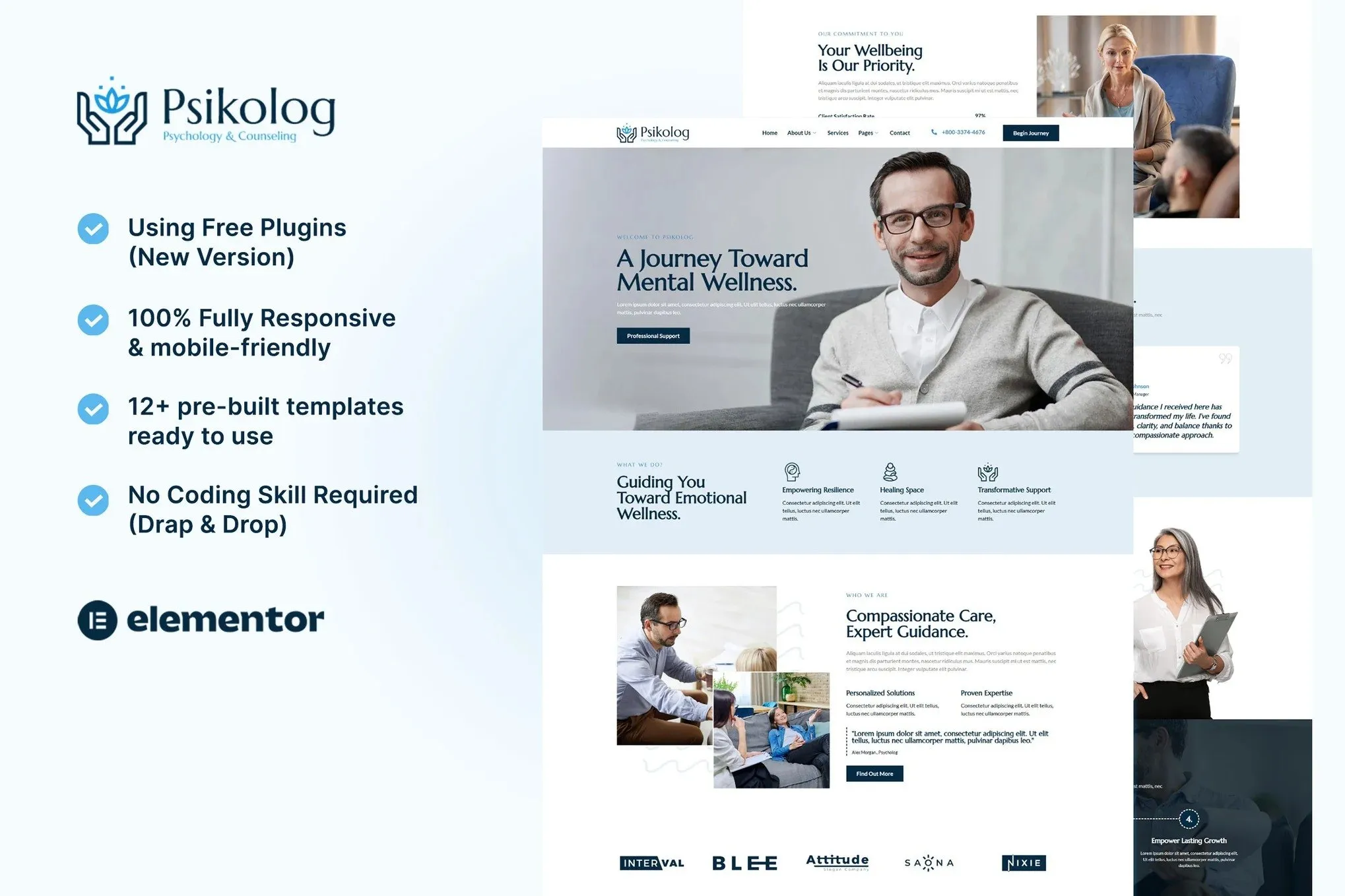
Most therapy practices lose potential clients because their website looks outdated or feels impersonal. Psikolog solves that. It’s an Elementor template kit built specifically for psychologists, counselors, and therapists who want a polished site without wrestling with code or hiring a developer. Every layout, color, and section creates the calm, professional atmosphere your clients expect from their first visit.
What You Get with Psikolog
Stop tweaking generic templates that were never designed for therapy practices. Psikolog comes ready with pages for services, therapist bios, appointment scheduling, contact forms, and resources. It slots into Elementor exactly where you need it — no hunting through blocks to figure out what goes where.
Key Features That Set Your Practice Apart
- Homepage with hero section, services overview, testimonials, and a clear call-to-action
- Therapist profile templates so new clients find the right fit
- Services pages that explain treatment approaches without clinical jargon
- Contact and booking sections that make reaching out feel low-pressure
- Responsive layouts that look clean on phones, tablets, and desktops
- Color palette you can adjust to match your practice branding
- Clean structure that plays well with SEO plugins
Who Psikolog Is For
Independent psychologists, clinical counselors, marriage and family therapists, and behavioral health practices. Starting fresh or updating an old site? You’ll have a professional foundation running in an afternoon — not weeks. If you can drag elements around in WordPress, you can build your whole site with this kit.
How to Get Your Psychology Website Live
Three steps. Install Elementor on your WordPress site, import the kit with one click, then swap in your practice name, photos, and services. Most people finish the basic structure same day. After that, adjust colors, fonts, and images until it matches your brand.
Why Choose Psikolog Over Other Templates
Generic templates make you delete sections that don’t apply, then rebuild everything. Psikolog skips that. Every element serves a therapy practice — the soothing color schemes, the appointment-focused calls-to-action that turn visitors into clients. Commercial license included, so you can use it for your own practice or client work without extra fees.
Instant download. One-time payment. Build your site tonight instead of waiting three weeks for a developer. No subscriptions eating into your revenue year after year.
What Happens After You Download
You’ll get a complete template with placeholder content you can swap out in under an hour. Swap the demo photos for your own, update the text with your services and credentials, and hit publish. That’s it — your site is ready for people searching for help right now.
Only logged in customers who have purchased this product may leave a review.
How to use Kit:
Install and activate the “Template Kit – Import” plugin from Plugins > Add New in WordPress.
Do not unzip.
Go to Template Kit – Import > Upload Template Kit Zip File button.
Before importing a template, ensure the Install Requirements button is clicked to activate required plugins.
For best results, do not import more than one template at a time.
RELATED PRODUCTS

DIVI – Original License | One Time Payment – Exclusive Deal

Elementor Pro 4.2.3 + Elementorism Landing Pages WordPress Plugin

907 5.3.6 – Responsive Multi-Purpose WordPress Theme

Element Pack Pro 9.1.0 – Addon For Elementor






 Mobile Apps
 php script
 How to
Reviews
There are no reviews yet